26
PROBLEM CAUSE REMEDY
There are static noises
when using the phone
• The phone line is loose.
• The phone line cable is damaged.
• The phone may be too close to
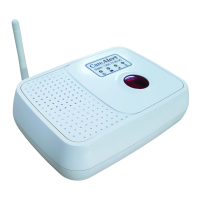
the Smart Dialler.
• The phone or phone battery
may be the cause
• There may be a Telecom Issue
• Plug the phone port rmly
in the socket
• Replace the phone line cable
• Separate phone & Smart Dialler
as much as possible
• Replace the cordless phone
battery or the phone
• Contact your Telecom Service Provider
The Star or 3 Key will not open two way
communication on the Smart Dialler
• The phone receiving the call may not be
returning the Star Key signal
• You may have a piggy back plug at the
telecom port & picking up interference by
what is running through the other leg of the
double adaptor
• Your ADSL Filter may be blocking the star
key signal
• Foxtel maybe the issue
• The star key on your mobile
phone may be inactive.
• The receivers mobile provider may not
accept keys as communication or they run
on an unrecognized frequency
• Press the Star (
*
) Key for a longer
period or try using another phone.
• Rearrange such that you only have the
dialler connected to a single plug.
• Change the ADSL Filter
• If using Foxtel, run from the single
telecom plug to the Foxtel ‘RTX Base
Unit’, and from there to the CareAlert
Smart Dialler
• As an alternative to STAR try number 3
on your keypad.
•
It is rare but if it occurs the emergency call
will play the message and then auto-
matically dial the next programmed number



 To Next Page