Connect a 3 litre syringe to the
transducer with the adapter supplied and
empty by pushing the handle fully in.
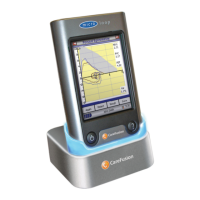
Select ‘Calibration Check’ from the main
menu and then select ‘check Calibration’.
Fill the syringe by pulling the handle at a
constant rate until the end stop is
reached and then immediately empty the
syringe completely. Try to maintain a
flow rate that keeps the trace within the
grey bands on the display.
Press ‘Reject’ to retry the calibration
check at the required flow rate.
Press ‘Again’ to repeat the calibration
check at a low flow rate.
Press ‘Again’ to repeat the calibration
check at a high flow rate.
When a calibration check at all three flow
rates has been completed press ‘Done’ to
view the calibration check report screen.


 To Next Page