23
3. Set Alarms
Selecting option three will allow the NO and NO
2
alarm levels to be
set individually from the following menu:
SetAlarms
1UpperNO:20
2LowerNO:5
3UpperNO2:4
4Exit
The current alarm levels are displayed for reference and, for
example, the upper alarm level for NO may be altered by selecting
option 1 when the following screen will be displayed:
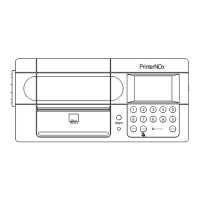
Enternewalarm
level:
UpperNO:
Type in the required alarm level and press ENTER.
The lower NO and NO
2
alarm levels are set with the same procedure
with option 2 and 3 respectively.
The valid range of entry is 0 to 99 for the NO upper and lower
alarms and the upper alarm must be set higher than the lower
alarm.


 To Next Page