7
5.3 Geo-Fence alarm
Two type of Geo-fence alarms can be set in the Careium 450. Settings is done via i-care®
online. The fence shall be defined so that the target, such as a house, lake etc. is in the
middle of the fence. The radius of the fence shall not be less than 100m.
• Geo-Fence alarm IN.
o If the device enter inside this fence the alarm will be triggered
o Two Geo-fence IN zones can be setup
• Geo-Fence Out
o If the device go outside of this fence the alarm will be sent
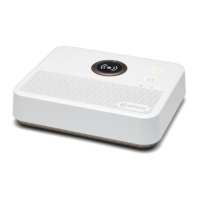
o The Beacon need to be inside this fence
o One Geo-Fence OUT zone can be set up
5.4 Technical alarms
• Power on
• Power off alarm
• Low battery alarm
• Critical low battery alarm (EOL alarm)
• Battery full alarm
• Test transmission alarm
Positioning
The device position can be determined in 4 different ways. GPS (and Glonass), Wi-Fi, LBS
and via Beacon.
Every 3 minutes the device will determine its position, except for when it is stationary as
in below cases:
• Static. Definition of static is 7 minutes without movement. Movement is determined
by the accelerometer in the device.
• In contact with at least one beacon.
Satellite’s positioning has the highest priority. Accuracy is often about 10-100m.
Wi-Fi position is determined by 2 or more mac addresses obtained from surrounding Wi-
Fi networks. Accuracy is often about 10-100m.
Base station position is determined by data from 2 or more GSM base stations that the
device have in range. Accuracy is often less than 1000m.
Beacon. If there is a beacon registered as “home” is within range, the system know that
the user is at home.


 To Next Page