EasyManua.ls Logo

Carel pCO Series - User Manual

Carel pCO Series
84 pages
Print Icon
To Next Page IconTo Next Page
Loading...
pCO sistema
General manual
User manual
LEGGI E CONSERVA
QUESTE ISTRUZIONI
READ AND SAVE 
THESE INSTRUCTIONS

Table of Contents

Other manuals for Carel pCO Series

Questions and Answers

  • J
    Joshua GriffithAug 14, 2025
    Why does my Carel pCO Controller turn on and off repeatedly?
    • J
      Jamie Shepard DDSAug 14, 2025
      If the Carel Controller turns on and off repeatedly, or activates digital or analog outputs, examine the power cables to ensure they are distant from the main board microprocessors. Verify the power transformer is adequately sized. Ensure you're using metallic mounting hardware when attaching the main card to the electrical panel.
  • R
    ramoselizabethAug 17, 2025
    How to fix Carel Controller serial connection failure to local supervisor?
    • M
      Mark BowmanAug 18, 2025
      To resolve a failure of the serial connection to the local supervisor on your Carel Controller, verify the presence and proper connection of the serial board code PCOSER0000. Ensure the identification number of the pCO unit is correctly set. Check the codes and proper connection of the serial cables used, referring to the Carel diagram. Ensure the serial cables are not disconnected.
  • R
    Ronald VaughnAug 20, 2025
    What to do if Carel pCO has wrong input signal reading?
    • M
      Maria NashAug 20, 2025
      To address wrong input signal readings on the Carel Controller, check the probe connection and ensure that probe cables are away from noise sources like power cables or high voltage cables. Calibrate the input via the program. Ensure proper power supply to both the main board and the probes. Also, separate the power supply of the digital inputs from the pCO's power supply.
  • W
    William RuizAug 25, 2025
    How to troubleshoot failed connection to remote supervisor on Carel pCO Controller?
    • V
      Valerie RoyAug 25, 2025
      To address a failed connection to the remote supervisor with your Carel Controller, check the power supply to the Gateway and modems. Verify the Gateway's programming. Ensure the modem is suitable for the Carel serial network.
  • D
    Daniel LongAug 27, 2025
    How to fix Carel Controller that does not start?
    • K
      Kristy AllenAug 27, 2025
      If the Carel Controller unit doesn't start, check the mains, ensure there are 24V~ after the 230V~ - 240V~ power transformer, and verify the 24V~ power connector is correctly plugged in. Inspect the fuse of protection and ensure the proper connection between the terminal unit and the main board.
  • B
    Billy ArmstrongAug 31, 2025
    What causes a Carel Controller user terminal not to work?
    • L
      Lee PhillipsAug 31, 2025
      If the user terminal on your Carel Controller isn't working (locked keypad), it may have been disconnected and reconnected too quickly. Turn the pCO off and on again with the terminal connected. Also, check that the EPROM has been correctly inserted.
  • B
    beardandreaSep 3, 2025
    What to check for uncertain alarm signal from digital input on Carel Controller?
    • M
      Michael GonzalezSep 3, 2025
      If you encounter an uncertain alarm signal from a digital input on your Carel Controller, check the input alarm signal by detecting the voltage between the "C" common terminal and the digital input terminal indicating the "Cn" alarm. If voltage is present (24V~ or V, according to the power supply being used for the digital inputs) the contact of the connected alarm device is closed. If voltage is 0V~ or 0V the contact is open. The controller gives an alarm whenever the contacts are open, unless stated otherwise.
  • K
    Karen DiazSep 6, 2025
    What to do if Carel pCO Controller shows alarm LED, no messages, or buzzer at start-up?
    • C
      Christopher RiggsSep 6, 2025
      If, at start-up of your Carel Controller, the alarm LED is on, the LCD shows no messages or random messages, or the buzzer is on, check the EPROM polarity. Also, check the pins of the EPROM, ensuring they aren't bent when inserting it into its socket. If the microprocessor chip is damaged, contact the Maintenance Service.
  • T
    Tammy OlsenSep 9, 2025
    Why is my Carel pCO showing wrong reading of the input signals?
    • K
      Kenneth ButlerSep 9, 2025
      To troubleshoot wrong reading of the input signals on your Carel Controller, check the probe connection. Ensure the probe cables are distant from electromagnetic noise sources, such as power cables and high voltage cables. Verify there isn't high thermic resistance between the sensor and the probe socket; if needed, add conductive paste or oil to the sockets. For probe or conversion errors, the verifications depend on the probe type.

Summary

General Manual

pCO Sistema Overview

Introduction to the PCO Sistema product range and its capabilities.

Introduction

General Features

Details on the controller's general features, programmability, and hardware architecture.

Description of Products

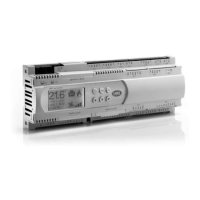
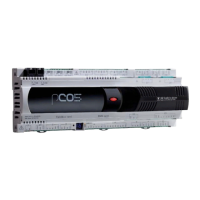
PCO³ Controller

Detailed description and diagram of the PCO³ controller, including its connectors and key functions.

PCO³ Technical Specifications

Technical specifications for PCO³ analogue inputs, digital inputs, and analogue outputs.

PCO³ Digital Outputs

Details the features and specifications of PCO³ digital outputs, including relay types and ratings.

PCO³ Electrical Specifications

Electrical specifications for the PCO³ controller, including power supply, CPU, and memory.

PCO¹ Controller

PCO¹ Technical Specifications

Technical specifications for PCO¹ analogue inputs, digital inputs, and analogue outputs.

PCO¹ Digital Outputs

Details the features and specifications of PCO¹ digital outputs, including relay types and ratings.

PCOXS Board

PCOS Technical Specifications

Technical specifications for PCOS analogue inputs, digital inputs, analogue outputs, and digital outputs.

PCOS Mechanical Specifications

Mechanical specifications for the PCOS controller, including dimensions and operating conditions.

PCO Controller

PCO Technical Specifications

Technical specifications for PCO analogue inputs, digital inputs, analogue outputs, and digital outputs.

User Terminals

Graphic Terminals: PGD0;pGD1, PGD2;pGD3

Overview of graphic terminals, including PGD0/pGD1 and PGD2/pGD3 models and their features.

Connecting User Terminals to pCO

Instructions for connecting user terminals (like pGD) to the pCO controller using specific cables.

Maximum Connection Distance

Information on maximum distances for terminal and pCO connections based on cable types.

Installing the pCO Controller

General Installation Instructions

Comprehensive guide to installing the PCO controller, covering environmental conditions, positioning, and wiring.

Power Supply

Details on power supply requirements and connections for PCO controllers.

Connecting Analogue Inputs

Guidance on connecting various types of analogue input sensors to the pCO controllers.

Connecting Digital Inputs

Instructions for connecting digital inputs to PCO controllers, covering 24 Vac and 24 Vdc types.

Connecting Analogue Outputs

Instructions for connecting 0-10V and PWM analogue outputs on PCO controllers.

Connecting Digital Outputs

Instructions for connecting digital outputs, including electromechanical relay and SSR types.

Configuration of the pLAN Network

Introduction to pLAN Network

Overview of the pLAN network capabilities for connecting PCO controllers and devices.

Installing pGDO and pGD1 Terminals

Step-by-step guide for installing and configuring pGDO and pGD1 terminals on a pLAN network.

Installing pGD2 and pGD3 Terminals

Instructions for installing and configuring pGD2 and pGD3 terminals, including network settings.

Installing the Aria Terminal

Guide for installing and configuring the Aria terminal, including parameter setup.

Setting pLAN Address on pCO Controllers

Procedure for setting the pLAN network address for various pCO controller models.

pLAN Electrical Connections

Details on wiring pCO controllers for pLAN network connections, including cable types and diagrams.

Remote Terminal Installation in pLAN

Guidelines for remotely installing terminals in a pLAN network, including distance limitations and cable types.

pLAN Network Technical Specifications

Technical specifications for the pLAN network, including baud rate, protocol, and maximum length.

Options and External Modules

Optional pCO Sistema Boards

Overview of optional boards for pCO controllers, covering communication and expansion capabilities.

Serial Boards for Supervision and Telemaintenance

Describes serial boards for RS485, RS232 modem, Ethernet, BACnet, and CANbus communication.

Serial Boards for Field Bus Network Connection

Details on serial boards for tLAN, MP-Bus, and RS232 modem connections.

External Modules and Interfaces

Information on external modules like humidifier interfaces and their connections.

DC;DC Module

Description of the DC/DC power supply module for pCO controllers.

Smart Key

Information about the SMART KEY for programming and data management of pCO controllers.

Signal LEDs and Software Updates

PCO Low Level Status Cases

Describes conditions that cause the pCO to enter "LOW LEVEL" status, impacting operation.

Updates, Firmware, and Logs

WINLOAD Software

Details on using the WinLoad software for updating firmware, applications, and logs for pCO controllers.

Smart Key Operation

Information on using the SMARTKEY for programming, cloning, and data transfer operations.

NAND FLASH Memory

Describes the NAND FLASH memory feature available on specific pCO3 versions for file storage.

Checking Installed Software and System Information

How to check installed software versions, system information, log data, and device ID.

General Connection Diagrams

Troubleshooting

Networks and Protocols

pLAN Protocol

Description of the pLAN protocol, its capabilities, and specifications for connecting pCO devices.

Local Terminal Protocol

Details on the local terminal protocol for point-to-point terminal connections to pCO controllers.

CAREL Slave Protocol

Explanation of the CAREL Slave protocol for interfacing with supervisors and other systems.

CAREL Master Protocol

Information on the CAREL Master protocol for communicating with peripherals and I/O expansions.

CAREL Master 5 Expansions Protocol

Details on the CAREL Master 5 expansions protocol for I/O peripherals.

WinLoad Protocol

Description of the WinLoad protocol for managing pCO controllers via software.

PST Protocol

Information about the PST protocol for numeric LED terminals.

Modbus Slave Protocol

Details on the Modbus Slave protocol for interfacing with Modbus supervisory systems.

Modbus Master Protocol

Explanation of the Modbus Master protocol for acquiring and writing variables to Modbus Slave devices.

Modbus Master Protocol - Benshaw

Specifics of the Modbus Master protocol for Benshaw VFD control.

PSTN Protocol (Modem)

Information on the PSTN protocol for connecting to remote supervisors or WinLoad via modem.

GSM Protocol (GSM Modem)

Details on the GSM protocol for remote supervision, WinLoad, and SMS messaging.

MP-Bus Protocol

Description of the MP-Bus protocol for managing BELIMO actuators.

Serial Printer Protocol

Information on connecting pCO controllers to printers or terminal emulators via RS232.

Carel pCO Series Specifications

General IconGeneral
ConnectivityRS-485, Ethernet
DisplayLCD
Input/OutputConfigurable
Power Supply24 VAC/DC
TypeProgrammable Controller
Analog OutputsUp to 4
Serial CommunicationRS-485
ProtocolsModbus
Input Voltage24 VAC/DC
Protection RatingIP20
CommunicationRS-485, Ethernet
Relay OutputsUp to 8

Related product manuals