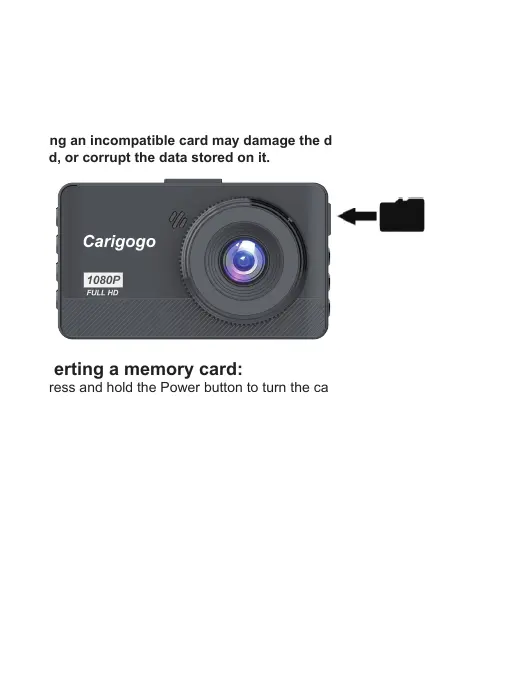
Inserting the Memory Card
Removing the Memory Card
The D3 accepts Micro SD memory cards (class 10 or higher) with a
maximum capacity of 32GB. Depending on the memory card manufacturer
and type, some cards may not be compatible with your device.
Using an incompatible card may damage the device or the memory
card, or corrupt the data stored on it.
Inserting a memory card:
1.Press and hold the Power button to turn the camera off.
2.Insert the card in the orientation shown.
3.Push the card into the slot.
4.Listen for click sound that signals the card is securely inserted.
Before removing a memory card from your camera, you must first prepare
it for safe removal by powering down the device.
Removing a memory card from your camera:
1.Press and hold the Power button to turn the camera off.
2.Gently push the memory card in until you hear a click, and allow the
spring release to push the card out.
- 09 -


 To Next Page