EasyManua.ls Logo

Carimali ARMONIA SOFT PLUS - User Manual

Carimali ARMONIA SOFT PLUS
72 pages
Print Icon
To Next Page IconTo Next Page
Loading...
USER’S MANUAL
Translation of original instructions
Armonia Soft Plus

Table of Contents

Other manuals for Carimali ARMONIA SOFT PLUS

Questions and Answers

Summary

1 General Safety Warnings

2 Identification

3 Introduction

3.1 Symbols

Explains warning and information symbols used in the manual for operator safety and machine status.

3.2 User Types

Defines different user roles (User, Operator, Engineer) and their responsibilities with the machine.

3.3 Intended Use

Specifies approved applications and environments for the coffee machine, defining professional use cases.

3.3.1 Reasonably Foreseeable Misuse

Outlines improper uses of the machine that are not covered by manufacturer liability.

4 Description of the Machine

4.1 Machine Configurations

Details different hardware configurations of the machine, showing options for grinders and containers.

4.2 General Description of the Machine

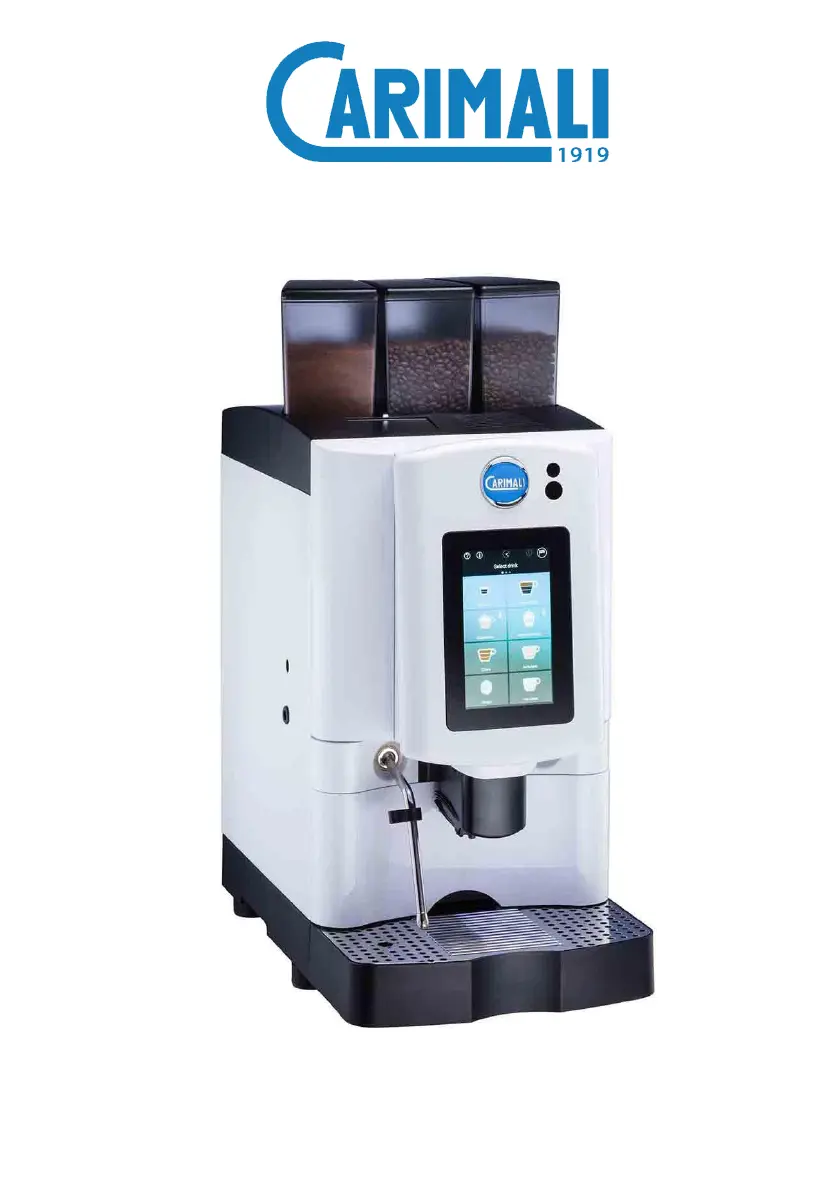
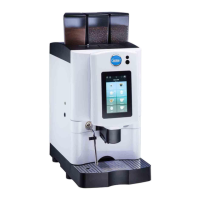
Provides an overview of the machine's main components and their locations, including the touch screen and dispensing area.

4.2.1 Details of Coffee; Instant Containers

Lists the types and capacities of containers for coffee beans and instant products.

4.3 Touch Screen Display

4.3.1 Using the Display

Explains basic touch interactions like scrolling and selecting drinks on the machine's interface.

4.3.2 Switching On

Guides the user through the process of powering on the machine and initial screen elements.

4.3.3 Boiler Heating

Describes the boiler heating process, including temperature display and potential wait times.

4.3.4 Introduction

Briefly introduces the machine's initial startup screen.

4.3.5 Drink Selection

Details how to select desired beverages from the touch screen interface for dispensing.

4.3.6 Drink Delivery in Progress

Explains the interface during beverage dispensing, including progress indicators and stop options.

4.3.7 Dose Settings

Covers how to adjust drink parameters like coffee strength and volume, often requiring service access.

4.3.8 Alarm Signals

Explains how the machine indicates errors or warnings through lights and on-screen messages.

4.3.9 Alarm History

Guides users on how to access and review past alarm events recorded by the machine.

4.3.10 Display Adjustment

Allows customization of display settings like interface type, brightness, and number of drinks per page.

4.4 Touch Screen Display Variation

4.4.1 Cup Station

Describes the functionality and behavior of the optional cup station feature, including door locking.

4.4.2 Energy Save

Explains the energy-saving mode and the conditions under which it is activated.

4.4.3 Manual Delivery Stop

Details how users can manually interrupt the beverage dispensing process.

4.4.4 MDB Payment System

Explains the operation of the MDB payment system for purchasing beverages.

5 Technical Characteristics

5.1 Technical Data

Provides detailed technical specifications, including dimensions, weight, power, and water pressure requirements.

5.2 Overall Dimensions

Shows the physical dimensions of the machine for installation planning.

6 Residual Risks

7 Handling and Storage

8 Installation and Startup

8.1 Packaging Contents

Lists all items included in the machine's packaging for initial setup.

8.2 Prior Checking After Receipt

Details checks to perform on the machine and its components immediately after delivery.

8.3 Positioning

Provides guidelines for placing the machine in a suitable environment and location for operation.

8.4 Installation

Covers the essential steps for physically installing the machine, including connections.

9 Instructions for Use

9.1 Getting Started

Outlines preliminary steps before the first use, including essential washes.

9.1.1 Product Filling

Explains how to fill the machine's containers with coffee beans and other ingredients.

9.2 Switching On

Guides the user through the process of turning the machine on and interacting with the initial screen.

9.2.1 Dispensing Circuit Washing

Details the procedure for washing the machine's internal dispensing circuits before first use or after long periods.

9.3 Drink Dispensing

Covers the process of selecting and dispensing various beverages from the machine.

9.4 Switching Off

Explains the correct procedure for powering down the machine.

10 Ordinary Maintenance

10.1 External Cleaning

Describes how to clean the exterior surfaces of the machine, including the display and chrome parts.

10.1.1 Cleaning the Display

Specific instructions for safely cleaning the touch screen interface.

10.1.2 Cleaning of Chrome-plated Surfaces

Guidance on cleaning the machine's decorative chrome-plated components.

10.1.3 Cleaning of Machine Surfaces

General instructions for daily cleaning of the machine's external body.

10.1.4 Cleaning the Solid;Liquid Grounds Container

Details how to empty and clean the container that collects coffee grounds.

10.1.5 Instant Product; Coffee Container Cleaning

Instructions for cleaning the containers holding coffee beans and instant products.

10.2 Cleaning of Functional Units

Covers the cleaning procedures for internal functional units like the coffee group, milk system, and mixers.

10.2.1 Power Cleaner Washing

Explains the automated cleaning cycle for the milk circuit using a specific cleaner.

10.2.2 All in One Wash

Describes a comprehensive wash cycle that cleans multiple parts of the machine.

10.2.3 Coffee Group Wash

Details the procedure for cleaning the machine's coffee dispensing group.

10.2.4 Mixer Wash

Explains the cleaning process for the machine's internal mixers.

10.2.5 Disassembly and Manual Cleaning of the Mixer

Provides steps for manually disassembling, cleaning, and reassembling the mixer unit.

10.2.6 Milker Wash (Optional)

Outlines the cleaning process for the optional milk frothing system.

10.2.7 Disassembly and Manual Milker Cleaning (Optional)

Details manual disassembly, cleaning, and reassembly for the optional milk system.

10.2.8 Cleaning the Display

Specific instructions for cleaning the touch screen display, emphasizing no alcohol use.

10.2.9 Recommended Washes

Suggests optimal washing routines for maintaining machine performance.

11 Troubleshooting

11.1 How to Detect an Error

Guides users on identifying and understanding error messages or indicators on the machine.

11.2 Operating Alarms

Lists common alarm messages, their causes, consequences, and possible solutions for users.

12 Decommissioning and Disposal

Carimali ARMONIA SOFT PLUS Specifications

General IconGeneral
TypeAutomatic Coffee Machine
Boiler TypeDual Boiler
Bean Hopper Capacity1.2 kg
Voltage220-240 V
Frequency50/60 Hz
Group Heads1
Pump Pressure15 bar
Water Tank Capacity5L
GrinderYes
DisplayTouchscreen

Related product manuals