EasyManua.ls Logo

Carimali DIVA - Group Head Automatic Cleaning; Automatic Group Cleaning Steps

Carimali DIVA
17 pages
Print Icon
To Next Page IconTo Next Page
To Previous Page IconTo Previous Page
Loading...
15
AUTOMATIC AND MANUAL GROUP CLEANING
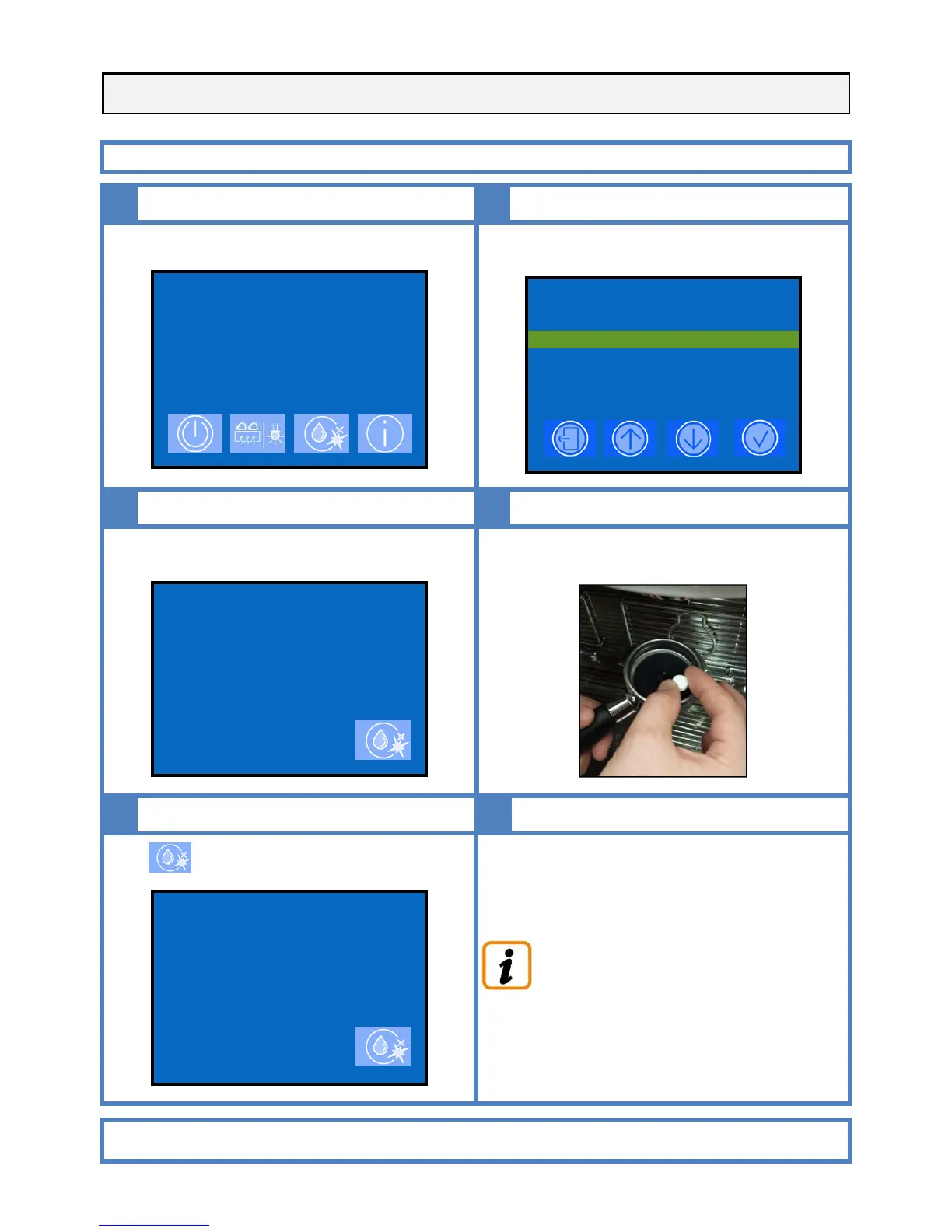
AUTOMATIC CLEANING
1
2
2
Perform the following operations with the machine ON.
.
2015-FEB-16 TUE 04:54
SELECT DRINK
Select one of the two group cleaning options and confirm by
pressing enter.
2015-FEB-16 TUE 04:54
CLEANING
GROUP 1 CLEANING
GROUP 2 CLEANING
MILKER CLEANING
3
4
Leds of the related keyboard start flashing
2015-FEB-16 TUE 04:54
GROUP 1 CLEANING
INSERT CLEANSER
PRESS CLEAN TO START
Insert the supplied blind filter diaphragm and cleaning tablet
in the filter holder and fit it into the group
5
6
Press to start cleaning
2015-FEB-16 TUE 04:54
GROUP 1 CLEANING
INSERT CLEANSER
PRESS CLEAN TO START
Repeat the above described operation for all groups of the
machine
While a cleaning is in progress on the group 1, it is
possible to deliver coffee from the other one.
PLEASE NOTE:
WE RECOMMEND TO CARRY OUT FOLLOWING CLEANING OPERATIONS AT THE END
OF EACH WORKING DAY

Related product manuals