
 Need help?
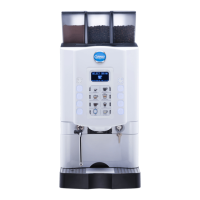
Do you have a question about the Carimali MULTI SMART and is the answer not in the manual?
Procedure to power on the machine by activating the main switch and pressing specific keys.
Accessing self-configuration by pressing SHIFT/INFO keys and entering the waiter password.
Adjust dispenser height, place cup, and press dose key for coffee or cappuccino.
Start Power Cleaner cycle using specific keys and connecting pipes for automated cleaning.
Manually clean the coffee group and its filters after the automatic cycle.
Enter programming environments using a 5-digit password, often via SHIFT key.
 General
| Bean Hopper Capacity | 1.2 kg |
|---|---|
| Frequency | 50/60 Hz |
| Number of Selections | 8 |
| Boiler Material | Stainless Steel |
| Pump Pressure | 15 bar |
| Color | Black |
| Type | Superautomatic Coffee Machine |
| Steam Boiler | Stainless Steel |
| Voltage | 220-240 V |
| Power | 3000 W |
| Drip Tray Capacity | 2 liters |












 To Next Page