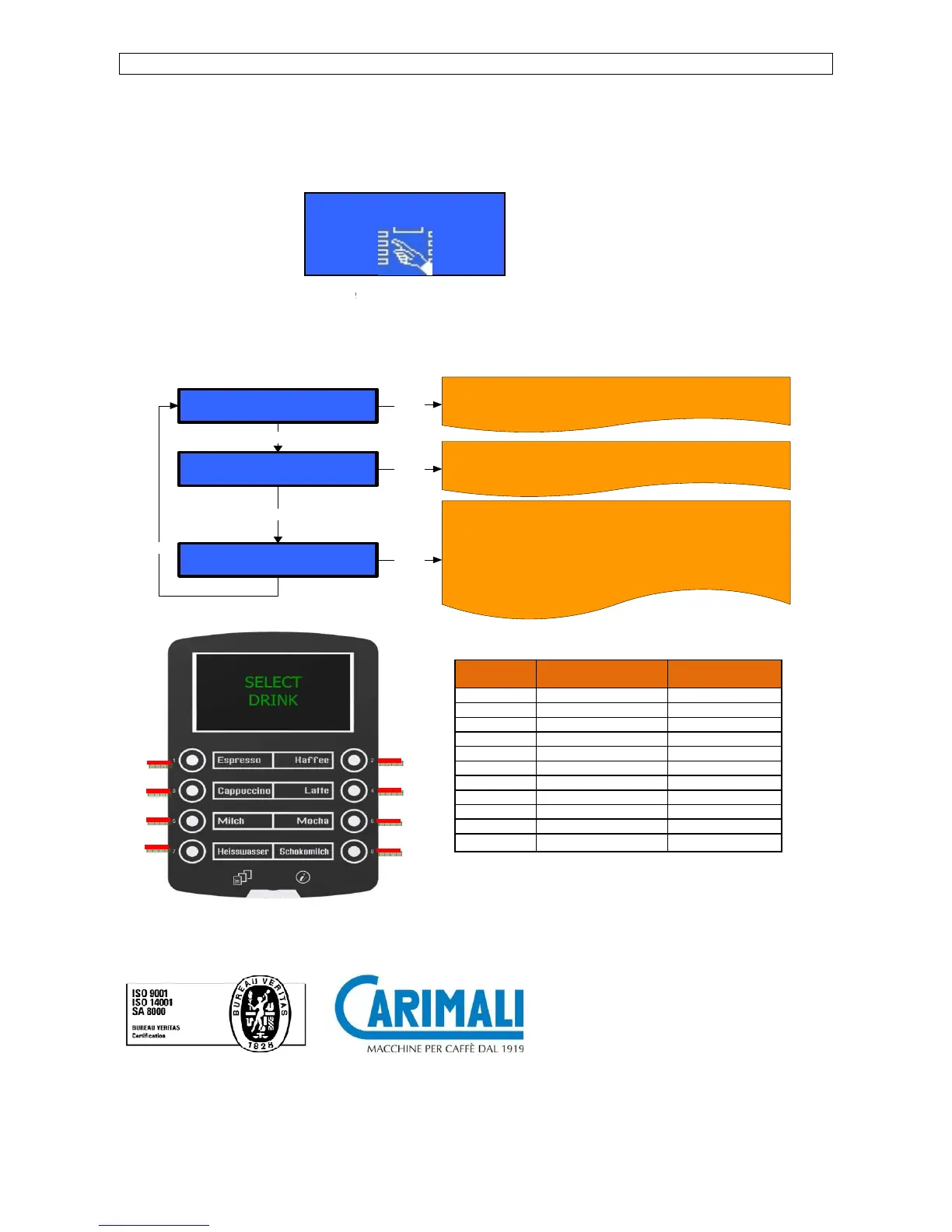
To enter the programming environments a password is required
The password must consist of 5 digits.
To insert the password proceed as follows:
- Turn the machine OFF
-
Keep “SHIFT” key pressed for 5 seconds. The display shows:
Enter one of the following passwords
- Owner 2 2 2 2 2
- Waiter 6 1 1 1 1
After inserting the password,
the display shows the main menu programming environments:
Select
Info - reset
Select
Dose programming
+ / -
Select
System manager
+ / -
-
Carimali S.p.A. con socio unico
To enter the programming environments a password is required
the access rights to the different environments.
Keep “SHIFT” key pressed for 5 seconds. The display shows:
the display shows the main menu programming environments:
Enter
Enter
Enter
Press (Enter)
key to show the following parameters
- Read doses data
- System data
Press (Enter)
key to show the following parameters
- Set doses
- Price set up
Press (Enter)
key to show the following sub
- System Clock Programming
- Service
- Alarm History
- Display Regulation
- Machine Parameter
- Group manual movements
- Change Password
- 24040 Chignolo d'Isola (BG) - Italia
the access rights to the different environments.
key to show the following parameters
key to show the following parameters
key to show the following sub













 To Previous Page