STARTING UP
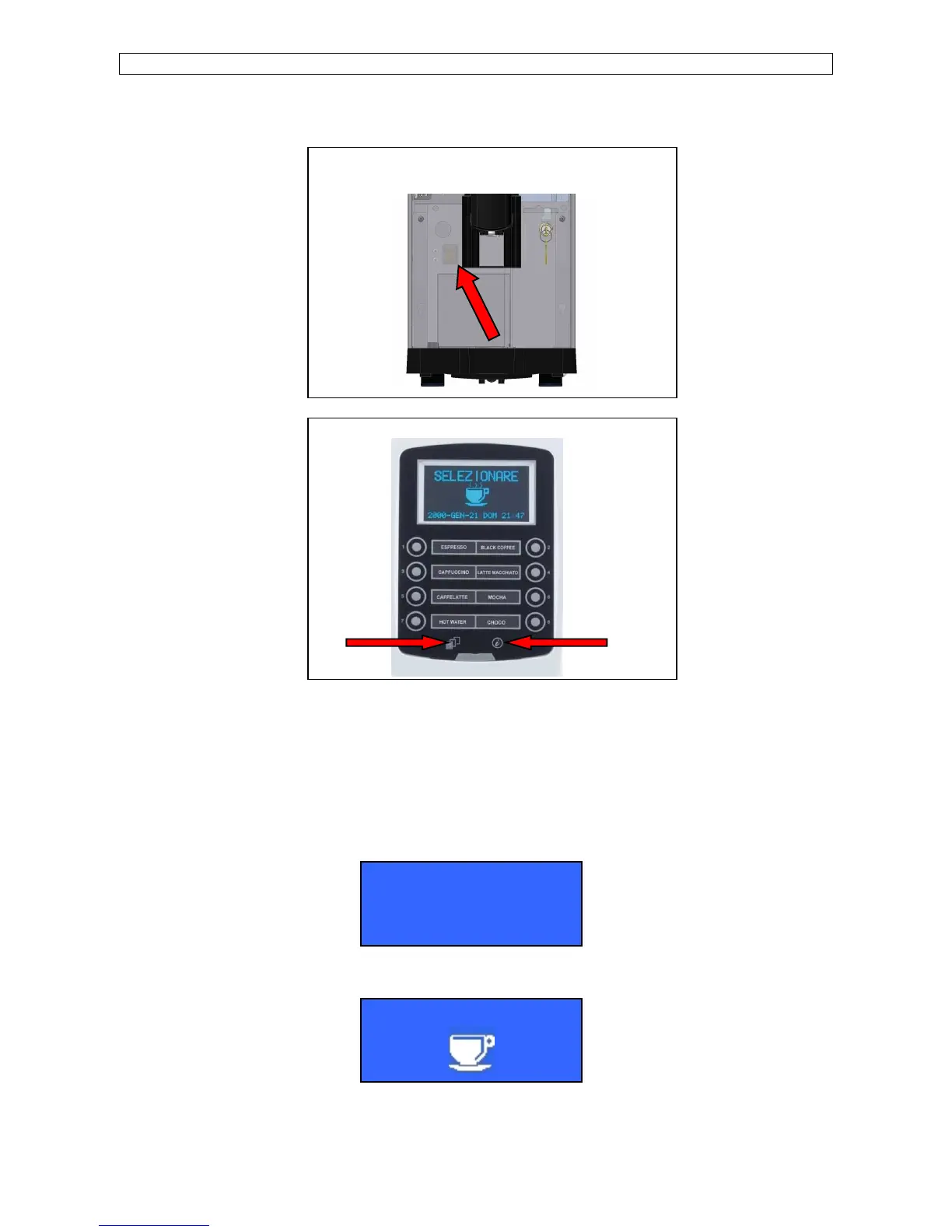
After checking that the machine door is closed and the drip tray are inserted, power ON the machine by means of the main switch inside
the machine (pic. A),
keep key SHIFT pressed and then press key INFO, (pic. B) and the machine will set itself to ON state.
FOR SELF CONFIGURATION
To switch ON the machine : keep key SHIFT pressed and then press key INFO, afterwards insert the waiter password 61111).
To switch OFF the machine: Open the front door.
When the boiler temperature of 50°C (122°F) is reached, the machine carries out a group rinsing. The display shows:
When the set-up temperature is reached, the display shows (machine configuration Standard or Self):
G.AUTO CLEANING
A) Power on the machine by means the main switch,
that can be reached by temporarily removing the coffee
grounds bin.













 To Next Page