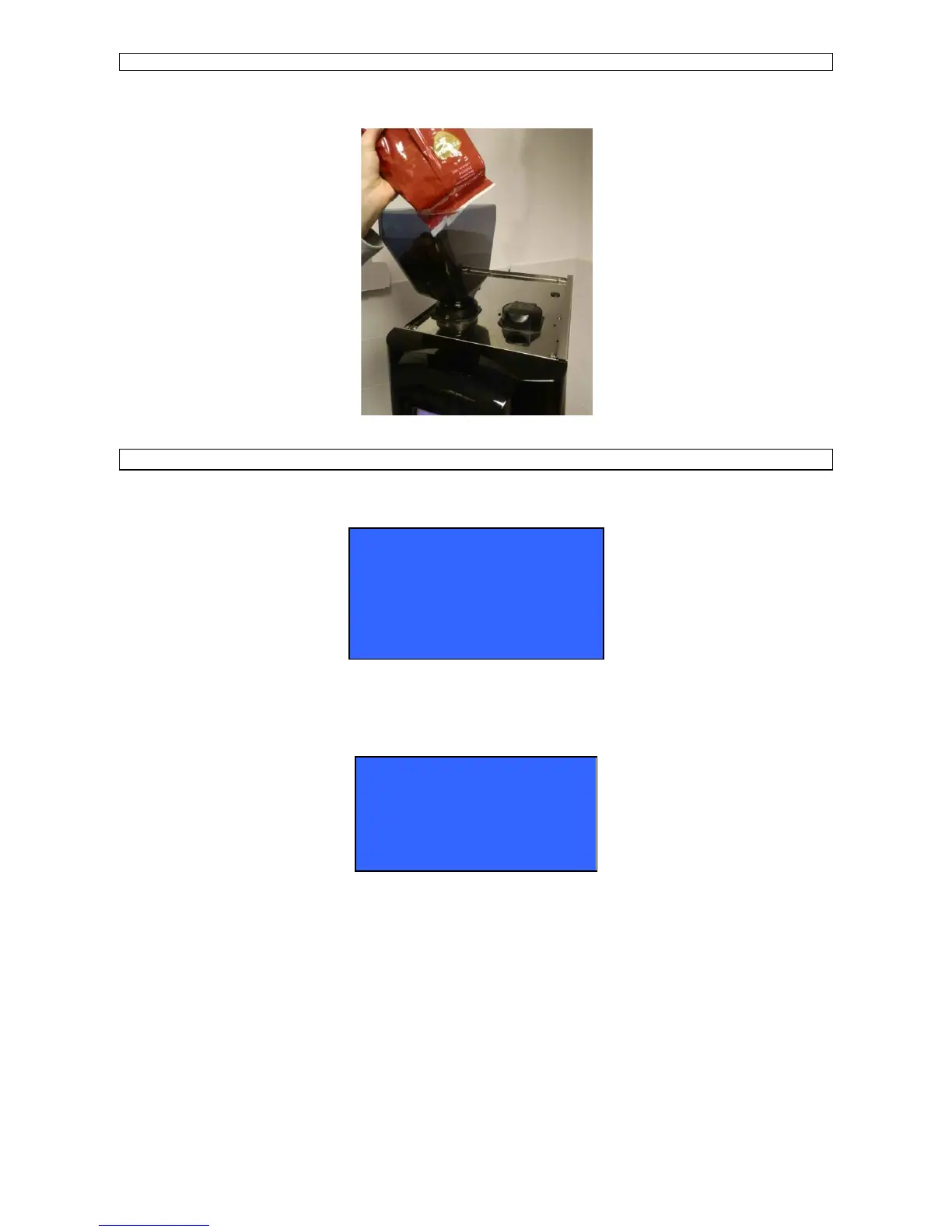
FILL IN BEAN HOPPER
Fill in the required amount for daily consumption in order to keep coffee and product always fresh.
DISPLAY THE AVAILABLE DRINKS SELECTION AND BOILERS TEMPERATURE
Press the INFO key with the machine in SELECT DRINK mode to display the available drinks selection :
Press SHIFT button once or twice to display the second or third dose drinks menu
Where B1 / B8 indicate the numbers of the drink keys.
Press twice the INFO key with the machine in SELECT DRINK mode to display the boiler temperature :
Where YYY indicates the steam boiler temperature.
B1 ESPRESSO BLACK COFFEE B2
B3 CAPPUCCINO LATTE MACCHIATO B4
B5 CAFFELATTE LATTE B6
B7 HOT WATER STEAM B8
STEAM TEMPERATURE
YYY













 To Next Page