2. Operating
After turning on the monitor, a 2 seconds test is automatically carried out: all display
segments are on; after such a test, working hours are displayed for about 3 seconds,
then engine RPMs are displayed and the other display indicators show the working
status:
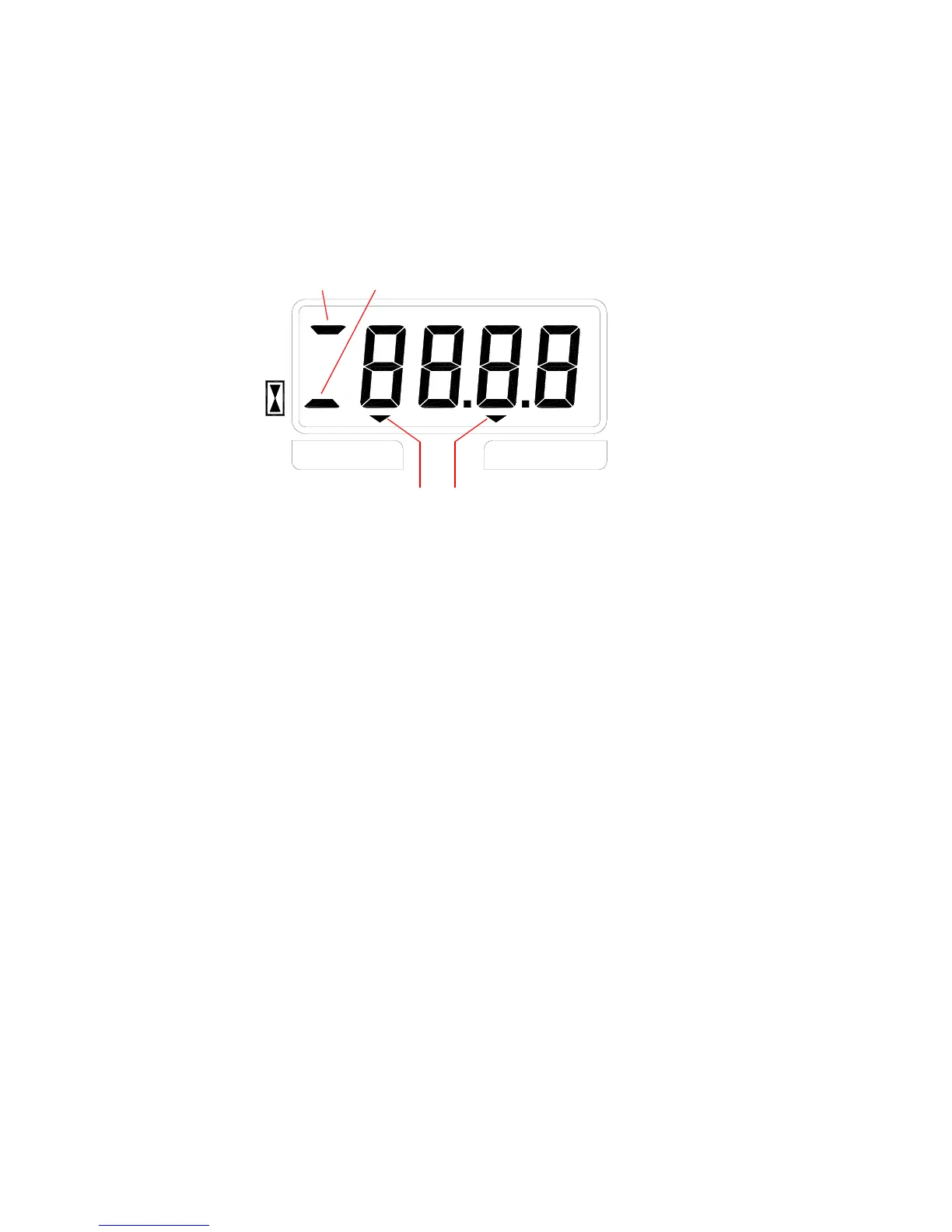
Auto-FeedReverse
RPM
h
cd
ab
Picture A
a) if ON, engined RPMs are displayed;
b) if ON, working hours are displayed;
c) if ON, reverse phase is currenlty ongoing (emergency condition)
d) if ON, “auto-feed” procedure is currently ongoing (emergency condition).
During standard operation the monitor detects engine RPMs. In case they go below
the minimum programmed value, the monitor enables one of the emergency
procedures listed below. All emergency procedures are back off, after the RPMs are
restored over the maximum programmed value. The monitor is now back in standard
working condition.
Emergency procedures are different depending on the "type" parameter programmed.



 To Next Page