Carpigiani K 3 User’s guide
This manual is for the exclusive use of licensees and employees of McDonald’s Systems Inc Page 16 of 63
Version 5: October 2012
PASTEURISATION FUNCTION / INCREASE FUNCTION
The pasteurisation function can be activated only if the mix in the hopper is above
the Medium Level (“ADD MIX” message on display must be off).
AUTOMATIC PASTEURISATION CYCLE:
while the machine is in production
(pasteurisation LED on) and the mix is above the medium level, the heat-treatment cycle
starts automatically at a certain time (as programmed in the Manager Menu normally at
2:00 AM).
During the display indicates “HEAT-TREATMENT CYCLE” the mix in the hopper and in the
cylinder is heated up to 65°C, kept at 65°C for 30 minutes and finally cooled down to 2°C.
At the end of the cycle, the display shows “PASTO END” followed by date and hour of
termination. The machine passes automatically to STORAGE function.
To serve shake, press STOP, then the PROD button, but only if the machine hasn’t passed
automatically in PRODUCTION yet.
Note: Once the pasteurisation cycle has started, it can not be interrupted. The
complete pasteurisation cycle will take less than 4 hours to be completed.
During the pasteurisation and Pause cycles, the mix in the machine is very hot. Do
not attempt to recover the mix nor to disassemble the machine.
WARNING
Do not dispense sundae nor dismount the machine during the pasteurisation
because the product is very hot and under pressure.
STORAGE / DECREASE FUNCTION / RESET ALARM MESSAGES
The Storage Led lights ON as soon as the Pasteurisation cycle ends. The machine
preserves the mix at +2°C (35°F) in the hopper and in the cylinder.
- this button is also used to decrease the value in the Manager menu
- this button is also used to RESET the ALARM MESSAGES on the display.
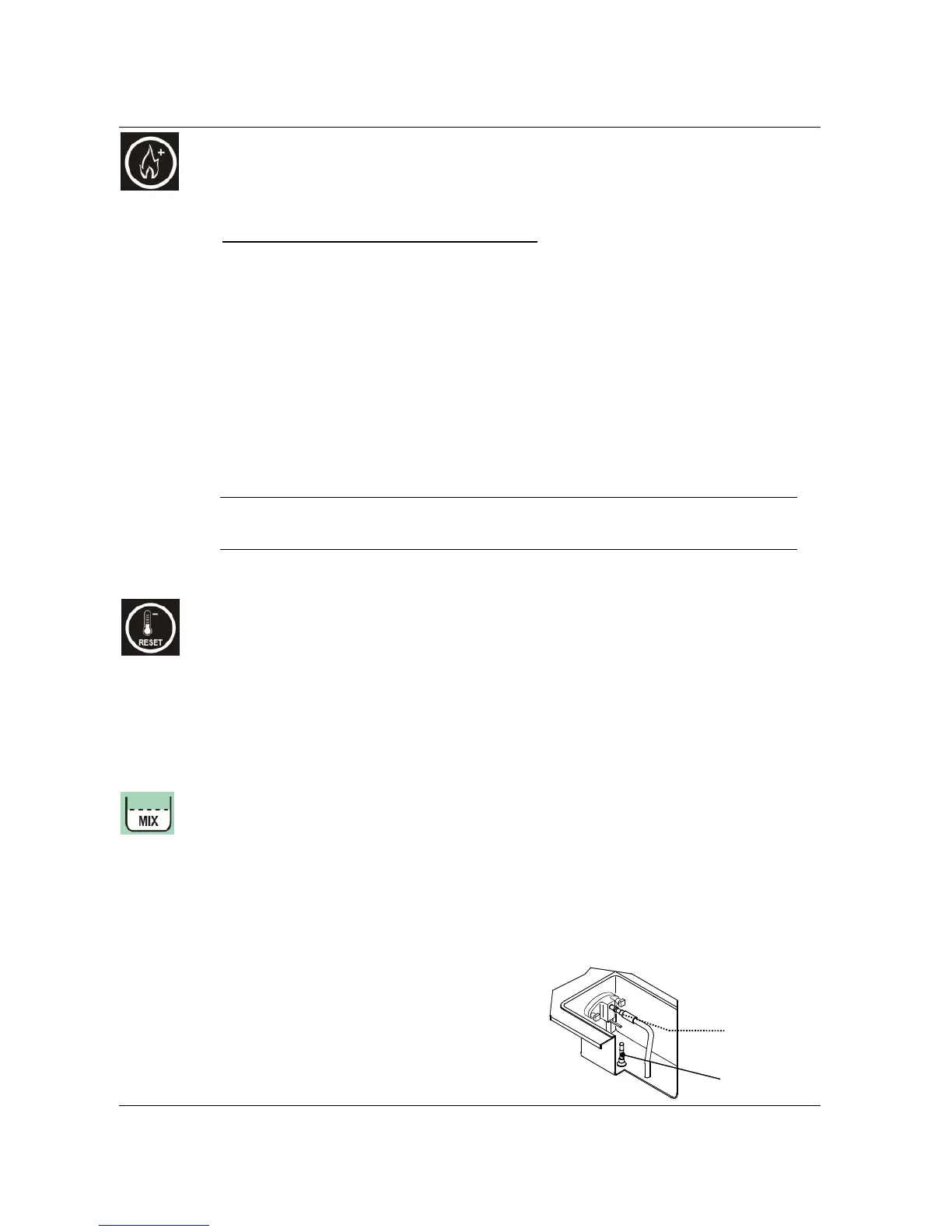
MIX LEVEL SIGNAL
In each hopper we have 2 level sensors: MEDIUM level and LOW level.
- When the MIX LEVEL LED flashes, it means that the mix level in the hopper is lower
than the medium mix level sensor.
- When the MIX LEVEL LED is on, it means that the mix level in the hopper is lower
than the minimum mix level sensor.
The display indicates ADD MIX or MIX OUT.
Mix level
sensor
Maximum filling
level indicator


 To Next Page
 Loading...