Carpigiani K 3 User’s guide
This manual is for the exclusive use of licensees and employees of McDonald’s Systems Inc Page 28 of 63
Version 5: October 2012
3.2 SUNDAE SIDE
Make sure your hands are clean and sanitized before performing the following procedures.
3.2.1. SANITIZING THE DOOR AREA SURFACE:
a) Fill an empty pail with McD Sanitizer prepared in water at 70-90°F (21-
32°C) (1 packet in 2-1/2 gallons (9-1/2 litres) of water = 100 PPM) and mix
the powder.
b) Return to the machine with a small amount of McD sanitizing solution
c) Immerse the brushes in the sanitising solution and wipe several times the
dispenser of the door, the same door, the area of the lever and all around
the door, including the holes of the knobs.
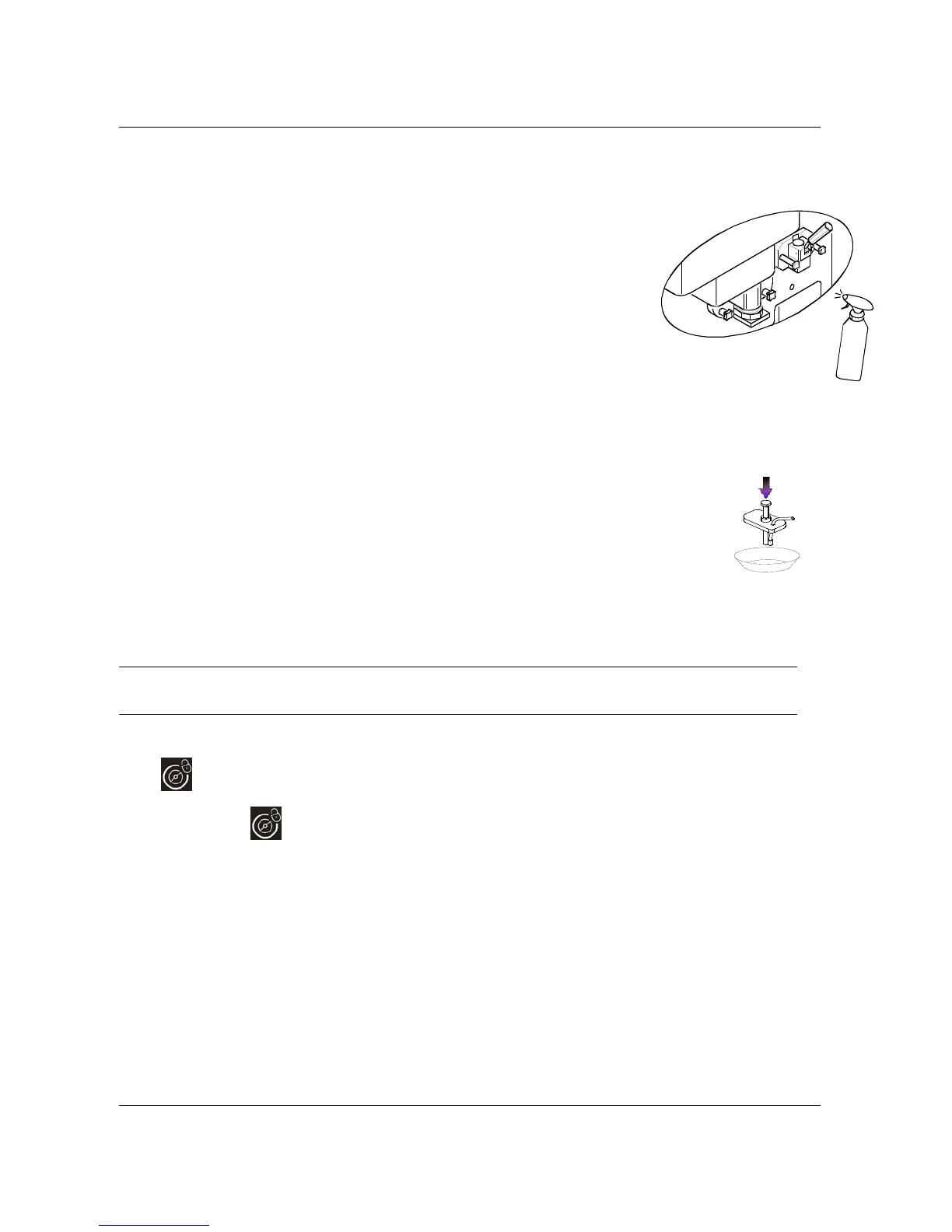
d) Spray the sanitising solution on the dispenser of the door, on the
surrounding area and on the same door.
e) Clean the front of the machine with a clean and sanitized towel.
3.2.2 TOPPING PUMPS CLEANING:
a) Remove the topping covers and pumps. Protect the exposed topping containers with a cover, in
order to avoid the product’s exposure to the air.
b) Wash the covers and the external part of the motor carefully using water and detergent.
c) Fill the container with water at 50-60°C (122-140°F), place the pumps inside, press the
distribution pistons and rinse them until the outflowing water is clean.
d) Fill the container with the sanitizing solution, place the pumps inside and push the
distribution pistons to sanitize them ( hold on for 1 minute).
e) Place the covers and pumps on the clean, dry surface and leave them drying in the air
overnight.
3.2.3
PREPARING THE MACHINE FOR THE OVERNIGHT PASTEURISATION CYCLE.
a) Open the hopper cover to check the mix level.
b) Fill the hopper with McD shake mix to the Max level. The “ADD MIX” message on the display must be off.
c) Keep the machine in PROD mode.
WARNING
If the mix in the hopper is below the medium level ("ADD MIX" MESSAGE ON DISPLAY),
the pasteurisation cycle will not start.
3.2.4 FRONT PANEL CLEANING
To clean the keyboard panel with a clean sanitized towel is recommended to lock the keys as follows:
Press
for 3 seconds, light will flash indicating that the front panel is now locked. Clean the front panel
and the keybord panel with a clean sanitized towel.
After cleaning press
for 3 seconds, to unlock the keyboard.
S
A
N
I
T
I
Z
E
R


 To Next Page
 Loading...