EasyManua.ls Logo

CARPOINT 0510350 - User Manual

CARPOINT 0510350
32 pages
Print Icon
To Next Page IconTo Next Page
Loading...
OWNER’S MANUAL
MODIFIED INVERTER
Special features
Fuse: External
USB: 5V, 2.1A
Modied sine wave output
High reliability and high efciency
High load capacity
Temperature-controlled Cooling Fan
Protection: Overload, Short Circuit, Reverse Polarity,
Over/Under Input Voltage, Overheating
LED Indicator Inverter, Fault mode
CE and RoHS Approved
Congratulations and thank you for purchasing this Power Inverter. Please ensure
that you read, understand and comply with all instructions before use.
EN
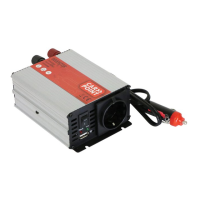
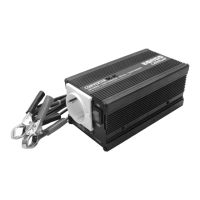
This is a generic multi-item manual. Images may differ from exact model.
0510350-62i_A5.indd 10510350-62i_A5.indd 1 08-07-2020 08:1008-07-2020 08:10
Question and Answer IconNeed help?

Do you have a question about the CARPOINT 0510350 and is the answer not in the manual?

Summary

1. INTRODUCTION

1.1 What is an inverter?

An electronic device that converts low voltage DC to household AC power.

1.2 Select the correct waveform

Compares Pure Sine Wave (PSW) and Modified Sine Wave (MSW) outputs.

2. MAIN COMPONENTS

2.1 Front panel

Details the components on the front panel including ON/OFF switch, AC outlet, and USB.

2.2 Rear Panel

Describes the rear panel components: cooling fan, DC battery terminals, and fuse.

3. HOW TO USE INVERTER

3.1 Positioning the inverter

Guidelines for optimal placement, considering dryness, temperature, and ventilation.

3.2 Mounting position of the inverter

Instructions on how to mount the inverter on horizontal or vertical surfaces.

3.3 Getting Connected

Step-by-step guide for connecting the inverter to power supply and appliances.

IMPORTANT SAFETY INSTRUCTIONS

Critical safety precautions to prevent hazards, damage, and ensure user safety.

5. PROTECTION FEATURES

Protection Mechanisms

Covers low/over voltage, short circuit, overload, and reverse polarity protections.

6. TROUBLESHOOTING REFERENCE

Troubleshooting Common Issues

Addresses common problems like no output, no response, low voltage, and alarms.

7 SPECIFICATIONS

8. MAINTENANCE

9. WARRANTY

Appendix I: Battery Wiring Examples

Summary

1. INTRODUCTION

1.1 What is an inverter?

An electronic device that converts low voltage DC to household AC power.

1.2 Select the correct waveform

Compares Pure Sine Wave (PSW) and Modified Sine Wave (MSW) outputs.

2. MAIN COMPONENTS

2.1 Front panel

Details the components on the front panel including ON/OFF switch, AC outlet, and USB.

2.2 Rear Panel

Describes the rear panel components: cooling fan, DC battery terminals, and fuse.

3. HOW TO USE INVERTER

3.1 Positioning the inverter

Guidelines for optimal placement, considering dryness, temperature, and ventilation.

3.2 Mounting position of the inverter

Instructions on how to mount the inverter on horizontal or vertical surfaces.

3.3 Getting Connected

Step-by-step guide for connecting the inverter to power supply and appliances.

IMPORTANT SAFETY INSTRUCTIONS

Critical safety precautions to prevent hazards, damage, and ensure user safety.

5. PROTECTION FEATURES

Protection Mechanisms

Covers low/over voltage, short circuit, overload, and reverse polarity protections.

6. TROUBLESHOOTING REFERENCE

Troubleshooting Common Issues

Addresses common problems like no output, no response, low voltage, and alarms.

7 SPECIFICATIONS

8. MAINTENANCE

9. WARRANTY

Appendix I: Battery Wiring Examples

CARPOINT 0510350 Specifications

General IconGeneral
Input Voltage12V DC
Output Voltage230V AC
Frequency50Hz
CoolingFan
Efficiency90%
ProtectionOverload, Short Circuit, Overheat