EasyManua.ls Logo

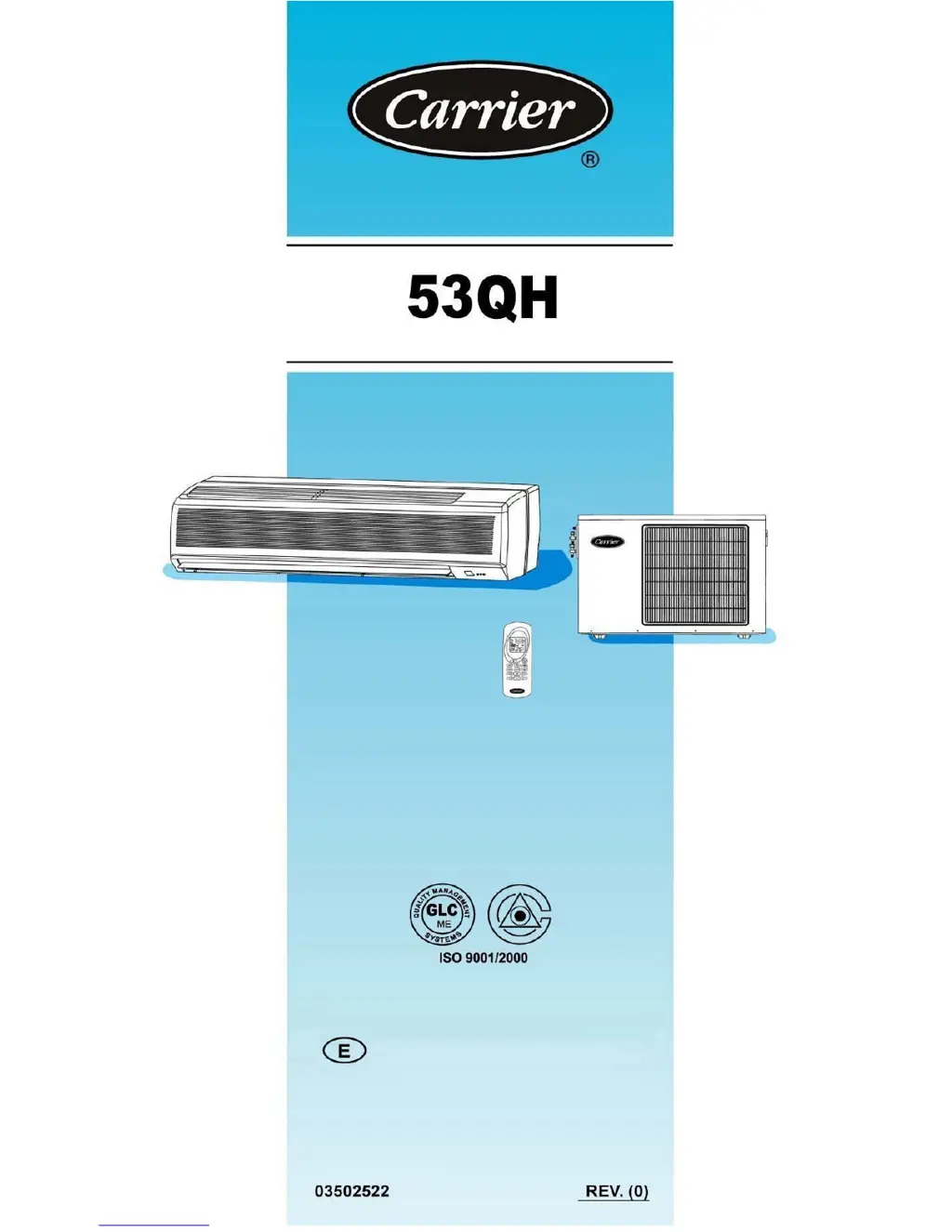
Carrier 42QH30-H - User Manual

Carrier 42QH30-H
22 pages
Print Icon
To Next Page IconTo Next Page
Loading...
2005
SERVICE & MAINTENANCE MANUAL

Questions and Answers

  • T
    Tracy GonzalezAug 20, 2025
    Why is my Carrier Air Conditioner not supplying enough cooling?
    • M
      Miss Jenna CamposAug 20, 2025
      Your Carrier Air Conditioner might not be providing sufficient cooling due to several reasons. Check if airflow is obstructed and remove any obstacles. Ensure the air filters are clean, as dirty filters restrict air circulation. Also, make sure doors and windows are closed. Verify that the fan speed isn't set to low; if it is, increase it to high. Adjust the airflow direction according to the selected mode. Finally, ensure the selected temperature is not higher than the room temperature in cooling mode and correct it if necessary.
  • B
    Bernard RichardAug 22, 2025
    Why is my Carrier Air Conditioner not supplying enough heating?
    • A
      Amy PenningtonAug 22, 2025
      If your Carrier Air Conditioner isn't heating adequately, several factors could be responsible. Ensure that the airflow isn't blocked by any obstructions. Clean the air filters, as dirty filters reduce air circulation. Confirm that all doors and windows are closed. Increase the fan speed if it's set to “Low”. Adjust the airflow direction according to the chosen mode. Finally, verify that the selected temperature is not lower than the room temperature when in heating mode, and correct it if needed.
  • M
    Mark MillerAug 25, 2025
    What to do if my Carrier Air Conditioner remote control does not acknowledge signal with a beep when pressing any function button?
    • J
      Joseph SimpsonAug 25, 2025
      If your Carrier Air Conditioner doesn't respond to the remote, even when the remote display shows the function, try these steps: First, ensure the main switch of the unit is in the ON position. Then, replace the remote control batteries. Make sure you're pointing the remote directly at the indoor unit's receiver. Remove any obstacles like curtains or walls that might be blocking the signal. Also, avoid direct sunlight on the receiver. Finally, be aware that electromagnetic interference from nearby devices like computers or appliances can obstruct the signal.
  • M
    michael31Aug 26, 2025
    What to do if my Carrier Air Conditioner does not acknowledge signal with a beep when pressing start button?
    • V
      Victor BartlettAug 26, 2025
      If your Carrier Air Conditioner isn't responding to the start button on the remote, consider these possibilities: Ensure the main switch is in the ON position. Replace the remote's batteries. Point the remote directly at the indoor unit's receiver, making sure there are no obstructions like curtains or walls. Also, avoid direct sunlight on the receiver. Electromagnetic interference from nearby appliances might also be a factor, so avoid sending signals when computers or household appliances are operating close by.
  • P
    Pamela WellsAug 27, 2025
    What to do if my Carrier Air Conditioner does not acknowledge signal with a beep when pressing stop button?
    • H
      Hannah LyonsAug 27, 2025
      If your Carrier Air Conditioner isn't responding when you press the stop button on the remote, try these solutions: Replace the remote's batteries. Ensure you are pointing the remote directly at the indoor unit's receiver, without any obstacles like curtains or walls in the way. Avoid direct sunlight on the receiver. Also, be aware that electromagnetic interference from nearby devices could be interfering with the signal.
  • S
    samuelvanceAug 29, 2025
    What to do if the display is not lit after placing batteries into the remote control of my Carrier Air Conditioner?
    • S
      Stephanie WoodAug 30, 2025
      If the display on your Carrier Air Conditioner remote control isn't lit after inserting batteries, the batteries may be exhausted or have the wrong polarity. Replace the batteries or check their polarity.
  • S
    Stephanie LopezAug 31, 2025
    What to do if hour figures on display do not flash when pressing the recessed lock adjustment button on my Carrier Air Conditioner remote control?
    • W
      williamfarmerAug 31, 2025
      If the hour figures on the display of your Carrier Air Conditioner remote control do not flash when pressing the recessed lock adjustment button, it may be because the recessed button has not been pressed correctly. Press it with a round point, avoiding strong pressure.
  • N
    Nicole StoneSep 2, 2025
    What to do if all symbols appear on display when pressing any button on my Carrier 42QH30-H remote control?
    • P
      Patrick FreemanSep 2, 2025
      If all symbols appear on the display when pressing any button on your Carrier Air Conditioner remote control, it could be that the recessed button for time setting is blocked due to excessive pressure during use; check and repair it. Alternatively, the remote control may be irreversibly damaged and need replacement.
  • C
    Crystal VelazquezSep 4, 2025
    What to do if my Carrier 42QH30-H will not start?
    • N
      Nathaniel ChanSep 4, 2025
      If your Carrier Air Conditioner won't start, first check if the main supply switch is turned ON. If it is, inspect the fuses or main switch and replace any blown fuses. Also, the unit may be in protection mode against frequent compressor cycling, so wait for 3 minutes. Lastly, check that the selected temperature isn't higher than the room temperature in cooling mode (or lower in heating mode) and adjust accordingly.
  • C
    cgarciaSep 6, 2025
    Why does my Carrier Air Conditioner indoor unit have unpleasant smells?
    • Z
      zmcdanielSep 6, 2025
      Unpleasant smells from your Carrier Air Conditioner's indoor unit can be caused by substances accumulated in the air filters. Switch the system OFF and contact an authorized service center to have the filters cleaned. Restart unit in the ventilation (fan only) mode and open windows to change room air.

Summary

1. PRECAUTIONS BEFORE INSTALLATION

SAFETY CONSIDERATIONS

Important safety advice for service and maintenance personnel.

WARRANTY EXCLUSIONS

Details warranty exclusions for misuse, accidents, modifications, and improper installation/maintenance.

2. SPLIT SYSTEM DESCRIPTION

INDOOR UNIT COMPONENTS AND OPERATION

Describes return air, supply air, indoor unit functions, and drain hose.

REMOTE CONTROL AND PIPING

Details remote control functions and refrigerant piping lines.

OUTDOOR UNIT DESCRIPTION

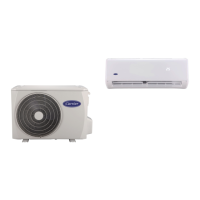
Lists components and location of the outdoor unit.

3. UNIT MODEL DESIGNATION & IDENTIFICATION

MODEL DESIGNATION EXPLANATION

Explains the coding system for unit model designation.

IDENTIFICATION CODES

Defines the codes for Unit Type (Heat Pump/Cool Only).

4. UNIT MODELS & PART NUMBERS

PARTS LIST FOR INDOOR;OUTDOOR UNITS

Lists part numbers and IDs for indoor and outdoor units.

5. SYSTEM OPERATING LIMITS & SAFETY PROTECTIONS

OPERATING TEMPERATURE LIMITS

Specifies max/min indoor/outdoor temps for cooling and heating.

MAIN POWER SUPPLY SPECIFICATIONS

Details nominal, minimum, and maximum voltage requirements.

SYSTEM SAFETY FEATURES AND DEFROST

Lists protection types, activation, and defrost cycle behavior for heat pump systems.

7. EXPLODED VIEW OF INDOOR UNIT

8. PART LIST OF INDOOR UNIT

9. EXPLODED VIEW OF OUTDOOR UNIT

10. PART LIST OF OUTDOOR UNIT

11. WIRING DIAGRAMS

INDOOR UNIT HEAT PUMP WIRING

Shows the wiring connections for the indoor heat pump unit.

INDOOR UNIT COOL ONLY WIRING

Shows the wiring connections for the indoor cool-only unit.

12. OUTDOOR UNIT WIRING DIAGRAMS

OUTDOOR UNIT HEAT PUMP WIRING

Displays the outdoor heat pump unit wiring diagram.

OUTDOOR UNIT COOL ONLY WIRING

Displays the outdoor cool-only unit wiring diagram.

13. FIELD ELECTRICAL CONNECTIONS

HEAT PUMP SYSTEM CONNECTIONS

Illustrates field electrical connections for the heat pump system.

COOL ONLY SYSTEM CONNECTIONS

Illustrates field electrical connections for the cool-only system.

CONNECTION DIAGRAM LEGEND

Explains the numbering and symbols used in the connection diagrams.

14. REFRIGERATION CYCLE

HEAT PUMP SYSTEM REFRIGERANT FLOW

Shows the refrigerant flow for the heat pump system.

15. COOL ONLY REFRIGERATION CYCLE

COOL ONLY SYSTEM REFRIGERANT FLOW

Shows the refrigerant flow for the cool-only system.

16. SELF DIAGNOSTIC FUNCTION

INTRODUCTION TO SELF-DIAGNOSTICS

Introduces the importance of the self-diagnostic function for heat pump systems.

DIAGNOSTIC COMPONENT DETECTION

Lists detected components and their indicator status for malfunctions.

17. AIR FILTER CLEANING

AIR FILTER REMOVAL PROCEDURE

Instructions on how to remove air filters for cleaning.

ACRYLIC-FIBRE FILTER CLEANING

Steps for cleaning acrylic-fiber air filters.

FILTER CLEANING NOTES

Reminders about filter placement and checks after cleaning.

18. PERIODICAL CHECKS

INDOOR UNIT MAINTENANCE SCHEDULE

Lists monthly, 4-monthly, and yearly checks for the indoor unit.

OUTDOOR UNIT MAINTENANCE SCHEDULE

Lists monthly, 4-monthly, and yearly checks for the outdoor unit.

19. TROUBLE SHOOTING

COMPRESSOR & FAN START ISSUES

Addresses issues when the compressor and outdoor fan fail to start.

COMPRESSOR OPERATION PROBLEMS

Deals with overload cycling, continuous operation, and excessive head pressure.

FAN RUNS, COMPRESSOR FAILS

Troubleshoots scenarios where the fan runs but the compressor does not.

20. TROUBLE SHOOTING CONTINUED

PRESSURE RELATED ISSUES

Addresses low head pressure and low/excessive suction pressure.

OUTDOOR FAN & REMOTE CONTROL PROBLEMS

Troubleshoots outdoor fan issues and remote control display/response failures.

21. TROUBLE CHART CONTINUED 1

REMOTE CONTROL FUNCTION ISSUES

Deals with remote control function requests not being acknowledged by the unit.

UNIT START-UP AND COOLING PROBLEMS

Troubleshoots the air conditioner failing to start and insufficient cooling.

22. TROUBLE CHART CONTINUED 2

HEATING AND NOISE;SMELL ISSUES

Addresses insufficient heating, mist, noises, and unpleasant smells.

STARTING MODE AND LED INDICATORS

Explains normal heating start-up and reasons for blinking timer/power LEDs.

Carrier 42QH30-H Specifications

General IconGeneral
BrandCarrier
Model42QH30-H
CategoryAir Conditioner
LanguageEnglish

Related product manuals