EasyManua.ls Logo

Carrier ROOM AIR CONDITIONER - User Manual

Carrier ROOM AIR CONDITIONER
33 pages
Print Icon
To Next Page IconTo Next Page
Loading...
Before using your air conditioner, please read
this manual carefully and keep it for future reference.
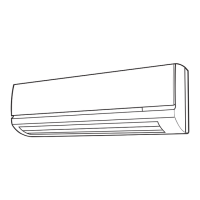
INVERTER ONE-TWO/ ONE-THREE
/ONE-FOUR/ ONE-FIVE SPLIT-TYPE
ROOM AIR CONDITIONER
Read This Manual
Inside you will find many helpful hints on how
to use and maintain your air conditioner properly.
Just a little preventative care on your part can
save you a great deal of time and money over
the life of your air conditioner. You'll find many
answers to common problems in the chart of
troubleshooting tips. If you review the chart of
Troubleshooting Tips first, you may not need
to call for service.

Other manuals for Carrier ROOM AIR CONDITIONER

Questions and Answers

  • A
    amycomptonJul 31, 2025
    Why is my Carrier ROOM Air Conditioner not cooling or heating room very well?
    • J
      jamesdickersonJul 31, 2025
      If your Carrier Air Conditioner isn't cooling or heating the room well, even though air is flowing, it might be due to several reasons. First, check if the temperature setting is appropriate. You can find instructions on how to set the temperature correctly in the "Remote controller instruction" section. Another possible cause is a blocked air filter, so try cleaning it. Also, make sure that all doors and windows are closed. Check that neither the air inlet nor the outlet of the indoor or outdoor unit is blocked; if they are, clear the obstructions and restart the unit. Finally, the compressor might be under a 3-minute protection mode, in which case you should simply wait.
  • M
    Maria BanksAug 15, 2025
    What to do if my Carrier Air Conditioner does not start?
    • B
      boweneduardoAug 15, 2025
      If your Carrier Air Conditioner doesn't start, there could be several reasons. First, check if there was a power cut and wait for the power to be restored. Ensure the unit is securely plugged into the wall receptacle. Also, check if the fuse has blown and replace it if necessary. If you're using the remote controller, the battery may be exhausted, so try replacing it. Lastly, the timer setting might be incorrect, so wait or cancel the timer setting.

Summary

Sociable Remark

Disposal Information

Information on proper disposal of the appliance according to environmental regulations.

Safety Precautions

Warning and Caution Definitions

Explains the meaning of warning and caution symbols used in the manual.

Symbol Meanings

Defines the meaning of symbols indicating actions to do or not to do.

Operating Instructions

Identification of Parts

Lists and illustrates indoor and outdoor unit components for user reference.

Display Panel Indicators

Explains the various indicator lamps on the display panel for operational status.

Operating Temperature Ranges

Specifies optimal cooling, heating, and drying temperature limits for performance.

Manual Operation Mode

Instructions for operating the unit directly without a remote controller.

Airflow Direction Control

Guides on how to adjust horizontal and vertical airflow for comfort.

How the Air Conditioner Works

Explains the functionality of AUTO, SLEEP, and DRYING operation modes.

Operation Mode Selection

Guidelines for managing operation modes when using multiple indoor units.

Optimal Operation Tips

Advice for achieving the best performance and energy efficiency.

Care and Maintenance

Cleaning Grille, Case, and Remote Controller

Instructions for cleaning external components like the grille, case, and remote.

Wall-Mounted Type Filter Cleaning

Step-by-step guide for cleaning the air filter in wall-mounted units.

Cassette and Duct;Ceiling Type Filter Cleaning

Filter cleaning instructions for cassette and duct/ceiling air conditioner types.

Floor and Ceiling Type Filter Cleaning

Filter cleaning guidance for floor and ceiling mounted air conditioner types.

Operation Tips

Maintenance for Long Idle Periods

Recommended steps for preparing the unit before a long period of non-use.

Normal Operation Events

Explanation of common sounds or visual phenomena that may occur during operation.

Troubleshooting Tips

Common Troubles and Solutions

Lists common malfunctions and their corresponding corrective actions or checks.

Carrier ROOM AIR CONDITIONER Specifications

General IconGeneral
TypeRoom Air Conditioner
Cooling CapacityVaries by model (e.g., 5, 000 BTU to 25, 000 BTU)
Energy Efficiency Ratio (EER)Varies by model (typically between 8.5 and 12.0)
Power Supply115V or 230V, 60Hz (Varies by model)
RefrigerantR-410A
Noise LevelVaries by model (e.g., 50-60 dB)
Filter TypeWashable Filter
Warranty1-year limited warranty (parts and labor)

Related product manuals