Manufacturer reserves the right to discontinue, or change at any time, specifications or designs without notice and without incurring obligations.
Catalog No. 04-53500292-01 Printed in U.S.A. Form 50LC-14-26-06SI Pg 1 1-2021 Replaces: 50LC-14-26-05SI
Installation Instructions
CONTENTS
Page
SAFETY CONSIDERATIONS . . . . . . . . . . . . . . . . . . . 1
MODEL NUMBER NOMENCLATURE AND
DIMENSIONS . . . . . . . . . . . . . . . . . . . . . . . . . . . . . . 2
Rated Indoor Airflow . . . . . . . . . . . . . . . . . . . . . . . . . . 2
INSTALLATION . . . . . . . . . . . . . . . . . . . . . . . . . . . . . 19
Jobsite Survey . . . . . . . . . . . . . . . . . . . . . . . . . . . . . . 19
St
ep 1 — Plan for Unit Location . . . . . . . . . . . . . . . 19
• ROOF MOUNT
Step 2 — Plan for Sequence of Unit Installation . . 19
• CURB-MOUNTED INSTALLATION
• PAD-MOUNTED INSTALLATION
• FRAME-MOUNTED INSTALLATION
Step 3 — Inspect Unit . . . . . . . . . . . . . . . . . . . . . . . . 19
Step 4 — Provide Unit Support . . . . . . . . . . . . . . . . 19
• ROOF CURB MOUNT
• SLAB MOUNT (HORIZONTAL UNITS ONLY)
• ALTERNATE UNIT SUPPORT (IN LIEU OF CURB OR
SLAB MOUNT)
Step 5 — Field Fabricate Ductwork . . . . . . . . . . . . . 24
• UNITS WITH ACCESSORY OR OPTIONAL ELECTRIC
HEATERS
Step 6 — Rig and Place Unit . . . . . . . . . . . . . . . . . . 24
• POSITIONING ON CURB
Step 7 — Horizontal Duct Connection . . . . . . . . . . 25
St
ep 8 — Install Outside Air Hood (Factory Option) .
25
Step 9 — Assemble Barometric Hood . . . . . . . . . . . 26
• BAROMETRIC HOOD (VERTICAL CONFIGURATION)
• BAROMETRIC HOOD (HORIZONTAL
CONFIGURATION)
Step 10 — Economizer – Horizontal Airflow Units . . 28
Step 11 — Install External Condensate Trap/Line . . . 28
Step 12 — Make Electrical Connections . . . . . . . . . 28
• FIELD POWER SUPPLY
• UNITS WITHOUT FACTORY-INSTALLED NON-
FUSED DISCONNECT OR HACR
• UNITS WITH FACTORY-INSTALLED NON-FUSED
DISCONNECT OR HACR
• ALL UNITS
• CONVENIENCE OUTLETS
• HACR AMP RATING
• FACTORY-OPTION THRU-BASE ELECTRICAL
CONNECTIONS
• UNITS WITHOUT THRU-BASE ELECTRICAL
CONNECTIONS
• FIELD CONTROL WIRING
• THERMOSTAT
• UNITS WITHOUT THRU-BASE CONNECTION KIT
• CONFIGURING FOR ELECTRIC HEAT
• HEAT ANTICIPATOR SETTINGS
• TRANSFORMER CONNECTION FOR 208-V POWER
SUPPLY
• ELECTRIC HEATERS
• HUMIDI-MIZER® SYSTEM CONTROL
CONNECTIONS
RTU Open Controller (Factory-Installed Option) . .43
SystemVu Controller (Factory-Installed Option) . . .43
Integrated Staging Control (ISC) . . . . . . . . . . . . . . .44
• SE
QUENCE OF OPERATION
Economi$er® X (Factory-Installed Option) . . . . . . .46
• UNIT INSTALLATION
• ENTHALPY SENSOR RELOCATION
• W7220 ECONOMIZER CONTROLLER
• W7220 ECONOMIZER MODULE WIRING
• ECONOMIZER CONTROL CONFIGURATIONS
• ECONOMISER HARDWARE
• OPERATING SEQUENCES
• W7220 ECONOMIZER SETUP AND CONFIGURATION
• TROUBLESHOOTING
• CONTROL SETPOINT AND CONFIGURATION LOG
Staged Air Volume (SAV™) with Variable Frequency
Drive . . . . . . . . . . . . . . . . . . . . . . . . . . . . . . . . . . . .66
• MULTI-SPEED VFD DISPLAY KIT (FIELD-
INSTALLED ACCESSORY)
Smoke Detectors . . . . . . . . . . . . . . . . . . . . . . . . . . . .78
• RETURN AIR SENSOR TUBE INSTALLATION
• SMOKE DETECTOR TEST MAGNET
• ADDITIONAL APPLICATION DATA
Step 13 — Install Accessories . . . . . . . . . . . . . . . . .78
Step 14 — Check Belt Tension . . . . . . . . . . . . . . . . .78
• BELT FORCE: DEFLECTION METHOD
Pre-Start and Start-Up . . . . . . . . . . . . . . . . . . . . . . . .79
START-UP CHECKLIST .
. . . . . . . . . . . . . . . . . . . . . . . . .CL-1
SAFETY CONSIDERATIONS
Installation and servicing of air-conditioning equipment can be
hazardous due to system pressure and electrical components. Only
trained and qualified service personnel should install, repair, or
service air-conditioning equipment.
Untrained personnel can perform basic maintenance functions of
cleaning coils and filters and replacing filters. All other operations
should be performed by trained service personnel. When working
on air-conditioning equipment, observe precautions in the
literature, tags and labels attached to the unit, and other safety
precautions that may apply.
Follow all safety codes, including ANSI (American National
Standards Institute) Z223.1. Wear safety glasses and work gloves.
Use quenching cloth for unbrazing operations. Have fire
extinguisher available for all brazing operations.
It is important to recognize safety information. This is the safety-
alert symbol . When you see this symbol on the unit and in
instructions or manuals, be alert to the potential for personal
injury.
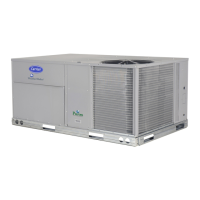
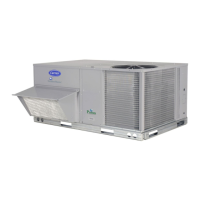
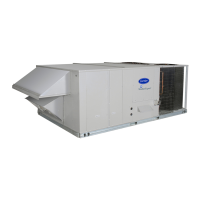
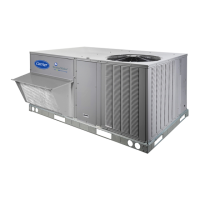
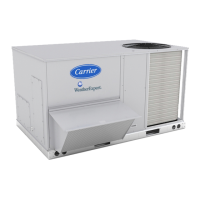
WeatherExpert
®
50LC14-26 Single Package Rooftop
Cooling Only
with Puron
®
(R-410A) Refrigerant


 To Next Page
 General