GB // 26
TRANSMITTER HANDLING
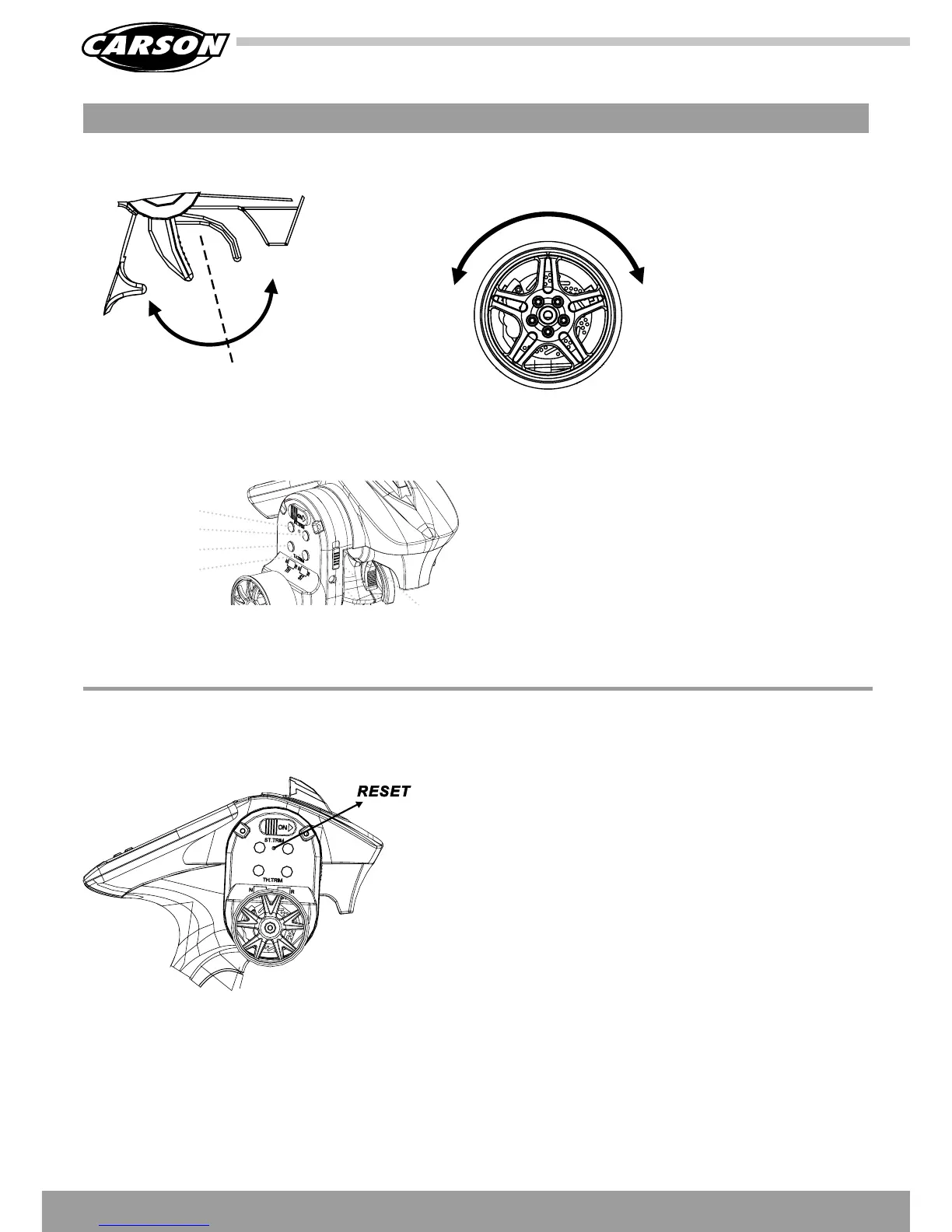
1. Push the trigger
forward to slow down
or brake.
2. Pull the trigger back-
ward to accelerate.
Throttle Trim:
Trim the throttle servo slightly when the trigger is at the neutral
position.
Steering Trim:
If the front wheels do not align straight, use the steering trim to
adjust.
ST trim left
ST trim right
TH trim front
TH trim back
Forward/
Speed up
Brake/
Speed down
Neutral
Neutral
Left Right
A. THROTTLE TRIGGER
C. TRIM
B. STEERING WHEEL
Delete all values saved in memory (trim/epa/exp):
• Switch on the transmitter.
• Press and hold the RESET button (with a pointed implement).
• A double peep will sound.
• Now release the reset button and switch the transmitter on
again. All done!!
Attention:
Please follow the steps under „Attention Troubleshooting“ page 31.
RESTORING THE FACTORY SETTINGS ONLY FOR LCD VERSION






 To Next Page