7
CONTROLLER PROGRAMMING INSTRUCTIONS
Each controller has been factory pre-set for an air temperature set point and a low temperature alarm set point.
In most cases, these set points will not need to be changed. However, if changes are necessary, the controller is
programmable.
*Note: If Air Temperature is programmed to another setting, the Low Temperature Alarm Setting will automatical-
ly be reset 25 degrees below the Air Temperature setting.
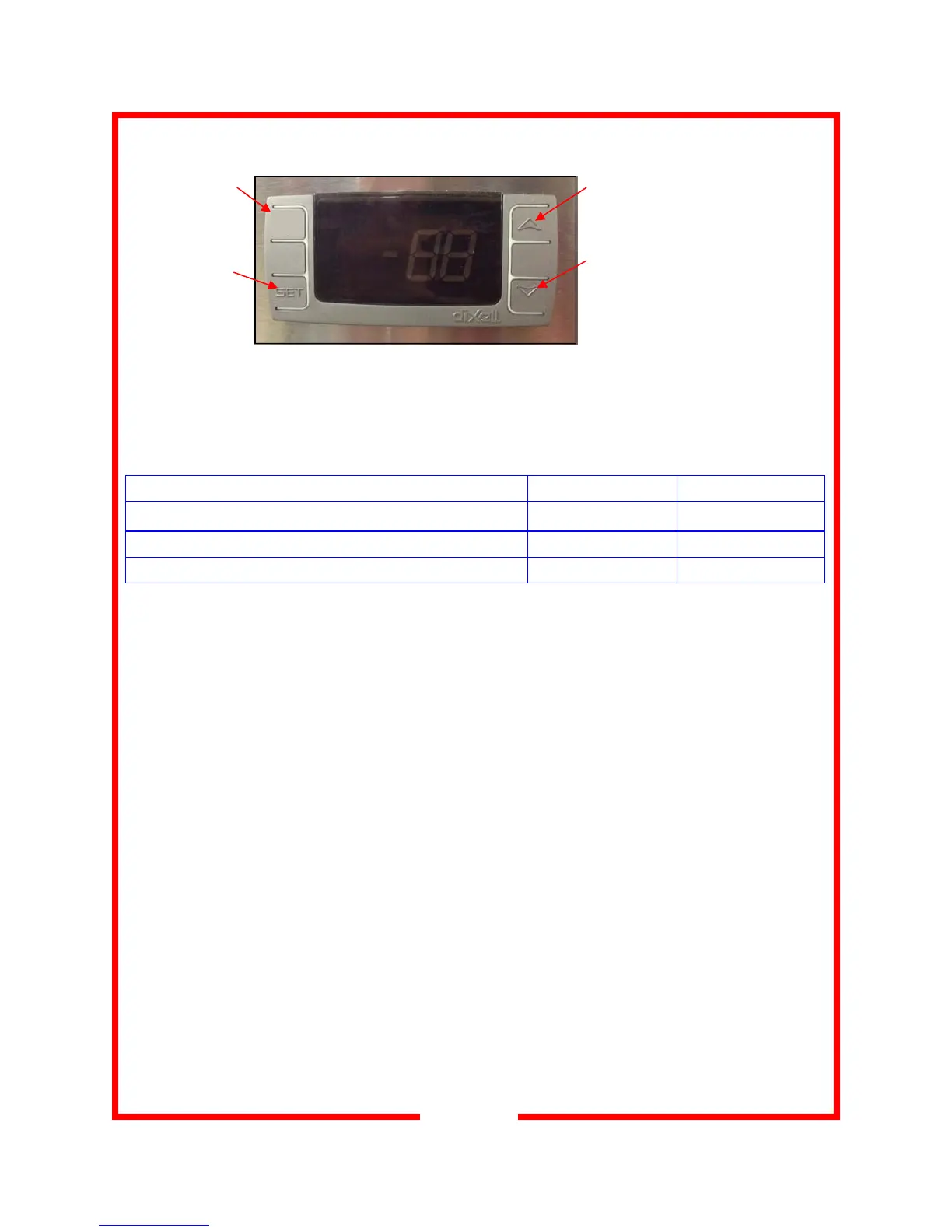
To Lock or Unlock the Controller: Press and hold both Arrow Keys at the same time for at least three sec-
onds. “oF” will display when the controller is locked; “oN” will display when the controller is unlocked.
To View the Temperature Set Point: Press and release the SET button
To Change the Temperature Set Point: Turn power ON. Press and hold the SET button for 3 seconds. The
current set point will display and “°F” will flash. Push the up or down arrow buttons to raise or lower the tempera-
ture set point in 1° increments. Push SET to store the new setting; the new temperate setting will flash 3 times
and then the display will revert back to the actual temperature. (If set button is not pushed within 13 seconds, the
new setting will be automatically set and the display will revert back to the actual temperature).
To Change from °F to °C, contact factory.
Factory Preset Set Points Large Side Heater Small Side Heater
Air Temperature
158°F 208°F
Low Temperature Alarm*
25°F below set point 25°F below set point
Air Temperature Operating Range
145° to 185°F 165° to 220°F
aux
AUX Key
(inoperable)
Set Key
Press and release
to display temper-
ature set point
Up Arrow Key
Press to increase temperature set point
(1° increments)
Down Arrow Key
Press to decrease temperature set point
(1° increments)



 To Next Page