11
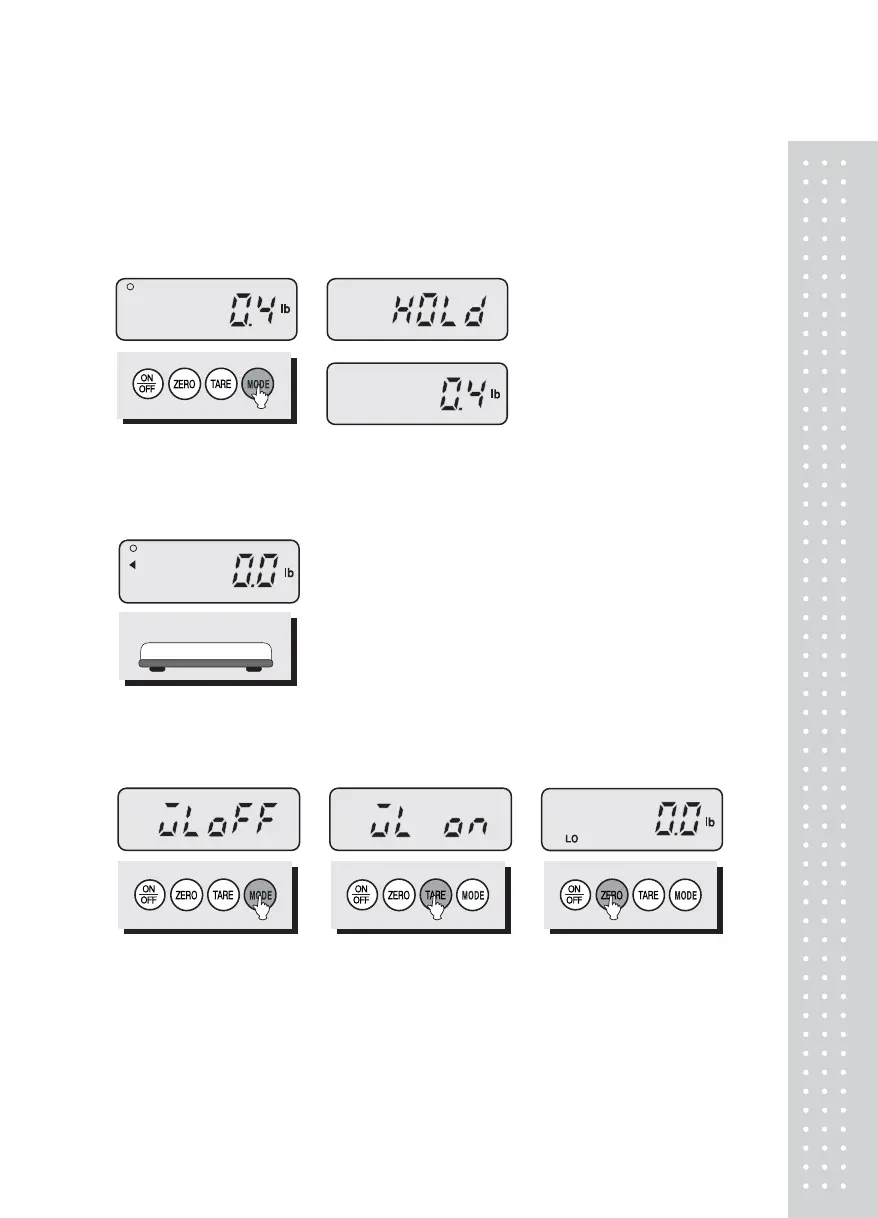
4. HOLD Function
■ When the weight is not stable, press the MODE key.
The display shows the “HOLd” and then press ZERO key.
The display will show average weight.
② The display shows the "HOLd".
③ Press ZERO key. Then "HOLd"
display blink for two times.
④ Press ZERO key. Then the
display will show the average
weight. The average weight
blink for two times.
① When the weight is
unstable, pres the MODE key.
*NOTE : Stable indication(0) will not display in HOLD mode.
⑤ Remove the commodity from
the platter.
5. Comparator Function - HI / LOW Limit Setting
① Press TARE key to activate
this function. The display
shows "WL ON".
② Press the MODE key until
the display shows "WL
OFF". "WL OFF" means
that comparator function
is not activated.
③ Press ZERO key once to set
up the low limit. The display
shows "0.0" and the first
number flashes.


 To Next Page
 Loading...