EasyManua.ls Logo

Casa Systems NDD-0305-01 - User Manual

Casa Systems NDD-0305-01
18 pages
Print Icon
To Next Page IconTo Next Page
Loading...
casa
systems
=
:=
=
...
DISTRIBUTOR
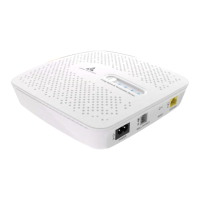
FTTdp
NETWORK
TERMINATION DEVICE
NDD-0305-01
Question and Answer IconNeed help?

Do you have a question about the Casa Systems NDD-0305-01 and is the answer not in the manual?

Summary

Other Equipment Required

Connecting Your New Broadband Service

Setup Procedures

Powering Your NTD

Connect the power cord to the NTD and a power outlet, then switch on.

Connecting Your NTD

Connect the telephone cable to the NTD and the wall socket.

Connecting Your Gateway

Connect the Ethernet cable from the NTD's gateway port to your Wi-Fi gateway.

Connecting Other Equipment

Connect your devices to the Wi-Fi gateway via Ethernet or Wi-Fi.

Mounting the NTD

Using the Desktop Stand

Place the NTD into the desktop stand for space-saving and improved cooling.

Mounting Flat on a Desktop

The NTD can be placed flat on a desktop without using a stand.

Mounting on a Wall

Hang the NTD on a wall using its back slots and 8 gauge screws, not exceeding 6 feet.

NTD Indicators

Power and RPF Link Indicators

Details the status and states for the Power and RPF Link LED indicators.

DSL and LAN Indicators

Details the status and states for the DSL and LAN LED indicators.

Restarting the NTD

Safety and Product Care

Electrical Safety and Accessories

Use approved accessories and avoid incompatible products for electrical safety.

Product Handling Guidelines

Handle the device with care, avoid direct sunlight, flames, liquids, and harsh chemicals.

Device Heating and Ventilation

Avoid enclosed spaces with poor heat dissipation to prevent automatic shutdown.

Children and Damaged Products

Keep device away from children and do not attempt to service faulty or damaged products.

FCC Regulatory Information

FCC Statement and Compliance

Details compliance with FCC Rules, including interference conditions and measures.

FCC Part 68 Compliance

States compliance with Part 68 testing requirements for telecommunications equipment.

Summary

Other Equipment Required

Connecting Your New Broadband Service

Setup Procedures

Powering Your NTD

Connect the power cord to the NTD and a power outlet, then switch on.

Connecting Your NTD

Connect the telephone cable to the NTD and the wall socket.

Connecting Your Gateway

Connect the Ethernet cable from the NTD's gateway port to your Wi-Fi gateway.

Connecting Other Equipment

Connect your devices to the Wi-Fi gateway via Ethernet or Wi-Fi.

Mounting the NTD

Using the Desktop Stand

Place the NTD into the desktop stand for space-saving and improved cooling.

Mounting Flat on a Desktop

The NTD can be placed flat on a desktop without using a stand.

Mounting on a Wall

Hang the NTD on a wall using its back slots and 8 gauge screws, not exceeding 6 feet.

NTD Indicators

Power and RPF Link Indicators

Details the status and states for the Power and RPF Link LED indicators.

DSL and LAN Indicators

Details the status and states for the DSL and LAN LED indicators.

Restarting the NTD

Safety and Product Care

Electrical Safety and Accessories

Use approved accessories and avoid incompatible products for electrical safety.

Product Handling Guidelines

Handle the device with care, avoid direct sunlight, flames, liquids, and harsh chemicals.

Device Heating and Ventilation

Avoid enclosed spaces with poor heat dissipation to prevent automatic shutdown.

Children and Damaged Products

Keep device away from children and do not attempt to service faulty or damaged products.

FCC Regulatory Information

FCC Statement and Compliance

Details compliance with FCC Rules, including interference conditions and measures.

FCC Part 68 Compliance

States compliance with Part 68 testing requirements for telecommunications equipment.

Casa Systems NDD-0305-01 Specifications

General IconGeneral
CategoryNetwork Hardware
ModelNDD-0305-01
Frequency Range Upstream5-85 MHz
Modulation Downstream256 QAM
Power Input12V DC
Operating Temperature0°C to 40°C
Humidity5% to 95% (non-condensing)

Related product manuals