SECTION 58 - ATTACHMENT/HEADERS - CHAPTER 2
58-5
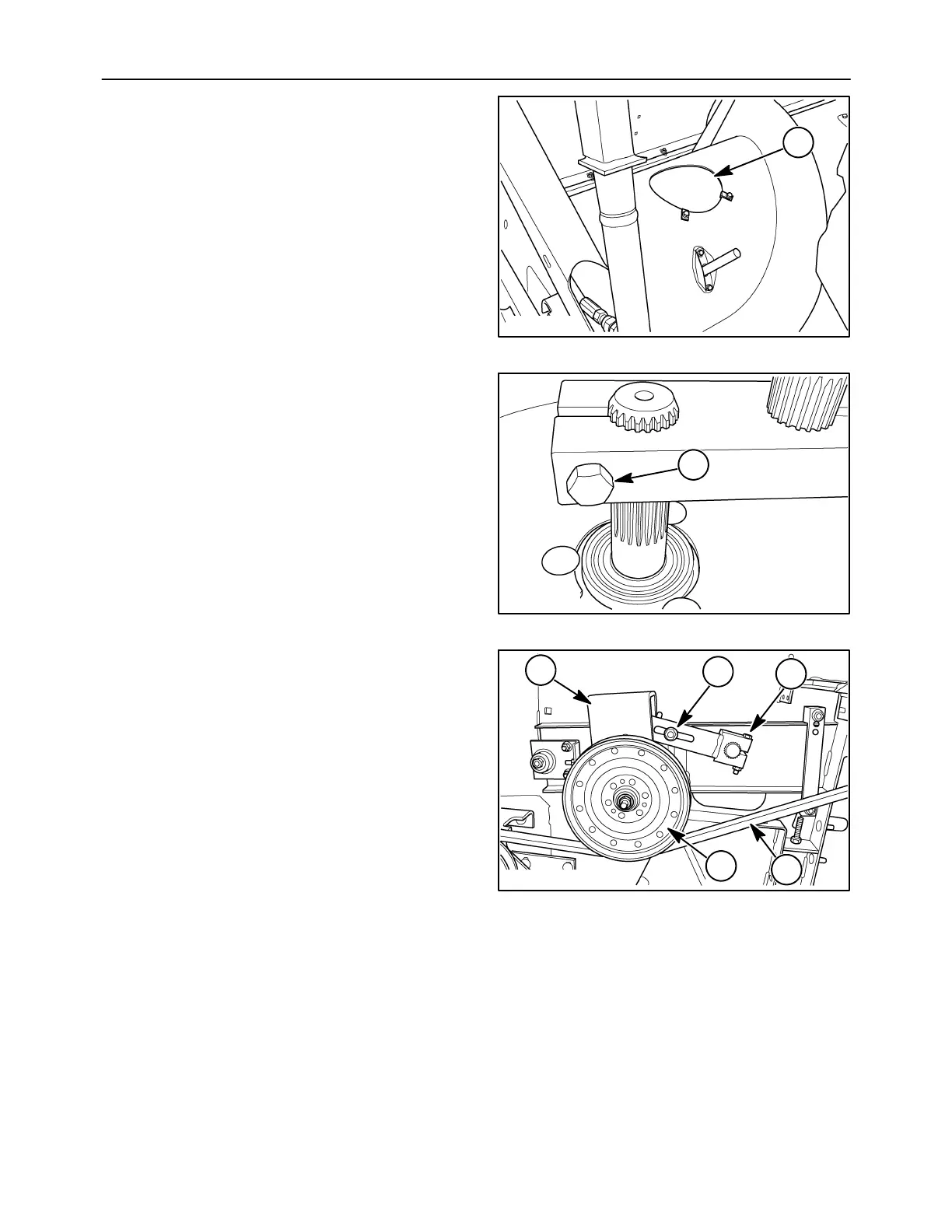
10. Remove the far right cover from the auger to gain
access to the finger crankshaft at 1.
10007689
1
10
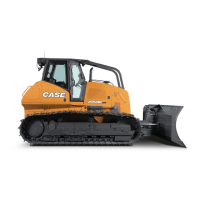
11. Inside the auger cylinder, loosen the clamping
bolt, 1, holding the right auger shaft in place.
1
10007690
11
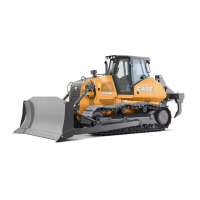
NOTE: When removing nut, 4, the adjusting arm will
rotate up.
12. Remove idler pulley, 1, and drive belt, 2. Detach
idler pulley frame, 3. Remove nut, 4, and loosen
clamping bolt, 5.
10007691
2
1
3
4
5
12



 To Next Page