SECTION 58 - ATTACHMENT/HEADERS - CHAPTER 3
58-3
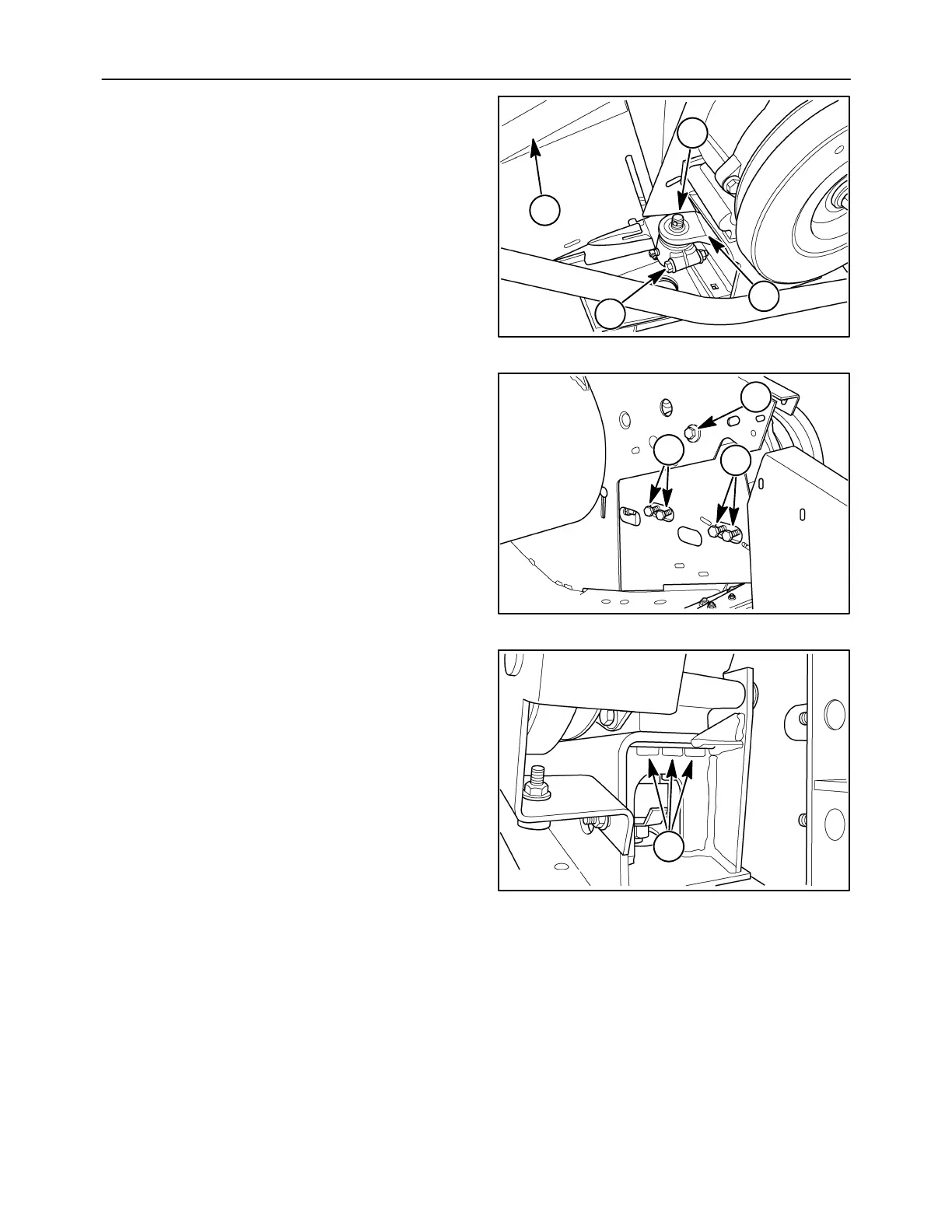
6. Loosen the clamping bolt, 1. Disconnect the
shield extension, 2, from the head. Drop the knife
head bolt, 3, from the knife arm, 4.
10007629
2
3
4
1
3
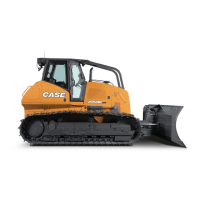
7. Remove the five wobble box mounting cap
screws, 1, on the inside of the head.
10007630
1
1
1
4
8. Remove the three mounting cap screws in the
rear, 1, and two cap screws in front to detach the
wobble box from the head.
NOTE: To remove the box from the head, the knife
arm may have to be repositioned by turning the
sheave.
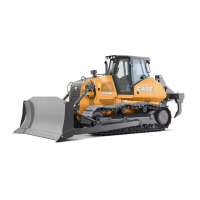
9. Lift the wobble box from the head. Capture the
two sets of shims that were mounted between the
frame and box. Mark the shims so that they can
be installed into their original positions.
10007631
1
5



 To Next Page