SECTION 58 - ATTACHMENT/HEADERS - CHAPTER 3
58-13
WOBBLE BOX INSTALLATION
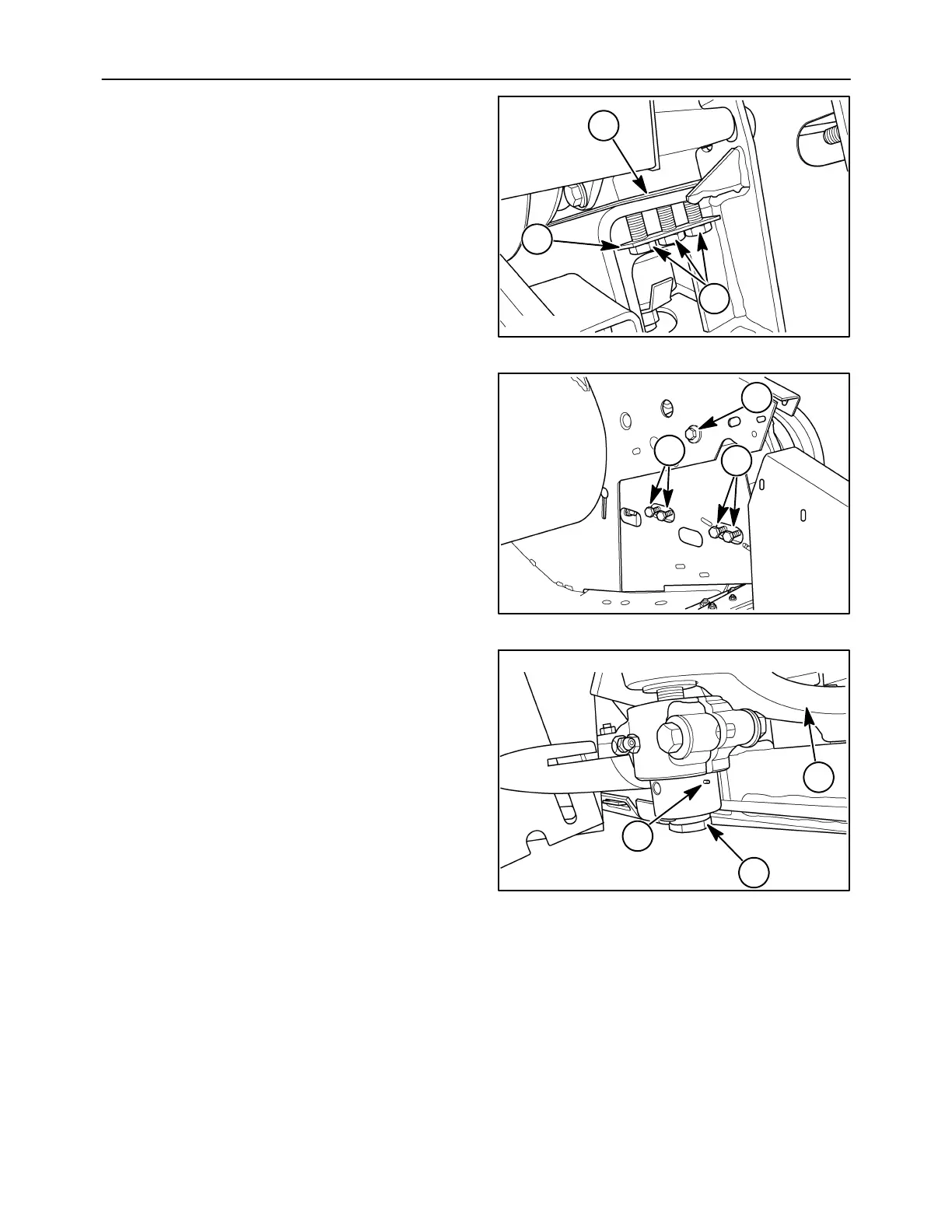
1. Set the wobble box in place on the mounting
frame. Install the three cap screws, 1, in the rear
and two cap screws in front with the washer
plates, 2. Do not tighten the cap screws.
Insert the original shims, 3, between the box and
frame.
10007656
3
1
2
32
2. Install the five inside mounting cap screws, 1.
Ensure that the washers for the four lower cap
screws are set against the frame under the shield
as shown. Tighten all mounting hardware to
standard torque.
10007630
1
1
1
33
3. Pass the knife arm bolt, 1, through the bottom of
the knife assembly. Line the bolt up with the knife
arm, 2, and insert the threaded end of the bolt
through the arm. Line the rolled pin, 3, up with the
separation in the clamp.
10007657
3
1
2
34



 To Next Page