CEL-320/360 SERIES
USERS GUIDE
If you want to get on and use the instruments without any background
information, skip Sections 3 - 5 and go straight to Section 6.
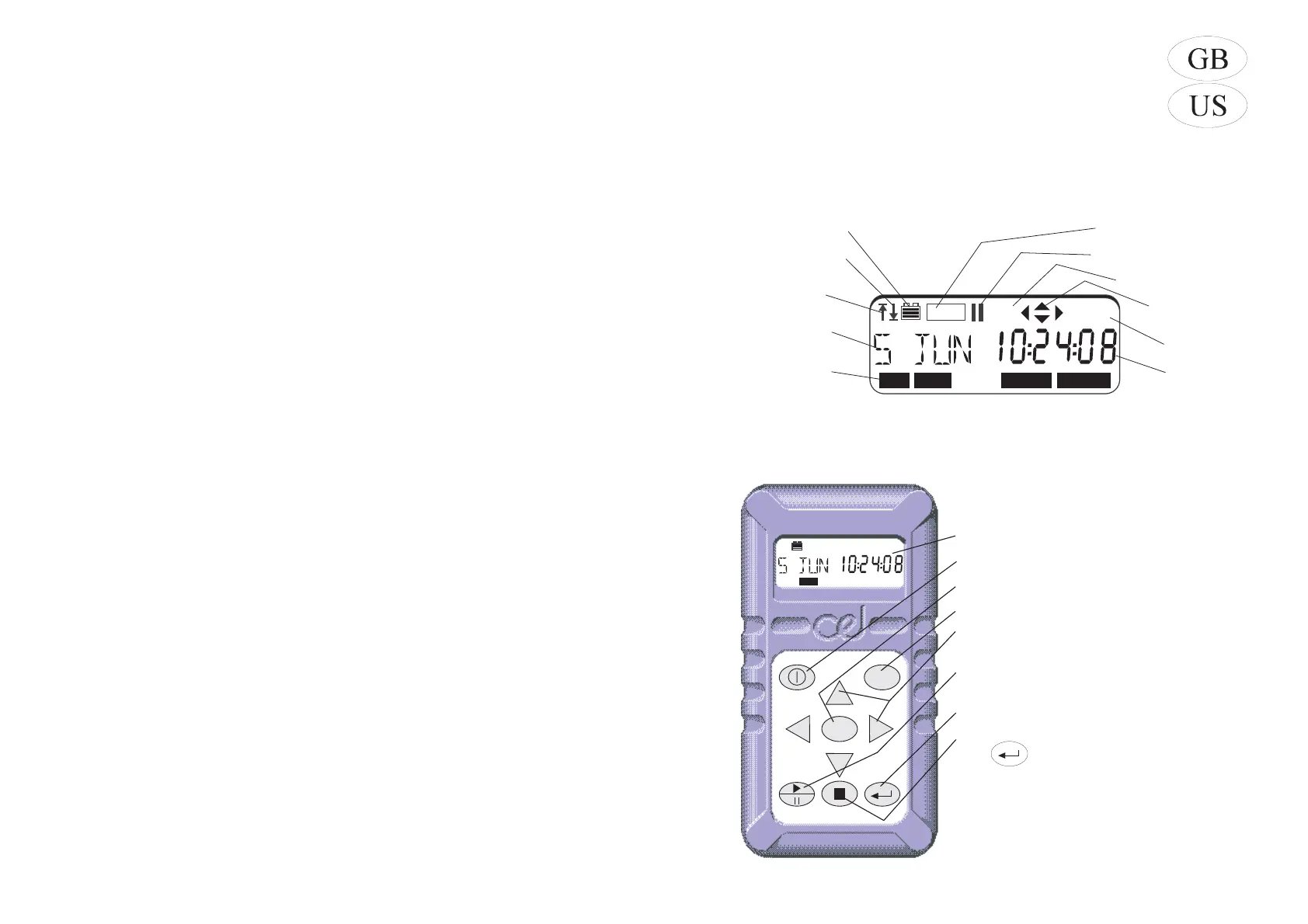
1. Display
2. Keys
Display
Switches instrument ON/OFF
Changes operating mode
Accesses stored data
Select active options from the current
menu
Starts/Pauses/Restarts a measurement
record
Confirms actions of other keys
Stops a measurement when followed
by
MENU
DATA
DATA
Issue: 2
dB%
REC
Current Mode,
Pressing the MENU
key will select each
of these in turn
Current Da
or Tim
Current Un
Measurement is Pause
Frequency Weightin
Indicates Activ
Option Ke
SLM DATA SET UP OPTION
CA
01037e
Measurement
Identity or Date
Battery Condition
Data is Being Recorde
Overload has
Occurred
Under range has
Occurred
CEL-320/360 Getting Started - Page 3



 To Next Page