EasyManua.ls Logo

Casio CFX-9800G - Page 101

Casio CFX-9800G
206 pages
Print Icon
To Next Page IconTo Next Page
To Previous Page IconTo Previous Page
Loading...
suri)
(Fs)(CLS)
Ee)
Geant
{F2)(Y
<)
Gan
Ita
Seles
Ww
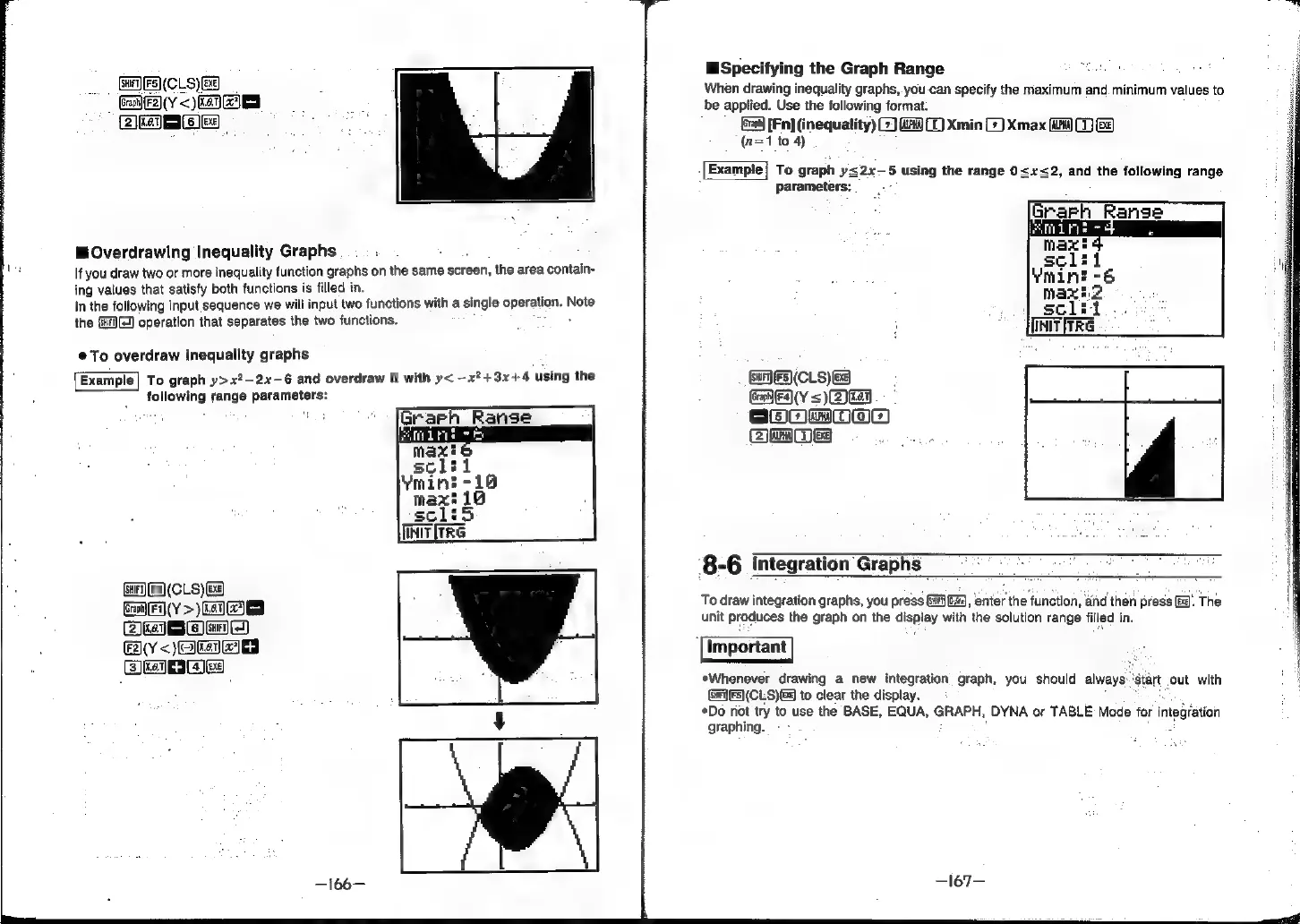
@Overdrawing
Inequality
Graphs
.
If
you
draw
two
or
more
inequality
function
graphs
on
the
same
screen,
the
area
contain-
ing
values
that
satisfy
both
functions
is
filled
in.
In
the
following
input
sequence
we
will
input
two
functions
with
a
single
operation:
D
Note
the
(3)
operation
that
separates
the
two
functions.
@
To
overdraw
inequality
graphs
Example]
To
graph
y>x?-2x-6
and
overdraw
it
with
y<
—x?+3x+4
using
the
following
range
parameters:
wanes
(sur)
[Fs]
(CLS)
x]
GamF(Y
>)
kay
(Zk
Se)
Sar)
(4
Bly’
<)
eta
Falica
+
earec
Specifying
the
Graph
Range
When
drawing
inequality
graphs,
you-can
specify
the
maximum
and.
minimum
values
to
be
applied.
Use
the
following format:
[Fn]
(inequality)
(2)
G4
(1)
Xmin
G)
Xmax
aC)
(n=1
to
4)
To
graph
y<2x—5
using
the
range
0<x<2,
and
the
following
range
parameters:
GES)
(CLS)
B83)
CRFY
=<)
Zr
EeOmoOoao
Bae
8
‘8-6
Integration
Graphs
Spe
ae
iM
To
draw
integration
graphs,
you
press
Gia),
enter
the
function,
and
then
press
3.
The
unit
produces
the
graph
on
the
display
with
the
solution
range
filled
in.
*Whenever
drawing
a
new
integration
graph,
you
should
always
(G7)
F5)(CLS)
6g
to
clear
the
display.
*Do
not
try
to
use
the
BASE,
EQUA,
GRAPH,
DYNA
or
TABLE
Mode
for
integation
graphing.