EasyManua.ls Logo

Casio CFX-9800G - Page 42

Casio CFX-9800G
206 pages
Print Icon
To Next Page IconTo Next Page
To Previous Page IconTo Previous Page
Loading...
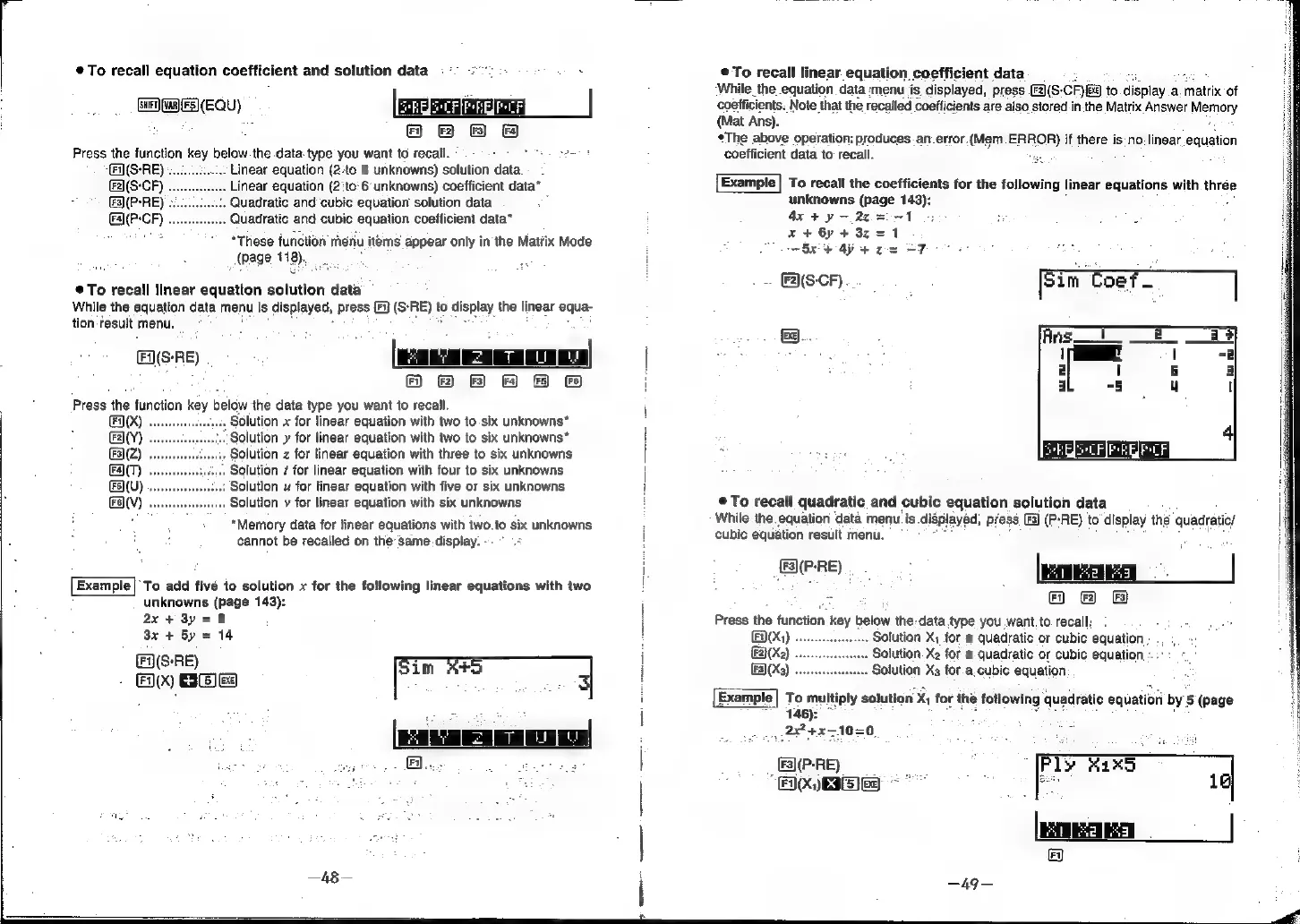
®@To
recall
equation
coefficient
and
solution
data
[swrT)
(van)
(F5)(EQU)
Press
the
function
key
below
the
data.
type
you
want
to
recall.
(F1](S-RE)
«.
Linear
equation
(2:to
6
unknowns)
solution
data.
Linear
equation
(2'to:6
unknowns)
coefficient
data*
Quadratic
and
cubic
equation
solution
data
Quadratic
and
cubic
equation
coefficient
data*
7
“These
function
rhenu
items
appear
only
in
the
Matrix
Mode
(page
418),
To
recall
linear
equation
solution
data
While
the
equation
data
menu
is
displayed,
press
[Fi
tion
‘result
menu.
F(S-RE)
(S-RE)
to
display
the
linear
equa-
(a
=
|
HH
BF
&
Press
the
function
key
below
the
data
type
you
want
to
recall.
HX)
Solution
x
for
linear
equation
with
two
to
six
unknowns*
\(’)
Solution
y
for
linear
equation
with
two
to
six
unknowns*
(2)
Solution
z
for
linear
equation
with
three
to
six
unknowns
FT)
.
Solution
#
for
linear
equation
with
four
to
six
unknowns
Solution
u
for
linear
equation
with
five
or
six
unknowns
Solution
v
for
linear
equation
with
six
unknowns
"Memory
data
for
linear
equations
with
two.to
six
unknowns
cannot
be
recalled
on
the’same
display.
(UV)
av)
Example)’
To
add
five
to
solution
x
for
the
following
linear
equations
with
two
unknowns
(page
143):
ax
+
3y
=
8
3x
+
Sy
14
F(S-RE)
;
FX)
-
ig
ave
|
@
©
To
recall
linear
equation
coefficient
data
‘While
the
equation
data
:menu
jis
displayed,
press
a(S
CF)
BE
to
display
a.
matrix
of
coefficients.
Note
that
the
recalled
coefficients
are
also
stored
in.the
Matrix
Answer
Memory
(Mat
Ans).
The
above
operation;
produces.
an.error.
(Mem.ERROR)
if
there
is:no.
linear
equation
coefficient
data
to
recall.
Hae,
Example]
To
recall
the
coefficients
for
the
following
linear
equations
with.
three
unknowns
{page
143):
4x4
y-.2¢=5--1
5;
is
wee”
S:
x
+
6y
+
3z
1
Bee
ay
+
0
.~
ESCF...
©
To
recall
quadratic
and
cubic
equation
solution
data
While
the.
equation
data
menu.
is
displayed,
press
(©)
(P-RE)
to
display
the
‘quadratic/
cubic
equation
result
menu.
EX(P-RE)
KBAR
FI)
{F2}
FS)
Press
the
function
key
below
the:
data
type
you
want.
to.
recall:
(F(X)
....
Solution
X;,
for
a
quadratic
or
cubic
equation
-
(F2}(X2)
Solution.
X2
for
a
quadratic
or
cubic
equation
:.:::
F3)
(Xa)
Solution
Xs
for.a,cubic
equation
Example}
To
multiply
solution.
X
for
the
following
‘quadratic
equation
by
5
(page
~
146):
er
2
+45
1050,
;
me
6
:
:
_
EBP-RE)
Ply
&axo
F(X)
EIS
z
16