EasyManua.ls Logo

Casio CFX-9800G - Page 48

Casio CFX-9800G
206 pages
Print Icon
To Next Page IconTo Next Page
To Previous Page IconTo Previous Page
Loading...
¢When.an
illegal-command
or
function
argument
is.
used
(Arg:
ERROR)
:
«When
an
attempt
is
made
To
use
an
illegal
dimensian
during
matrix
calculations
(im
-ERROR)
eet
S
2
oe
hes
Notes
*Other
errors
can
occur
during
program
execution.
See
page
358
for
details.
Most
of
the.calculator’s
keys
are
inoperatiye
while
an.error
message
is
displayed.
You
can
resume
‘operation
using.
one
of,the.two
following
procedures.
agit
F
Press
the
key
to
clear
the
error
and
return
to
normal
operation.
.
q
«Press
@
or
®
io
display
the
error
(see
page
34).
Exponential
Display
During
normal
calculation,
the
unit
is
capable
of.
displaying
up
6
io
‘digits.
Values
that
exceed
this
limit,
however,
are
automatically
displayed
in’
exponential
|
format.
.
You
can
choose
between
2
different
types
of
exponential
display
formats.
a
gt
Norm
1:
10°2(0.01)>
|
x];
|
x|'=
10
©
;
PS
Af
Norm
2:
10°%0.000000001)>
[xls
px
[e108
Use
either
of
the
following
procedures
to
switch,
between
the
two
exponential
display
for-
mats
between
Norm
1
and
Norm
2.
ln
the
COMP
Mode,
press
[Fs)(SET)-
or
Seg
for
the:
setiup
edit
display.
-Next,
press
\O@ENNem)..
:
*Press
G0)
to:
display
the
display
format
menu.
Next,
press
Nm.
Pressing
(is)
displays
the
current
mode
settings.
S.E
~O3
(Norm
1
display
format)
0516320088
{All
of
the
examples
in
this
manual
show
calcul
How
to
interpret
exponential
format
eee
note
.
eee
See
re
ey:
=
Mantisse
Expo
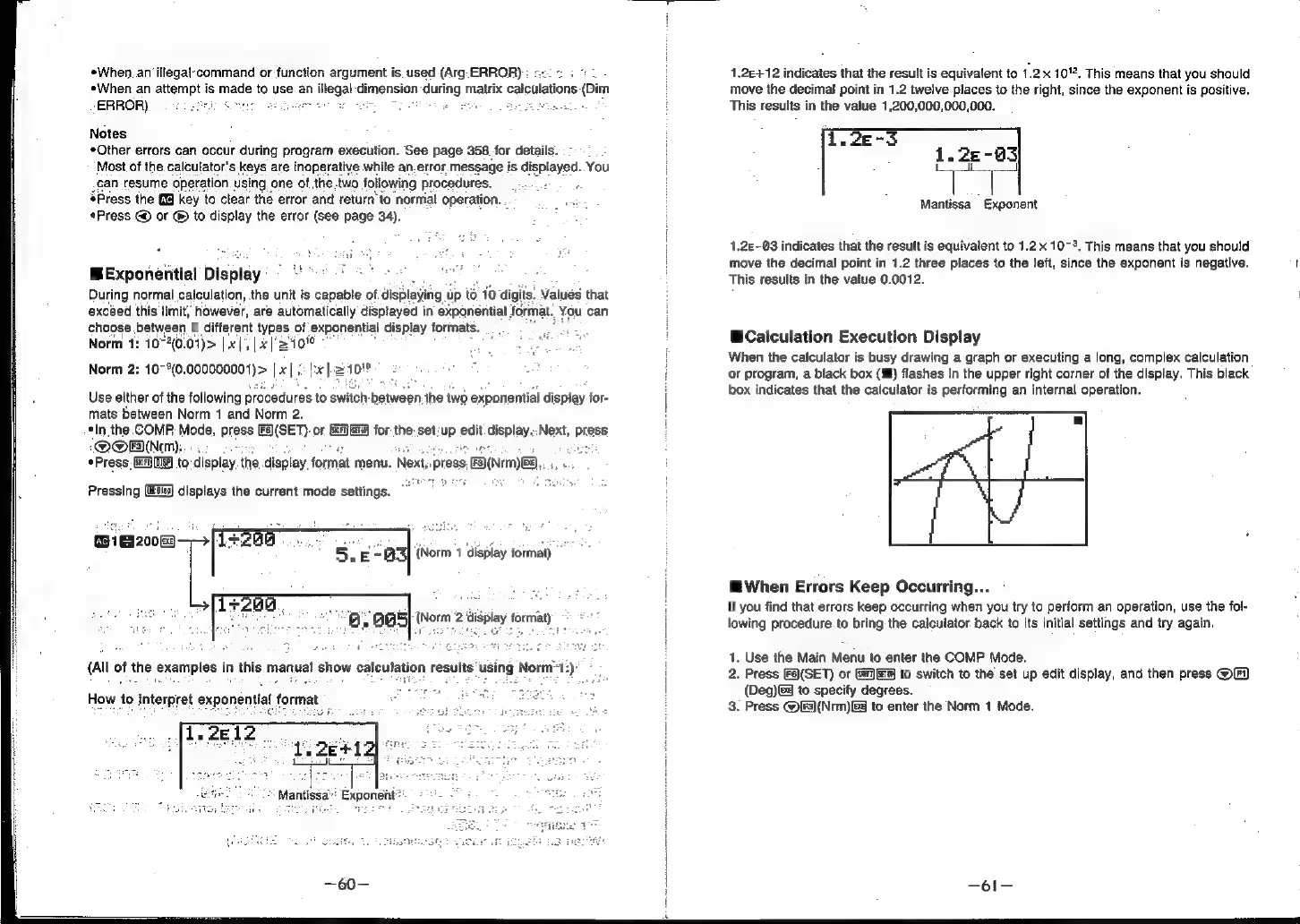
1.2&+12
indicates
that
the
result
is
equivalent
to
1.2x
10".
This
means
that
you
should
move
the
decimal
point
in
1.2
twelve
places
to
the
right,
since
the
exponent
is
positive.
This
results
in
the
value
1,200,000,000,000.
Mantissa
Exponent
1.2£-03
indicates
that
the
result
is
equivalent
to
1.2x
10-3,
This
means
that
you
should
move
the
decimal
point
in
1.2
three
places
to
the
left,
since
the
exponent
is
negative.
t
This
results
in
the
value
0.0012.
@Calculation
Execution
Display
When
the
calculator
is
busy
drawing
a
graph
or
executing
a
long,
complex
calculation
or
program,
a
black
box
(Mf)
flashes
in
the
upper
right
corner
of
the
display.
This
black
box
indicates
that
the
calculator
is
performing
an
internal
operation.
MWhen
Errors
Keep
Occurring...
If
you
find
that
errors
keep
occurring
when
you
try
to
perform
an
operation,
use
the
fo!-
lowing
procedure.
to
bring
the
calculator
back
to
its
initial
settings
and
try
again.
1.
Use
the
Main
Menu
to
enter
the
COMP
Mode.
2.
Press
[Fa)(SET)
or
Gif]e)
to
switch
to
the
set
up
edit
display,
and
then
press
OF
(Deg)
to
specify
degrees.
3.
Press
@[F3)(Nrm)&@
to
enter
the
Norm
1
Mode.