EasyManua.ls Logo

Casio CFX-9800G - Page 71

Casio CFX-9800G
206 pages
Print Icon
To Next Page IconTo Next Page
To Previous Page IconTo Previous Page
Loading...
™@
Power
Regression
:
The
power
foatession
formula
is.
defined
as.y=A¢x®
(Iny=InA+Binx).
@To
input
‘data
for
power
regression
Input
data
using
the:same
procedures
as.
described.
for.
fsa
regression
on:page
104.
To
delete
data
Delete
data.using
the
same
procedures
as
described
for
linear
regression
on
page
104.
‘The
followihg
shows
the
difference
between
linear
regression
results
and
power
regres-
sion
results.
Linear
Regression
|
Power
Regression
a
Dx
Linx
Lx?
L(Inx)?
ry
Einy
Ly
E(Iny
Ixy
Llnxiny
To
Enter
the
Regression
Mode
with
Data
Storage
Highlight
the
REG
icon
on
the
Main
Menu_and
then
‘press
©@.
ty
Press
(6](SET)
to
make
the
set
up
display
appear.
Next,
use
the
procedure
on
page
24
to
specify
the
type
of
regression
you
want
to
perform.
[och
;
fice
naar
|
(Fa
(F2)
FS)
(Fa)
Use
the
procedure
on
page
23
specify
STO-for
the
statistical
data
(S-data).
—106—
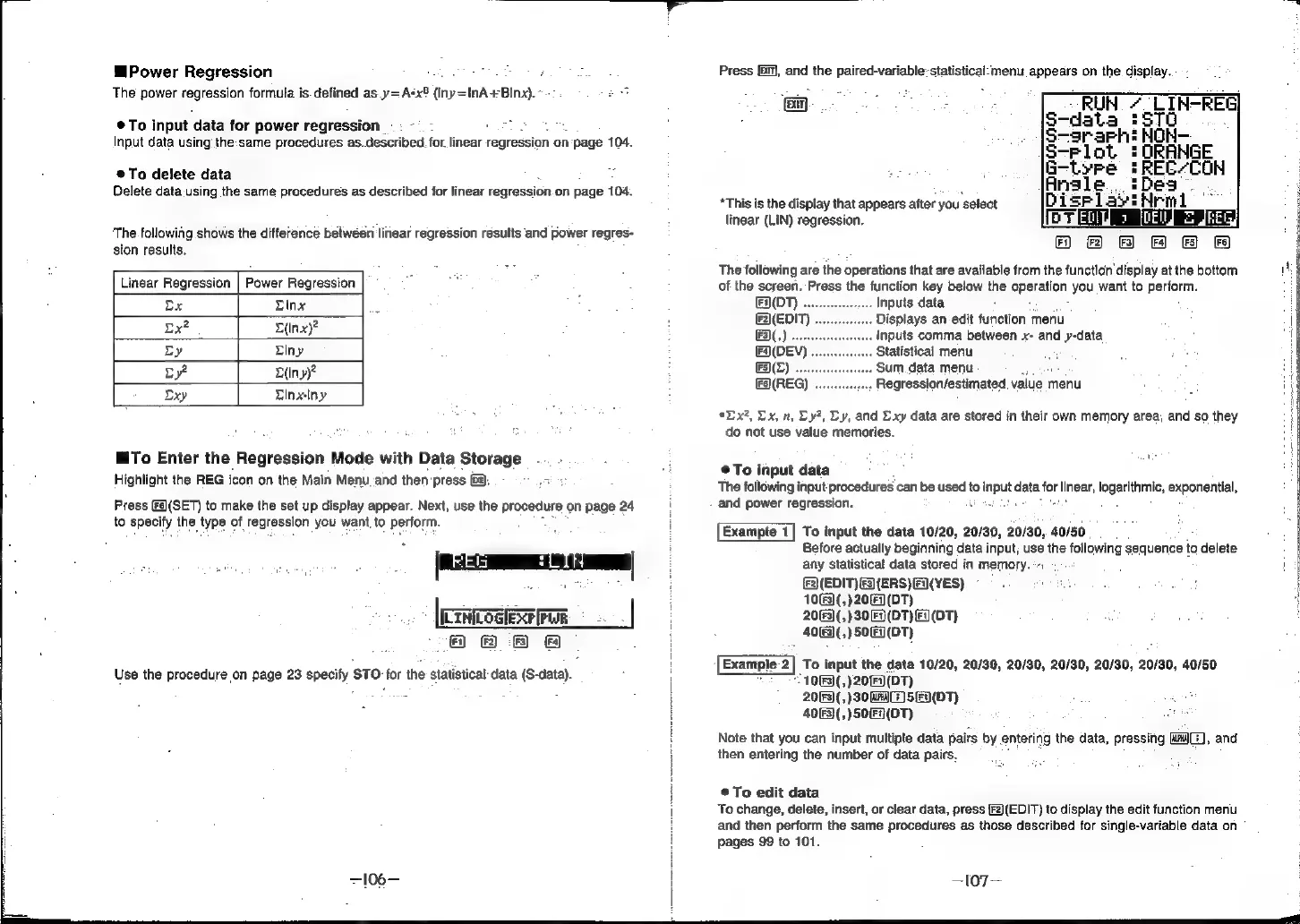
Press
(ml),
and
the
paired-variable-statistical-:menu
appears
on
the
display.
RUN
LIN-REG
S-data
:570
:
S-srarh:
NON-
S-Plot
=!
ORANGE
G-tyre
'REC-CON
:
Ansle
.
'Dea
*This
is
the
display
that
appears
after
you
select
linear
(LIN)
regression.
FT]
F2)
{Fa}
Fa)
(FS)
FS)
The
following
are
the
operations
that
are
available
from
the
function
display
at
the
bottom
of
the
screen.
Press
the
function
key
below
the
operation,
you
want
to
perform.
ENON)
.
Inputs
data
.
Displays
an-edit
function
menu
(EDIT)
F3)(,)
.
.
Inputs
comma
between
x-
and
y-data
(F(DEV)
.
Statistical
menu
(F5)(Z)
....
.
Sum
data
menu
FA(REG)
wee
Regression/estimated.
value
n
menu
*Dx?,
Dx,
n,
Ly?,
Ly,
and
Lxy
data
are
stored
in
their
own
memory
area,
and
so
they
do
not
use
value
memories.
®To
input
data
:
The
following
input
procedures
can
be
used
to
fo
input
data
for
linear,
logantnmni;
exponential,
and
power
regression.
Example
1]
To
input
the
data
10/20,
20/30,
20/30,
40/50
Before
actually
beginning
data
input;
use
the
following
sequence
to
delete
any
statistical
data
stored
in
memory.
*-:
(EDIT)
F3)(ERS)
Fi)(YES)
1063)
(,)20
=]
(DT)
20(3)
(,)30|
(DT)
Fi)(DT)
40(F3)
(,)50)
Fi}(DT)
Example-2|
To
input
the
data
1063)
(,)20
(DT)
2063)
(,)30
wr
5
|
Fi)(DT)
4063)
(,)50
Fi}
(DT)
Note
that
you
can
input
multipte
data
pairs
by
entering
the
data,
pressing
Ma
then
entering
the
number
of
data
pairs.
©To
edit
data
10/20, 20/30,
20/30, 20/30, 20/30,
20/30,
40/50
,
and
To
change,
delete,
insert,
or
clear
data,
press
[F2)(EDIT)
to
display
the
edit
function
menu
and
then
perform
the
same
procedures
as
those
described
for
single-variable
data
on
°
pages
99
to
101.
—l07—