EasyManua.ls Logo

Casio CFX-9800G - Page 87

Casio CFX-9800G
206 pages
Print Icon
To Next Page IconTo Next Page
To Previous Page IconTo Previous Page
Loading...
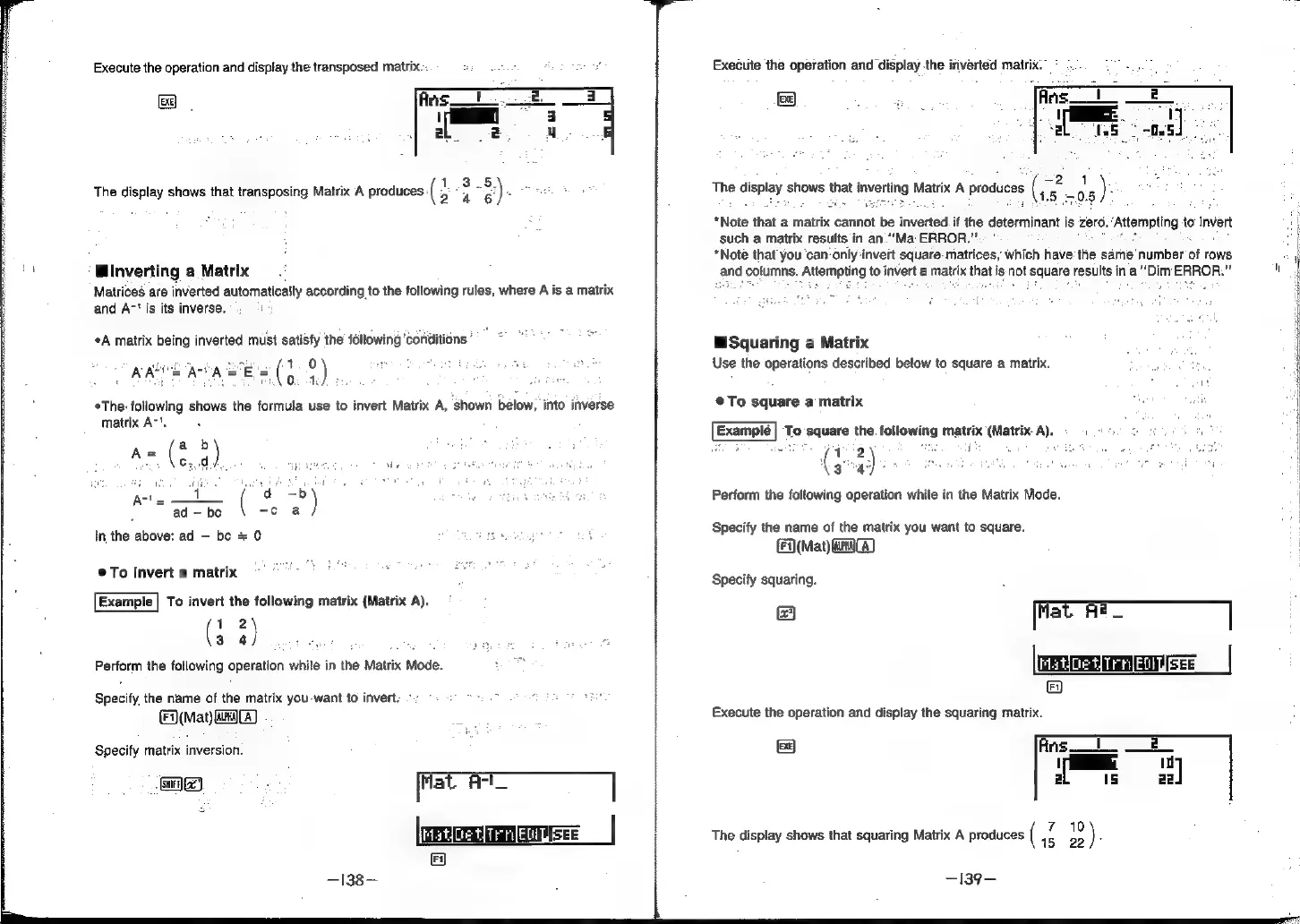
Execute
the
operation
and
display
the
transposed
matrix...
2-8)
24
6)"
The
display
shows
that
transposing
Matrix
A
produces
(
:
inverting
a
Matrix
Matrices
are
inverted
automatically
according
to
the
following
rules,
where
A
is
a
matrix
and
A~'
is
its
inverse.
:
A
matrix
being
inverted
must
satisfy
the
following
‘conditions
°
Bsa.
4)
*The-:
following
shows
the
formula
use
to
invert
Matrix
A,
shown
below,
into
inverse
matrix
A-'.
ARE
AU
AE
Se
eed
ad
be
(
=e
x)
In
the
above:
ad
be
+
0
©
To
invert
a
matrix
Example
|
To
invert
the
following
matrix
(Matrix
A).
(
12
304
Perform
the
following
operation
while
in
the
Matrix
Mode.
Specify
the
name
of
the
matrix
you
want
to
invert.
~
(Mat)
aaa
Specify
matrix
inversion.
asic)
:
Mat
Act
Execute
the
operation
and
display
the
inverted
matrix.”
-
The
display
shows
thet
inverting
Matrix
A
produces
i
be
*Note
that
a
matrix
cannot
be
inverted.
if
the
determinant
is
zero.
‘Attempting
to
invert
such
a
matrix
results
in
an.“"Ma
ERROR.
=
|
*Note
that
you
‘can’
only-invert
square-
matrices,
which
have
the
same
number
of
rows
and
columns.
Attempting
to
invert
a
matrix
that
i
is
not
square
results
in
a
“Dim
ERROR.”
"
Squaring
a
Matrix
Use
the
operations
described
below
to
square
a
matrix.
@To
square
a
matrix
To
square
the.
following
matrix
(Matrix.
A).
©)
5
Perform
the
following
operation
while
in
the
Matrix
Mode.
Specify
the
name
of
the
matrix
you
want
to
square.
(Mat)
a)
Specify
squaring.
@
[fat
Ae_
The
display
shows
that
squaring
Matrix
A
produces
(
ae
is
)
f
-139-