EasyManua.ls Logo

Casio CFX-9800G - Page 89

Casio CFX-9800G
206 pages
Print Icon
To Next Page IconTo Next Page
To Previous Page IconTo Previous Page
Loading...
Chapter
7
|||Equation
Calculations
|
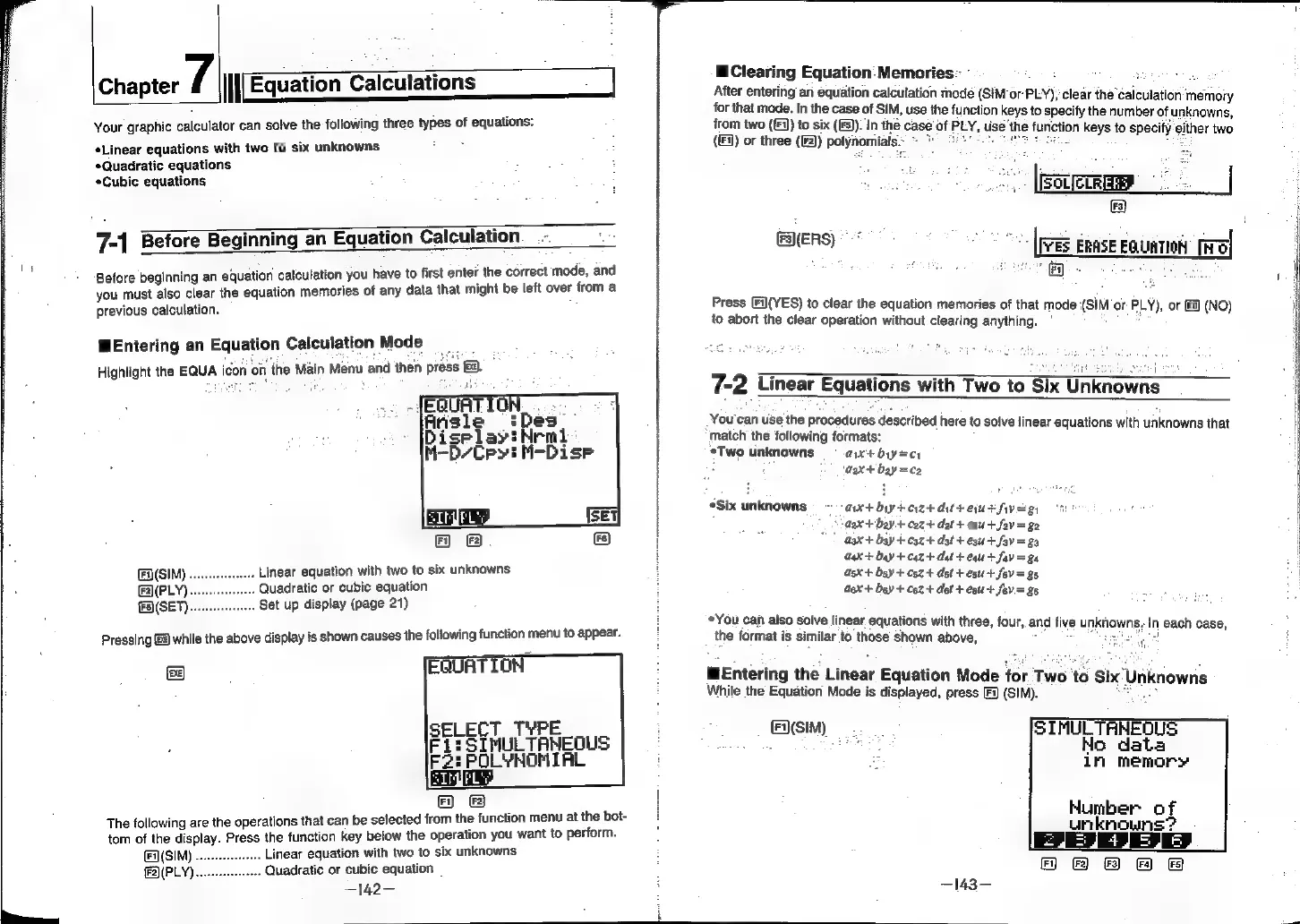
Your
graphic
calculator
can
solve
the
following
three
types
of
equations:
Linear
equations
with
two
to
six
unknowns
*Quadratic
equations
*Cubic
equations
7-1
Before
Beginning
an
Equation
Calculation
ter
the
correct
mode,
and
Before
beginning
an
equation
calculation
you
have
to
first
en’
you
must
also
clear
the
equation
memories
of
any
data
that
might
be
left
over
from
a
previous
calculation.
Entering
an
Equation
Calculation
Mode
sens
Highlight
the
EQUA
icon
on
the
Main
Menu
and
then
press
ee),
(SIM)
.
Linear
equation
with
two
to
six
unknowns
(F2)(PLY).
Quadratic
or
cubic
equation
{9
(SET).
Set
up
display
(page
21)
Pressing
&)
while
the
above
display
is
shown
causes
the
following
function
menu
to
appear.
ea)
The
following
are
the
operations
that
can
be
selected
from
the
function
menu
at
the
bot-
tom
of
the
display.
Press
the
function
key
below
the
operation
you
want
to
perform.
Linear
equation
with
two
to
six
unknowns
Quadratic
or
cubic
equation
—142—
Fy]
iT)
Clearing
Equation:
Memories:
3
After
entering
an
equation
calculation
mode
(SIM
‘or-
PLY);
clear
the
calculation
‘memory
for
that
mode.
In
the
case
of
SIM,
use
the
function
keys
to
specify
the
number
of
unknowns,
from
two
((1)
to
six
(IFS).
In
the
case
of
FLY,
use
‘the
B
function
keys
to
specify
either
two
(1)
or
three
(2)
polynomiats.~
re
Te
FalERS)
es
[pres
ERASE
EQUATION
ira
FY
Press
(Fi](YES)
to
clear
the
equation
memories
of
that
mode
(SIM
or
Puy),
or
(FS)
(NO)
to
abort
the
clear
operation
without
clearing
anything.
7-2
Linear
Equations
with
Two
to
Six
Unknowns
You'can
use
the
procedures
described
here
to
solve
linear
equations
with
unknowns
that
match
the
following
formats:
*Two
unknowns
ayx+
byy=cy
4
‘aex+
bay
=ce
*Six
unknowns
axtby+aztdtteurfiveg,
GX
+
bay
+
C2z+
dat
+
en
+fav
=
ge
*
aax+
bay
+
coz
+
dat
+
est
+
fav
=a
G4x
+
day
+
C4z
+
dat
+
equ
t
fav
=g4
asx
+
bgy
+
csz+
dst
+
esu
+
fev
=
g5
a6x
+
bey
+
c62-+
def
+
egu+
fov=
26
You
can
also
solve
linear
equations
with
three,
four,
and
five
unknowns,
-
each
case,
the
format
is
similar
to
those
shown
above,
Bue
Entering
the
Linear
Equation
Mode
for
Two
to
Six’
Unknowns
While
the
Equation
Mode
is
displayed,
press
Fi
(SIM).
SIMULTANEOUS
No
data
in
memory
(F(SIM)
Number
of
unknowns’?
(oJ
4J
5]
—)
2) &)
&
F&F
—143—