EasyManua.ls Logo

Casio CFX-9800G - Page 92

Casio CFX-9800G
206 pages
Print Icon
To Next Page IconTo Next Page
To Previous Page IconTo Previous Page
Loading...
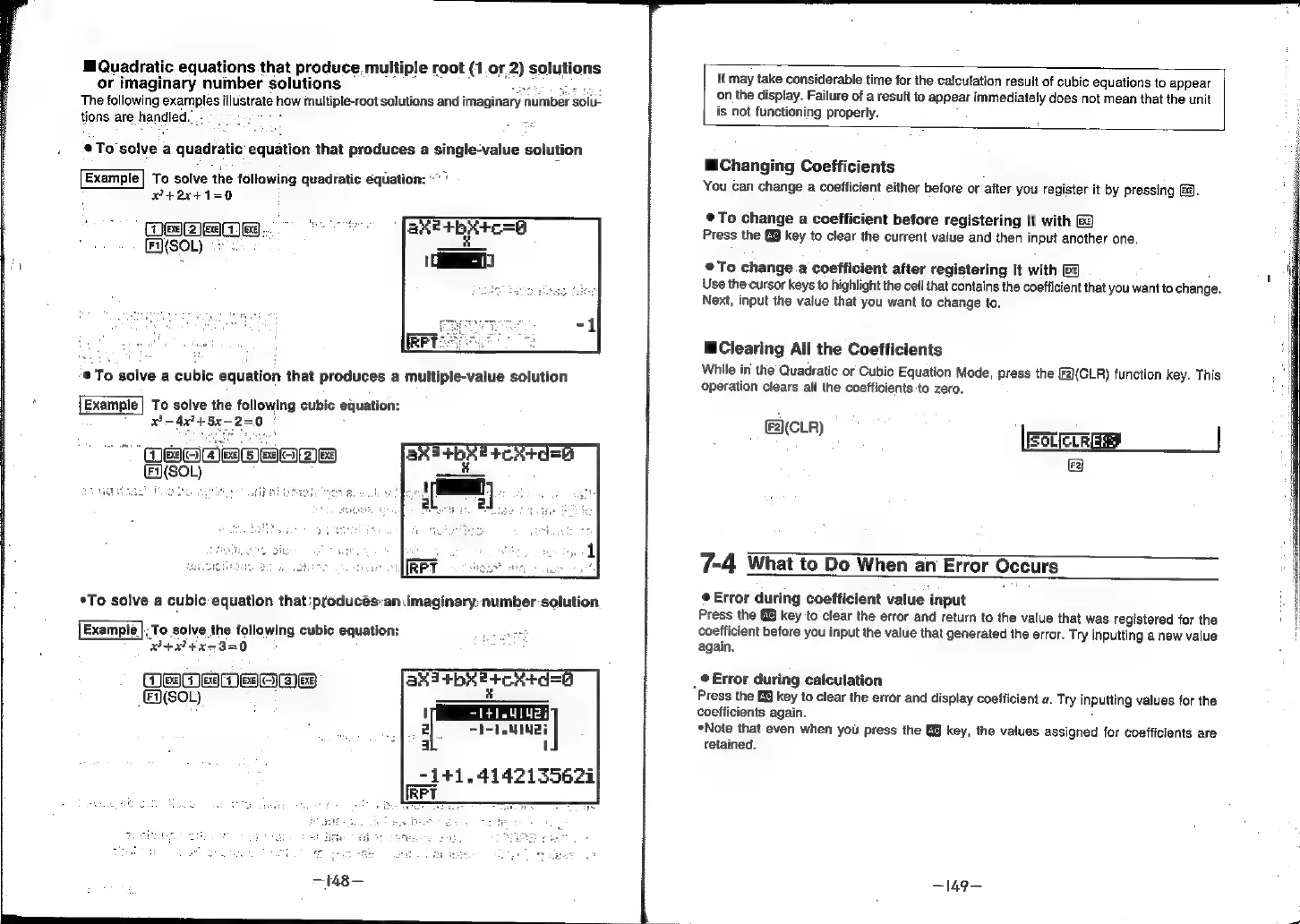
Quadratic
equations
that
produce,
multiple
root
(1
or
2)
solutions
or
imaginary
number
solutions
Epi
acer
Ege
The
following
examples
illustrate
how
multiple-root
solutions
and
imaginary
number
solu-
tions
are-handled.”
.
ae
2
equation
that
produces
a
single-value
solution
*To
solve
a
quadra
Example|
To
solve
the
following
quadratic
equation:
“"’
x+2x4+1=0
i
je)(2
lee)
[Fi)(SOL)
®
To
solve
a
cubic
equation
that
produces
a
multiple-value
solution
To
solve
the
following
cubic
equation:
34x24
5x-2=0
|
"
(BOWE
BHea
E(S0L)
Alp
nt
ive
*To
solve
a
cubic:
equation
that
produces-an:imaginary:
number
solution
Example
|;
To
solve
the
following
cubic
equation:
horn
B+P74x53=0
g
Om
MMOD
rs
N(SOL)
asi
+bx
ercatde6
It
may
take
considerable
time
for
the
catcutation
resuit
of
cubic
equations
to
appear
on
the
display.
Failure
of
a
result
to
appear
immediately
does
not
mean
that
the
unit
is
not
functioning
properly.
Changing
Coefficients
You
can
change
a
coefficient
either
before
or
after
you
register
it
by
pressing
&@.
To
change
a
coefficient
before
registering
it
with
&
Press
the
@@
key
to
clear
the
current
value
and
then
input
another
one.
®To
change
a
coefficient
after
registering
it
with
Ee
Use
the
cursor
keys
to
highlight
the
cell
that
contains
the
coefficient
that
you
want
to
change.
Next,
input
the
value
that
you
want
to
change
to.
Clearing
All
the
Coefficients
While
in
the
Quadratic
or
Cubic
Equation
Mode,
press
the
[F2)(CLR)
function
key.
This
operation
clears
all
the
coefficients
to
zero.
(2)(CLR)
IFSCIELE
@
7-4
What
to
Do
When
an
Error
Occurs
©
Error
during
coefficient
value
input
Press
the
@@
key
to
clear
the
error
and
return
to
the
value
that
was
registered
for
the
coefficient
before
you
input
the
value
that
generated
the
error.
Try
inputting
a
new
value
again.
_
@
Error
during
calculation
Press
the
B&
key
to
clear
the
error
and
display
coefficient
a.
Try
inputting
values
for
the
coefficients
again.
*Note
that
even
when
you
press
the
key, the
values
assigned
for
coefficients
are
retained.
—149-—