EasyManua.ls Logo

Casio CFX-9800G - Page 91

Casio CFX-9800G
206 pages
Print Icon
To Next Page IconTo Next Page
To Previous Page IconTo Previous Page
Loading...
Clearing
Ali
the
Coefficients
__
ey
oc
eee
Be
While
in
the
Linear
Equation
Mode,
press
the
[F2)
(CLR)
Ren
key.
This
operation
clears
all
the
coefficients
to
zero.
oa
ok ie
a
tongs
&)(CLR)
7-3
Quadratic:
and
Cubic
Equations
This
calculator
can
also
solve
quadratic
and
cubic
equations
that
match
the
following
for-
mats
(when
a0):
*Quadratic:
ax?
+bx+¢=0
ot ay
¢Cubic:
axs
+
bx?+ex+d=0
mEntering
the
Quadratic/Cubic
Equation
Modes.
2h:
.
While
the
\e
Equation
Mode.
is
alspiayes.
press
PLY).
tlstet
sae
gd
PLY»
ws
:
en
t
Hay
:
a
ot
«No
date..,
in
memory.
Degree?
EvEF
“The
following
are
the
operations
that are
available
from
the
function
menu-at
the
bottom
of
the:display.
Press
the
furiction’key
below
the
operation
aa
want
to°
petform:
FI(2)
.
Quadratic:
equation
i
F2}(3)...
Gubic
equation:
mSolving
a
Quadratic
or
Cubic
Equation
Example
To
solve
the
following
cubic
equation:
2x?
+25
0.
_
buahthg
—146—
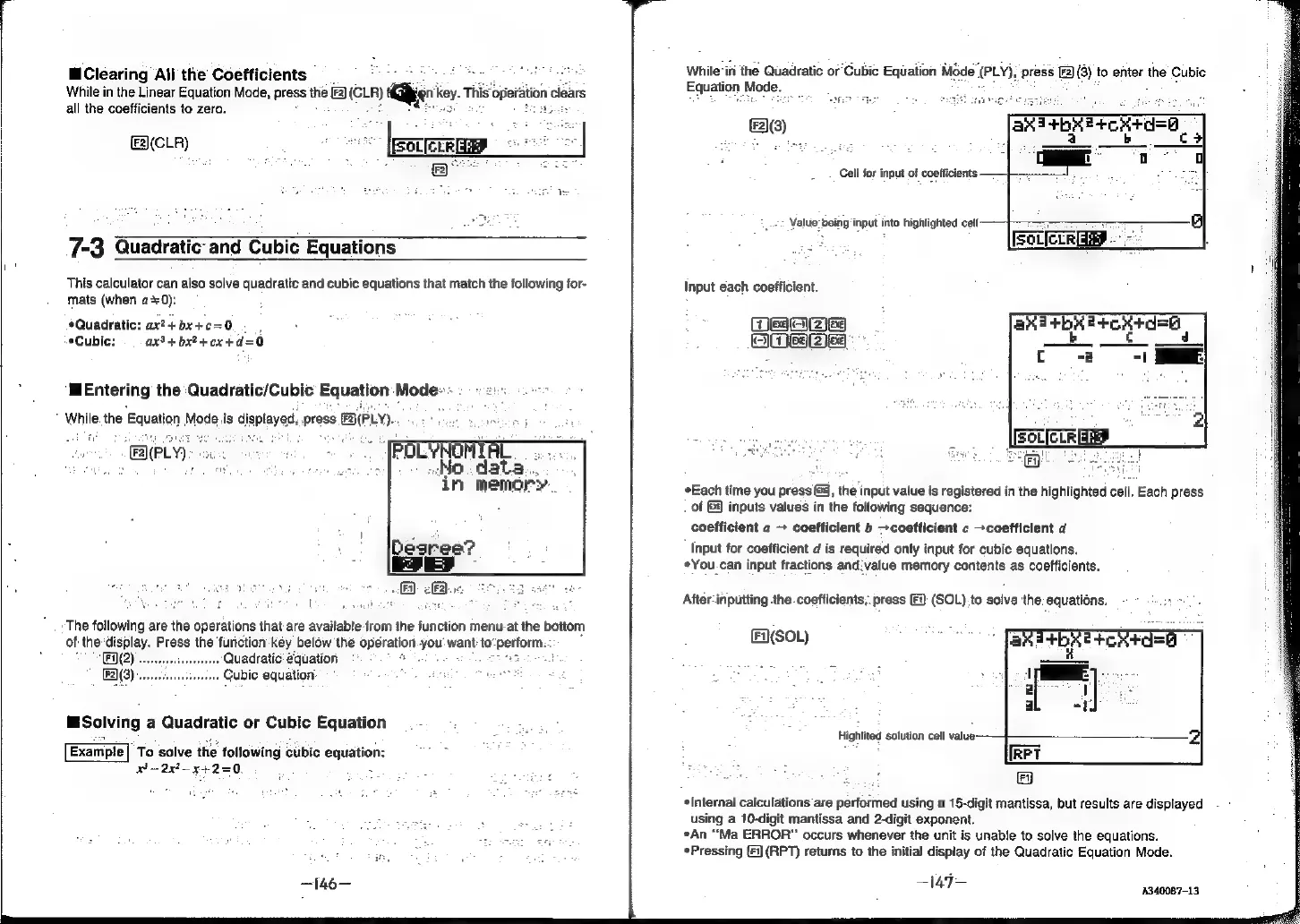
While
‘in
the
Quadratic
or
Cubic
Equation
Mode
(PLY);
press
(3)
to
enter
the
Cubic
Equation
Mode.
ca
(3)
Cell
for
input
of
coefficients
-:
Value:
being
input
into
highlighted
celt
Input
each
coefficient.
ee
((2)G¢)
Hes
(2)e9
Each
time
you
press
G3,
the
input
value
is
registered
in
the
highlighted
cell.
Each
press
of
@
inputs
values
in
the
following
sequence:
coefficient
a
+
coefficient
b
>coefficient
c
coefficient
d
Input
for
coefficient
d
is
required
only
input
for
cubic
equations.
*You.can
input
fractions
and:value
memory
contents
as
coefficients.
After-inputting
the
.coefficients;.
press
[F):
(SOL).
to
solve
the:
equations.
Fi}(SOL)
Highlited
solution
cell
value-
*Internal
calculations
are
performed
using
a
15-digit
mantissa,
but
results
are
displayed
using
a
10-digit
mantissa
and
2-digit
exponent.
*An
“Ma
ERROR”
occurs
whenever
the
unit
is
unable
to
solve
the
equations.
*Pressing
(i
(RPT)
returns
to
the
initial
display
of
the
Quadratic
Equation
Mode.
147
4340087-13,