EasyManua.ls Logo

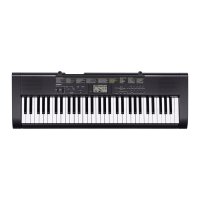
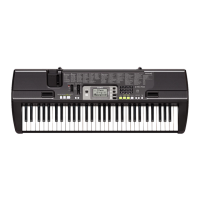
Casio CTK-1500 - User Manual

Casio CTK-1500
31 pages
Print Icon
To Next Page IconTo Next Page
Loading...
EN/ES
CTK1500-ES-1A
USER’S GUIDE
Safety Precautions
Before trying to use the Digital Keyboard, be sure to read the separate “Safety Precautions”.
Please keep all information for future reference.
GUÍA DEL USUARIO
Precauciones de seguridad
Antes de intentar usar el teclado digital, asegúrese de leer las “Precauciones de seguridad” separadas.
Guarde toda la información para futuras consultas.
CTK
-
1500
CTK
-
1550
About Music Score data
You can use a computer to download music score data from the CASIO Website. For more information, visit the
URL below.
http://world.casio.com/
Acerca de los datos de partituras
Puede utilizar un ordenador (computadora) para descargar los datos de partituras desde el sitio web de CASIO.
Para obtener más información, visite la siguiente URL.
http://world.casio.com/
EnglishEspañol
This recycle mark indicates that the packaging conforms to
the environmental protection legislation in Germany.
Esta marca de reciclaje indica que el empaquetado se
ajusta a la legislación de protección ambiental en Alemania.
MA1608-A Printed in China
K
CTK1500-ES-1A.indd 1 2016/08/10 15:32:07


Other manuals for Casio CTK-1500

Questions and Answers

  • A
    Anthony BauerSep 3, 2025
    Why display keeps flashing on Casio CTK-1500?
    • J
      Joseph AllenSep 3, 2025
      If the display of your Casio Electronic Keyboard keeps going out or is flashing, replace the batteries with new ones or switch over to AC adaptor power.
  • A
    angelajonesSep 1, 2025
    Why pitch of notes doesn't match on Casio Electronic Keyboard?
    • J
      Jessica GarzaSep 1, 2025
      If the pitch of the notes on your Casio Electronic Keyboard does not match other accompanying instruments or sounds strange when played along with other instruments, check and adjust the transpose and tuning settings. You can also try turning the power off and then back on to initialize all Digital Keyboard settings.
  • B
    Brandi ThomasAug 31, 2025
    What to do if auto accompaniment doesn't work on Casio Electronic Keyboard?
    • A
      Angela BrownAug 31, 2025
      If nothing happens when you start an Auto Accompaniment on your Casio Electronic Keyboard, there are a few things to check. For rhythms 69 and 70, you need to play a chord on the keyboard for anything to sound. Also, check and adjust the accompaniment volume setting. If those don't work, try turning the power off and then back on to initialize all Digital Keyboard settings.
  • J
    Jonathan GonzalesAug 29, 2025
    How to stop notes keep sounding on Casio Electronic Keyboard?
    • T
      thompsonsaraAug 29, 2025
      If notes keep sounding without stopping on your Casio Electronic Keyboard, try turning the power off and then back on to initialize all Digital Keyboard settings. If that doesn't work, replace the batteries with new ones or switch over to AC adaptor power.
  • L
    Lindsay VillarrealAug 27, 2025
    Why does Casio CTK-1500 output loud sound and powers down?
    • J
      juliasimmonsAug 28, 2025
      If your Casio Electronic Keyboard outputs a loud sound and then suddenly powers down, replace the batteries with new ones or switch over to AC adaptor power.
  • K
    Kayla JoyceAug 26, 2025
    What to do if volume or tone setting changed on Casio Electronic Keyboard?
    • J
      Jacqueline CookAug 26, 2025
      If the volume or tone setting on your Casio Electronic Keyboard has changed, try adjusting the main volume setting. You can also try turning the power off and then back on to initialize all Digital Keyboard settings. If that doesn't work, replace the batteries with new ones or switch over to AC adaptor power.
  • K
    Kelly WeaverAug 25, 2025
    Why nothing happens when I press keys on Casio CTK-1500?
    • H
      hudsonemmaAug 25, 2025
      If nothing happens when you press any key on your Casio Electronic Keyboard, there are a few things to check. First, adjust the main volume setting. Also, make sure nothing is plugged into the PHONES/OUTPUT jack on the back of the keyboard. If those don't work, try turning the power off and then back on to initialize all Digital Keyboard settings.
  • K
    kathryn90Aug 22, 2025
    What to do if nothing happens when I start a song on Casio Electronic Keyboard?
    • L
      lynnsanchezAug 23, 2025
      If nothing happens when you start playback of a built-in song on your Casio Electronic Keyboard, there are a few things you can check. First, it might take a moment for the song to start playing after you press the button, so wait a little longer. Also, check and adjust the song volume. If that doesn't work, try turning the power off and then back on to initialize all Digital Keyboard settings.

Summary

General Guide and Basic Operations

Keyboard Controls and Settings

Explains timeout, 10-key pad, and function button operations.

Initial Setup and Power

Covers music stand setup, AC adaptor, and battery power options.

Basic Keyboard Playing

Steps for powering on, playing demo songs, and using headphones.

Sound Selection and Piano Setup

Guide to selecting instrument tones and piano-specific settings.

Musical Modes and Performance Features

Dance Music Mode Guide

Learn to use dance music patterns, tempo, and effects.

Playing and Practicing Songs

Instructions for playing and practicing with built-in songs.

Auto Accompaniment Usage

How to use rhythm, chords, and tempo for automatic accompaniment.

Reference, Connectivity, and Safety

Connecting External Devices

Guidance for connecting the keyboard to audio equipment.

Troubleshooting and Specifications

Resolving issues, viewing technical specifications, and factory reset.

Operating Precautions

Essential guidelines for safe and proper product use.

Casio CTK-1500 Specifications

General IconGeneral
Headphone outputs1
Headphone connectivity6.3 mm
CertificationCE
Tones quantity120
RMS rated power2 W
Number of speakers2
Maximum polyphony (notes)32
Music memory capacity (songs)100
Keys quantity61 keys
Product colorBlack
AC input voltage9.5 V
Power consumption (min)5.5 W
Weight and Dimensions IconWeight and Dimensions
Depth307 mm
Width946 mm
Height92 mm
Weight3300 g

Related product manuals