EasyManua.ls Logo

Casio CTK-480 - User Manual

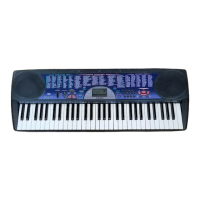
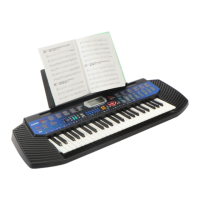
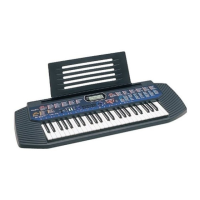
Casio CTK-480
18 pages
Print Icon
To Next Page IconTo Next Page
Loading...

Other manuals for Casio CTK-480

Questions and Answers

  • J
    Juan YoungJul 26, 2025
    Why my Casio Electronic Keyboard has no power?
    • J
      John WoodsJul 26, 2025
      If your Casio Electronic Keyboard has no power, it might be due to several reasons. It could be a faulty IC101, D106 ~ D109, or Q101 ~ Q104. In such cases, replace the faulty component. Poor contact can also cause this issue; clean the contacts to resolve it. Additionally, an open J101 or poor soldering could be the problem; replace J101 or resolder to fix it.
  • B
    brent01Aug 5, 2025
    What to do if my Casio Electronic Keyboard has no sound?
    • R
      rlewisAug 6, 2025
      If your Casio Electronic Keyboard has no sound, the issue might stem from several components. Check for an open or shorted IC101, and if found, replace it. A faulty LSI101 or Q111 could also be the cause, requiring replacement. Additionally, an open X101 could be the problem, and replacing it might solve the issue.
  • V
    Victor HollandAug 14, 2025
    How to fix certain keys that do not function on Casio CTK-480?
    • L
      Leon BakerAug 14, 2025
      If certain keys or switches on your Casio Electronic Keyboard aren't working, it could be due to an open circuit on the KO or KI line, requiring a replacement of the keyboard PCB assembly. Alternatively, a faulty LSI101 could be the cause, in which case you should replace the LSI101.

Summary

Main Features

Auto-Accompaniment and Transpose Function

Details features for automatic musical accompaniment and changing the keyboard's key.

Safety Precautions

General Warnings and Cautions

Highlights critical safety information regarding potential death or serious injury.

Keyboard Care and Maintenance

Environmental and Handling Precautions

Guidelines for protecting the keyboard from heat, humidity, impact, and chemical damage.

Quick Reference: Basic Operations

Power On;Off and Tone Selection

Instructions for turning the keyboard on/off and changing preset tones.

Rhythm and Song Bank Playback

Guide to selecting and playing built-in rhythms and Song Bank tunes.

Advanced Operations Guide

Power Supply and Basic Operations

Using AC Power and Battery Installation

Details on powering the keyboard via AC adaptor or batteries.

Tone Selection and Rhythms

Rhythm and Song Bank Operations

Song Bank and Auto-Accompaniment

Chord Systems and Fingerings

CASIO CHORD Auto-Accompaniment

Steps for using the CASIO CHORD system for auto-accompaniment.

Fingered Auto-Accompaniment and Keyboard Functions

Technical Reference and Troubleshooting

Troubleshooting Common Issues

Table of problems, possible causes, and actions for keyboard operation issues.

Technical Specifications

Casio CTK-480 Specifications

General IconGeneral
BrandCasio
ModelCTK-480
CategoryElectronic Keyboard
LanguageEnglish

Related product manuals