E-20
FINGERED
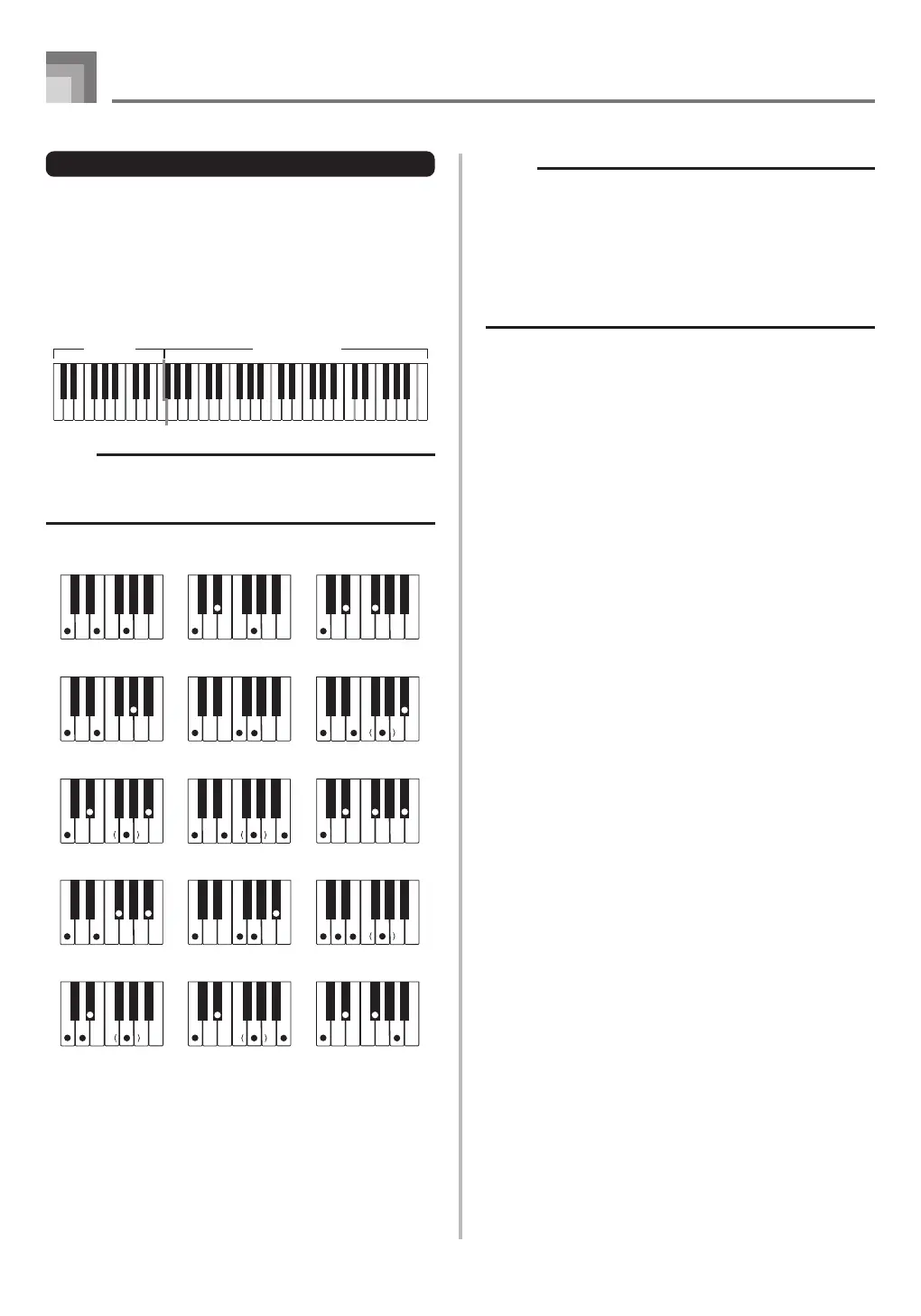
FINGERED provides you with a total of 15 different chord
types. The following describes the FINGERED
“Accompaniment keyboard” and “Melody keyboard”, and
tells you how to play a C-root chord using FINGERED.
FINGERED Accompaniment Keyboard and Melody
Keyboard
NOTE
• The accompaniment keyboard can be used for playing
chords only. No sound will be produced if you try playing
single melody notes on the accompaniment keyboard.
Melody keyboard
Accompaniment
keyboard
C
Caug
*1
Cm7
*2
C7
5 *1
Cmadd9
*2
Cm
Csus4
Cmaj7
*2
C7sus4
CmM7
*2
Cdim
C7
*2
Cm7
5
Cadd9
*2
Cdim7
*1
See the “Fingered Chord Chart” on page A-2 for details on
playing chords with other roots.
*1: Inverted fingerings cannot be used. The lowest note is the
root.
*2:
The same chord can be played without pressing the 5th G.
NOTE
• Except for the chords specified in note
*1
above, inverted
fingerings (i.e. playing E-G-C or G-C-E instead of C-E-
G) will produce the same chords as the standard
fingering.
• Except for the exception specified in note
*2
above, all of
the keys that make up a chord must be pressed. Failure
to press even a single key will not play the desired
FINGERED chord.
Auto Accompaniment
CTK1100_e_17-21.p65 10.3.9, 5:14 PM20


 To Next Page