
 Need help?
Do you have a question about the Casio FS-02M-9 and is the answer not in the manual?
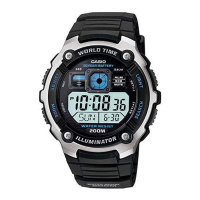
This document describes the operation and features of a digital watch, Module No. 2128.
The watch offers multiple modes: Timekeeping, World Time, Data Bank, and Stopwatch. It features a general guide for mode navigation and display illumination.
This is the primary mode for displaying the current time and date. It can show time in two formats: digital (with AM/PM indicator, hour, minutes, seconds, and day of week) and analog (hour, minutes, and a pendulum graphic). The user can select their preferred display type.
Setting the Time and Date:
D button until the seconds digits flash.A button to cycle through the selection sequence: Seconds, DST (Daylight Saving Time), City Code, Month, Day, Year, Hour, Minutes, and 12/24-Hour Format.B while seconds are flashing. If seconds are 30-59, minutes increment by one.B while DST is selected.B while the 12/24-hour format is selected.B to increase or A to decrease the value. Holding down either button changes the setting at high speed.D to return to Timekeeping Mode. The day of the week is automatically set based on the date.This mode displays the current time in 27 different cities worldwide. It shows the hour, minutes, seconds, and the month-day-year for the selected city. A mode indicator and DST on/off indicator are also present.
Usage Features:
A to scroll through city codes. Holding A down scrolls at high speed.B to toggle between date and time display for the selected city.D to toggle DST (Daylight Saving Time) on and off for the displayed city.This mode allows storage of up to 30 name and telephone number records. Each record can have up to eight characters for the name and 14 digits for the number. Data scrolls automatically if the name or number exceeds display length.
Usage Features:
A until the empty record areas screen appears.D until a cursor appears.A or B to input characters (A-Z, 0-9, space, /, :, -) for the name. D advances the cursor.A or B to move the cursor to the telephone number area.A or B to input numbers (0-9, space) for the telephone number. D advances the cursor.D to store the data. A "SORT" message appears, then the cursor for the next record.A to scroll through stored records. Holding A down scrolls at high speed.D until a cursor appears.A or B to move the cursor and change characters.D to store changes. A "SORT" message appears.D until a cursor appears.A and B simultaneously. A "CLEAR" message appears.D to exit.This mode measures elapsed time, split times, and two finishes. The stopwatch range is 59 minutes, 59.99 seconds.
Usage Features:
B to start.B to stop.A to clear.B to restart after stopping.B to start.A to record a split.A again to release the split.B to stop.A to clear.B to start.A when the first runner finishes (records 1st runner's time).B when the second runner finishes (stops the stopwatch and records 2nd runner's time).A to release the split (displays 1st runner's time).A again to display 2nd runner's time.A again to clear.D to switch between modes.B in any mode (except during settings) to illuminate the display for approximately 1.5 seconds.A or B during settings or data recall enables high-speed changes/scrolling.




 To Next Page
 General