– 1 –
Removing and Replacing
the Calculator’s Cover
• Before starting .....1
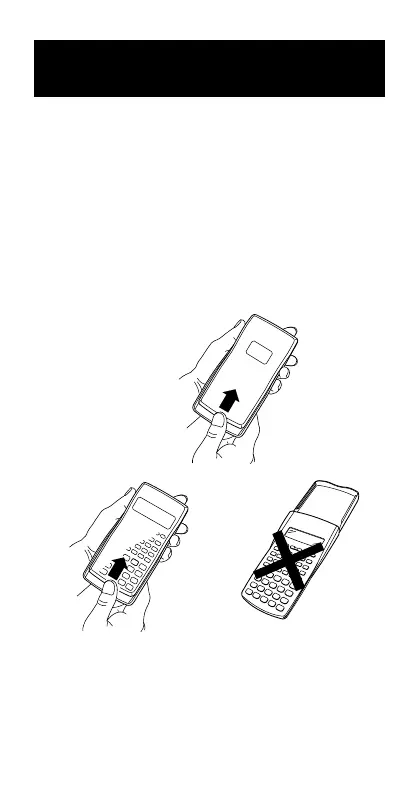
Holding the cover as shown in the illustration, slide the
unit out of the cover.
• After you are finished .....2
Holding the cover as shown in the illustration, slide the
unit out of the cover.
• Always slide the keyboard end of the unit into the cover
first. Never slide the display end of the unit into the cover.
.....1
.....2



 To Next Page