EasyManua.ls Logo

Casio FX-795P - Storing and Loading of Data in the DATA BANK; Data Storing and Loading

Casio FX-795P
133 pages
Print Icon
To Next Page IconTo Next Page
To Previous Page IconTo Previous Page
Loading...
CHAPTER
5
=
Programming
with
BASIC
Language
Precautions:
Sometimes
a
program
cannot
be
stored
or
loade'
check
the
following
items.
e
“Error
9”
is
displayed
during
storing.
[Check
point]
Check
if
the
computer
is
p:
.
©
“Error
9”
is
displayed
during
loading.
[Check
points]
If
the
tape
is
stretched,
replace
it
with
a
new
one.
If
the
head
of
the
tape
recorder
is
dirty,
clean
it.
Set
the
tone
control
of
the
tape
recorder
to
medium.
©
No
error
is
displayed
but
loading
is
attempted
without
success.
[Check
points]
If
the
tape
recorder
output
volume
is
low,
increase
the
vo
is
i
ith
that
Check
if
the
output
standard
of
the
tape
recorder
is
in
accordance
wil
See
the
owner’s
manual
of
the
cassette
interface
for
d
smoothly.
If
this
happens,
roperly
connected
to
the
cassette
interface.
lume
near
MAX.
of
the
cassette
interface.
the
standard.
=
Storing
and
Loading
of
Data
in
the
DATA
BANK
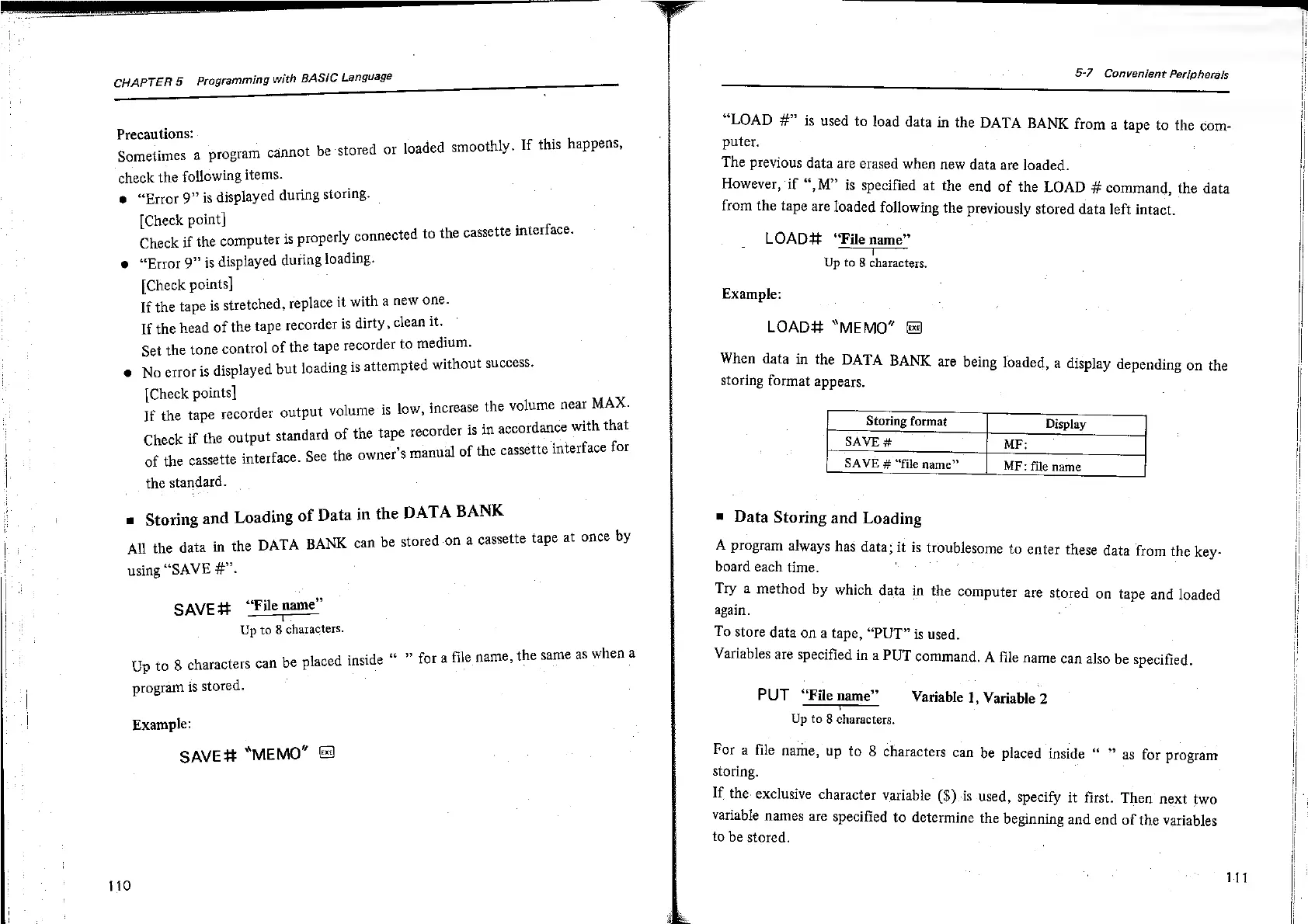
All
the
data
in
the
DATA
BANK
can
be
stored
on
a
cassette
tape
at
once
by
using
“SAVE
#”.
“File
name”
SAVE#
“File
name’
Up
to
8
characters.
aay
6
9
na
Up
to
8
characters
can
be
placed
inside
fora
file
name,
the
same
as
whe
program
is
stored.
Example:
SAVE#
“MEMO”
&
110
5-7
Convenient
Peripherals
OF
ee
“LOAD
#”
is
used
to
load
data
in
the
DATA BANK
from
a
tape
to
the
com-
puter.
The
previous
data
are
erased
when
new
data
are
loaded.
However,
if
“,M”
is
specified
at
the
end
of
the
LOAD
#
command,
the
data
from
the
tape
are
loaded
following
the
previously
stored
data
left
intact.
LOAD#
“File
name”
=e
Up
to
8
characters.
Example:
LOAD#
“MEMO”
Be
When
data
in
the
DATA
BANK
are
being
loaded,
a
display
depending
on
the
storing
format
appears.
Storing
format
Display
SAVE
#
MF:
SAVE
#
“file
name”
MF:
file
name
=
Data
Storing
and
Loading
A
program
always
has
data;
it
is
troublesome
to
enter
these
data
from
the
key-
board
each
time.
Try
a
method
by
which
data
in
the
computer
are
stored
on
tape
and
loaded
again.
To
store
data
on
a
tape,
“PUT”
is
used.
Variables
are
specified
in
a
PUT
command.
A
file
name
can
also
be
specified.
PUT
“File
name”
Variable
1,
Variable
2
aa
Up
to
8
characters.
For
a
file
name,
up
to
8
characters
can
be
placed
inside
as
for
program
storing.
If
the.
exclusive
character
variable
($).is
used,
specify
it
first.
Then
next
two
variable
names
are
specified
to
determine
the
beginning
and
end
of
the
variables
to
be
stored.
if

Related product manuals