EasyManua.ls Logo

Casio FX-795P - PASS {Password}

Casio FX-795P
133 pages
Print Icon
To Next Page IconTo Next Page
To Previous Page IconTo Previous Page
Loading...
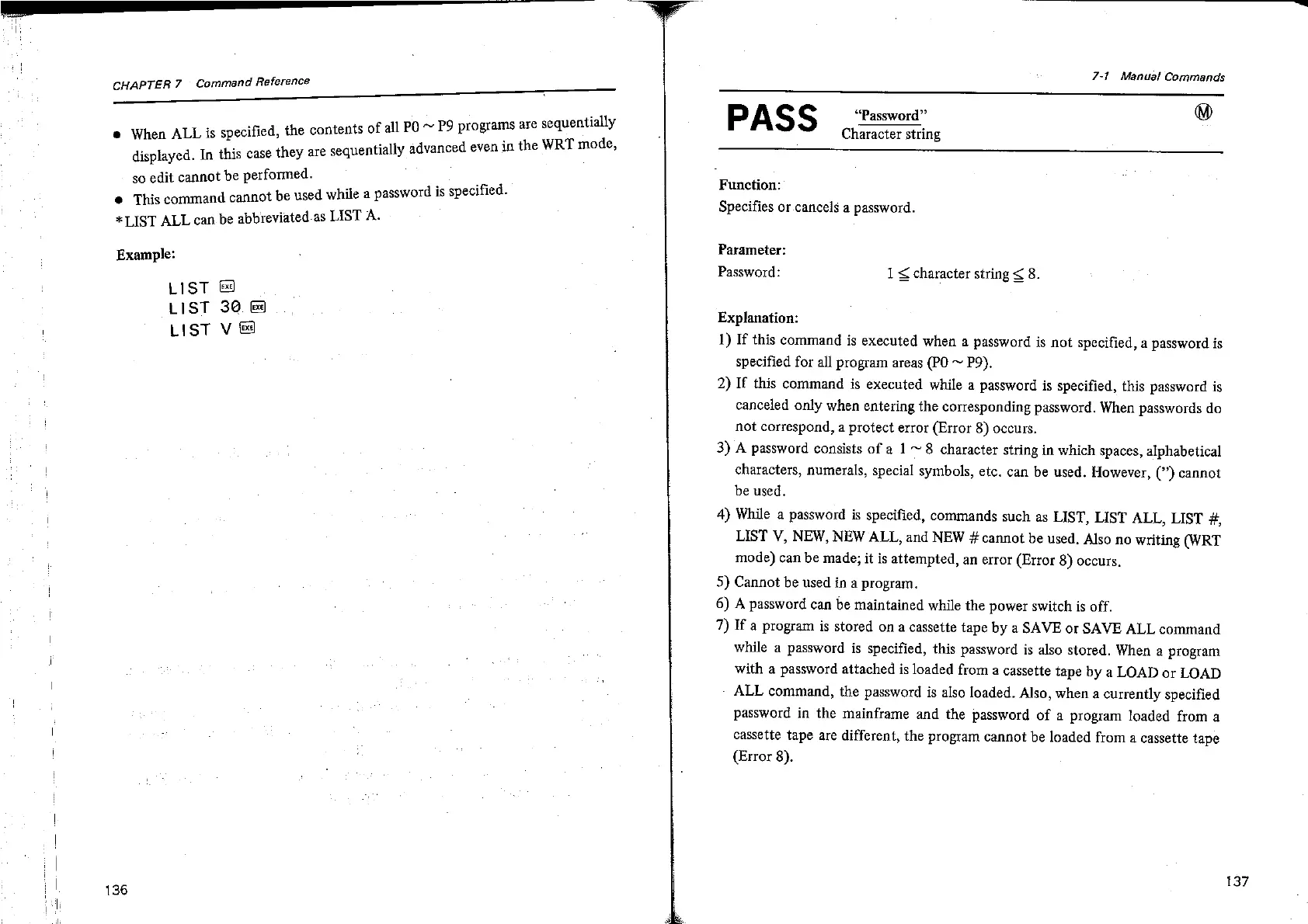
CHAPTER
7
Command
Reference
@
When
ALL
is
specified,
the
contents
of
all
PO
~
P9
programs
are
sequentially
displayed.
In
this
case
they
are
sequentially
advanced
even
in
the
WRT
mode,
so
edit
cannot
be
performed.
@
This
command
cannot
be
used
while
a
password
is
specified.
*LIST
ALL
can
be
abbreviated.as
LIST
A.
Example:
LIST
LIST
3@
LIST
V
&
136
7-1
Manual
Commands
“Password”
@
Character
string
PASS
Function:
Specifies
or.cancels
a
password.
Parameter:
Password:
1
<
character
string
<
8.
Explanation:
1)
If
this
command
is
executed
when
a
password
is
not
specified,
a
password
is
specified
for
all
program
areas
(PO
~
P9),
2)
If
this
command
is
executed
while
a
password
is
specified,
this
password
is
canceled
only
when
entering
the
corresponding
password.
When
passwords
do
not
correspond,
a
protect
error
(Error
8)
occurs.
3)
A
password
consists
of
a
1
~
8
character
string
in
which
spaces,
alphabetical
characters,
numerals,
special
symbols,
etc.
can
be
used.
However,
(”)
cannot
be
used.
4)
While
a
password
is
specified,
commands
such
as
LIST,
LIST
ALL,
LIST
#,
LIST
V,
NEW,
NEW
ALL,
and
NEW
#
cannot
be
used.
Also
no
writing
WRT
mode)
can
be
made;
it
is
attempted,
an
error
(Error
8)
occurs,
5)
Cannot
be
used
in
a
program.
6)
A
password
can
be
maintained
while
the
power
switch
is
off.
7)
If
a
program
is
stored
on
a
cassette
tape
by
a
SAVE
or
SAVE
ALL
command
while
a
password
is
specified,
this
password
is
also
stored.
When
a
program
with
a
password
attached
is
loaded
from
a
cassette
tape
by
a
LOAD
or
LOAD
ALL
command,
the
password
is
also
loaded. Also,
when
a
currently
specified
password
in
the
mainframe
and
the
password
of
a
program
loaded
from
a
cassette
tape
are
different,
the
program
cannot
be
loaded
from
a
cassette
tape
(Error
8).
137

Related product manuals