E-36
3
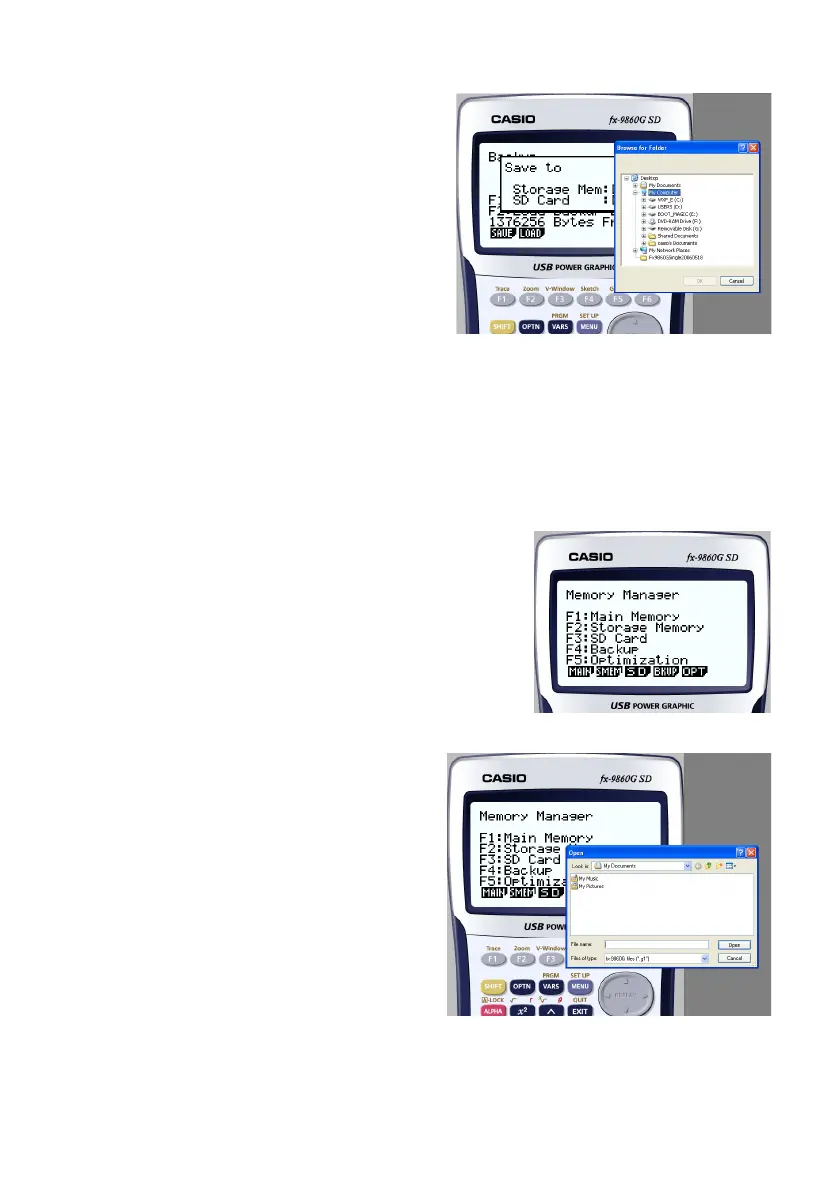
. Click 2.
• This displays the folder selection screen.
4
. Select the folder you want and then click [OK].
• The backup data is saved to the folder you select.
When to select a file on your computer’s hard disk
Select a file on your computer's hard disk when you want to perform the following operation.
• Copying a file on an SD card (actually your computer's hard disk) to main memory or storage
memory
1
. From the Main Menu, enter the MEMORY mode.
2
. Click 3(SD).
• This displays the file selection screen.
3
. Select the file you want and then click [Open].
• This displays the main memory/storage memory selection screen.
• Selecting a destination (main memory or storage memory) will start the copy operation.







 To Next Page