E-3
1. Installing and Uninstalling fx-9860G
Manager PLUS
This section explains how to install and uninstall fx-9860G Manager PLUS.
To install fx-9860G Manager PLUS
1
. Place the CD-ROM into your computer’s CD-ROM drive.
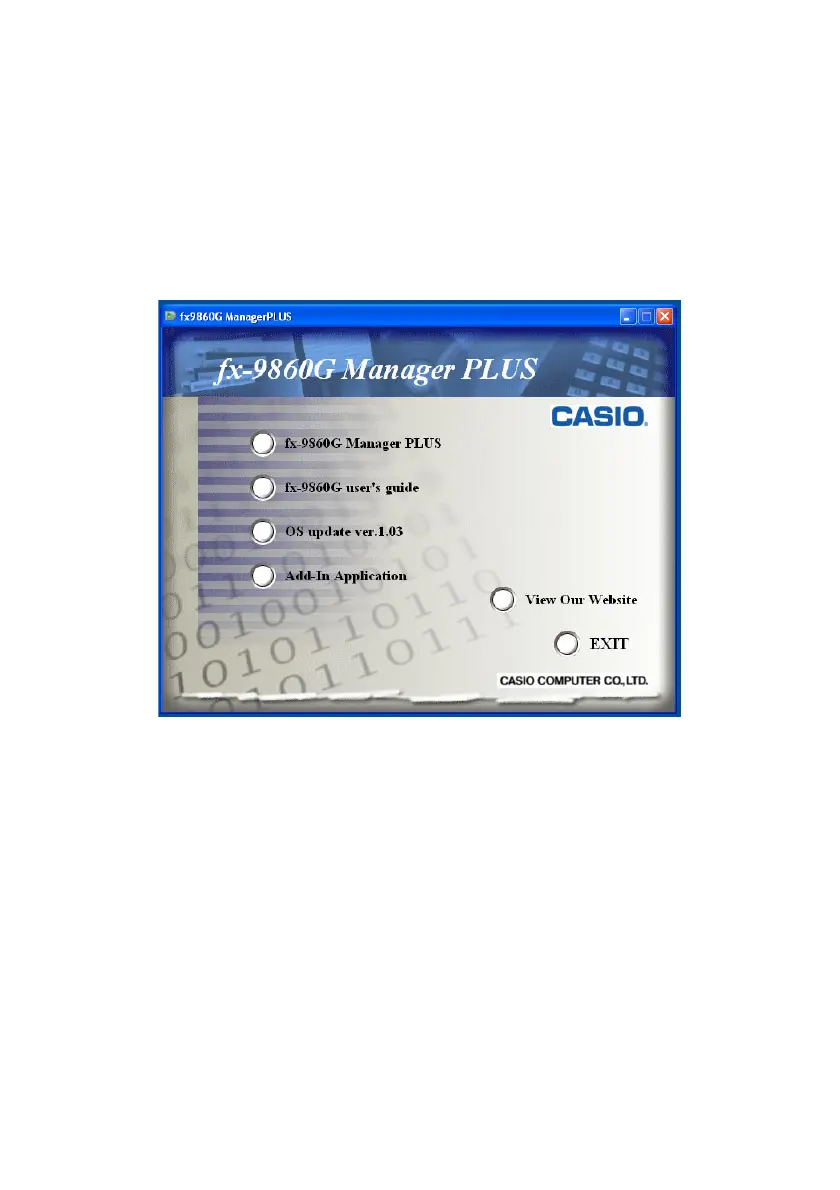
• After a short while, the fx-9860G Manager PLUS screen will appear on the display.
The following describes what each item on this screen does.
fx-9860G Manager PLUS ... Installs fx-9860G Manager PLUS.
fx-9860G user’s guide ... Opens the fx-9860G Manager PLUS User’s Guide.
OS update ver.1.03 ... Updates the operating system of an fx-9860G calculator to Version 1.03.
Add-In Application ... Displays the add-in application screen, which shows folders that contain
add-in applications and provides access to add-in application documentation.
View Our Website ... Goes to the website at http://world.casio.com/edu/







 To Next Page