E-40
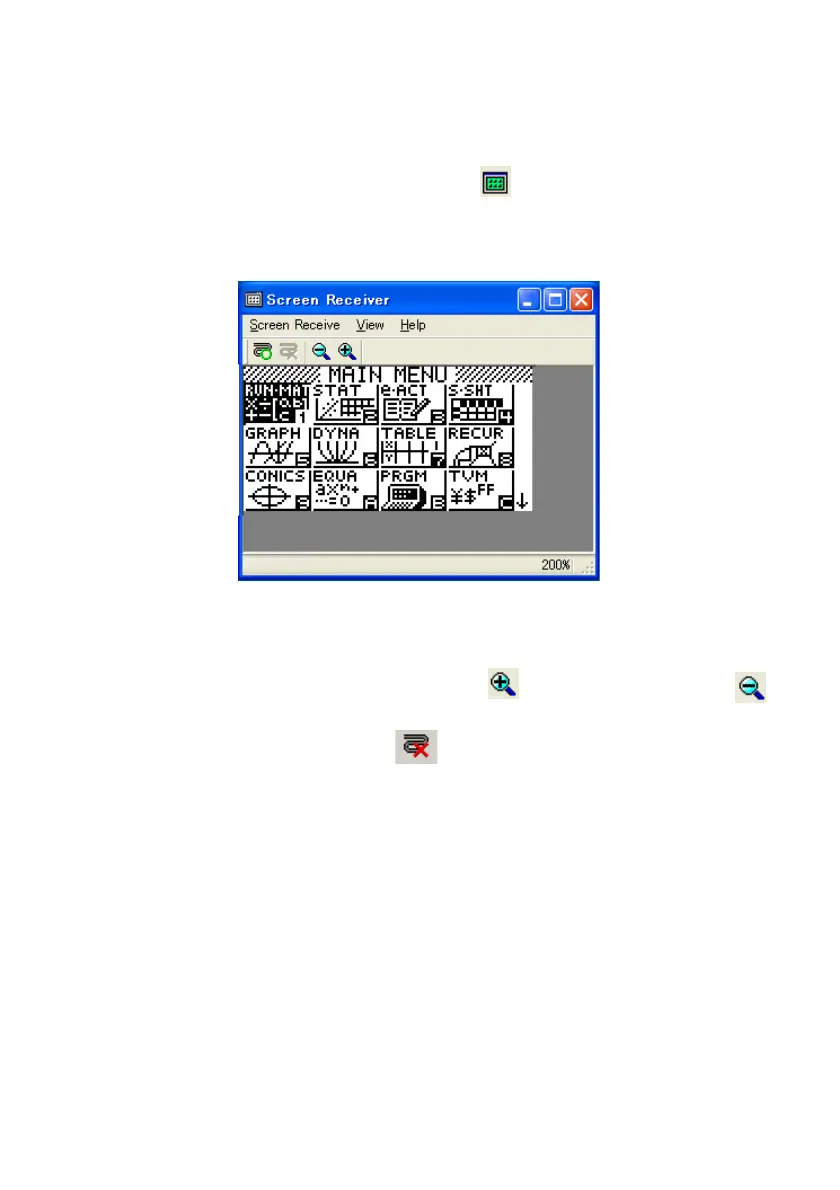
To display the calculator screen image on your computer
1
. Use the USB cable that comes with the calculator to connect the calculator to your computer.
2
. On the [Tools] menu, select [Screen Receiver], or click on the toolbar.
3
. A short while after Screen Receiver starts up, an image of the calculator screen will appear on
your computer.
4
. Operate the calculator. When you do, the calculator screen image will change in real time on
your computer.
5
. You can enlarge the calculator screen image by clicking and reduce its size by clicking .
6
. To close the calculator screen image, click .
7
. Disconnect the USB cable.







 To Next Page