20050401
7-5-3
Amortization
After configuring the parameters, use one of the function menus noted below to perform the
corresponding calculation.
•{BAL} … {balance of principal after installment PM2}
•{INT} … {interest portion of installment PM1}
•{PRN} … {principal portion of installment PM1}
•{ΣINT} … {total interest paid from installment PM1 to installment PM2}
•{ΣPRN} … {total principal paid from installment PM1 to installment PM2}
•{CMPD} … {compound interest screen}
• An error (Ma ERROR) occurs if parameters are not configured correctly.
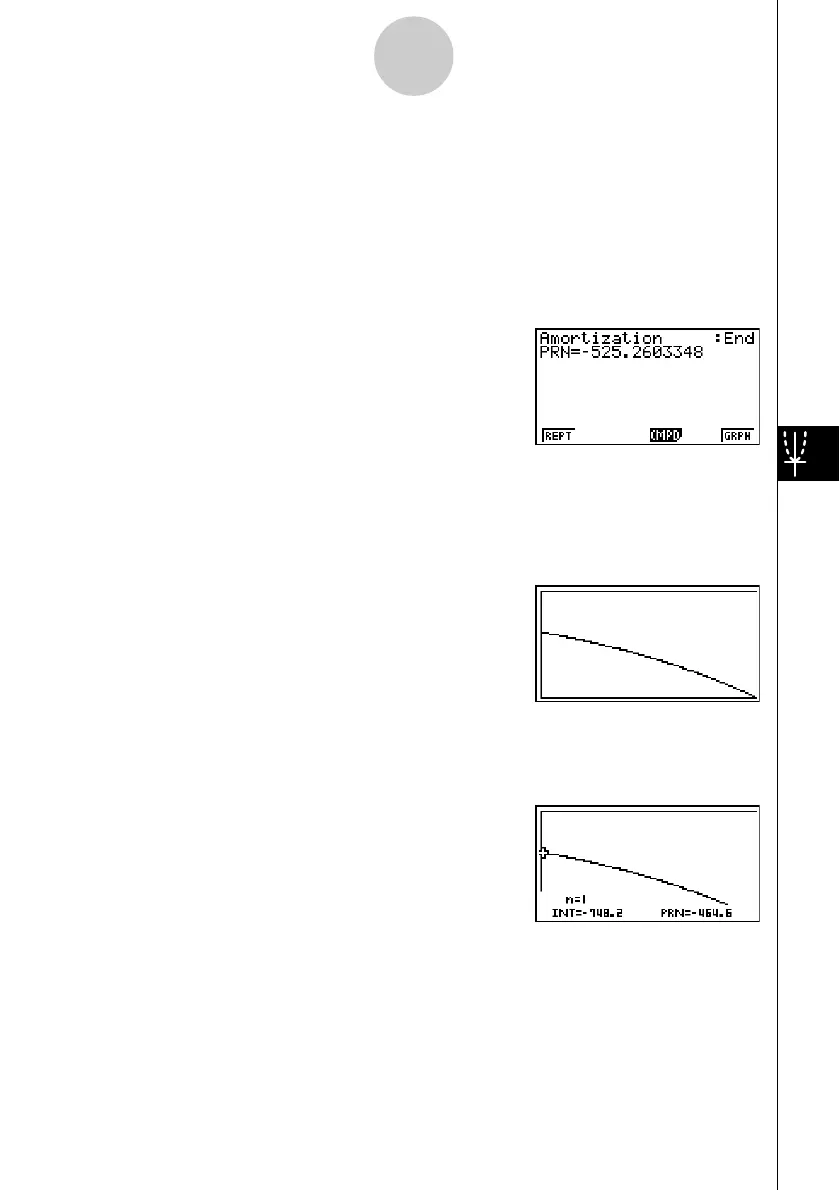
Use the following function menus to maneuver between calculation result screens.
•{REPT} … {parameter input screen}
•{CMPD} … {compound interest screen}
•{GRPH} … {draws graph}
After drawing a graph, you can press !1(TRCE) to turn on trace and read calculation
results along the graph.
The first press of !1(TRCE) displays INT and PRN when n = 1. Each press of e
shows INT and PRN when n = 2, n = 3, and so on.
Press J to return to the parameter input screen.














 To Next Page