Installing an Add-in Application Using FA-124 PROGRAM-LINK
1 . On your computer’s desktop, double-click “FA-124”.
• This will start up FA-124 PROGRAM-LINK.
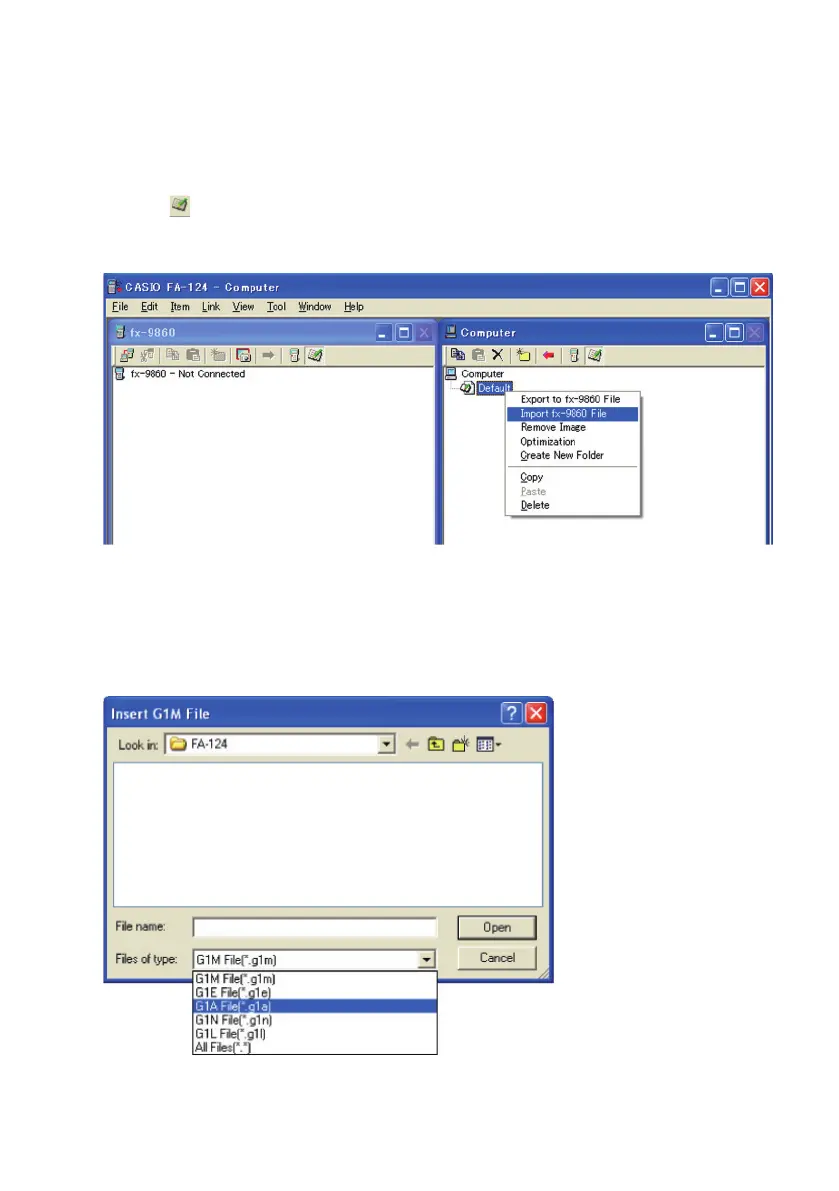
2 . Click the icon to switch to display of Storage Memory contents.
3 . In the Computer window, right click “Default”.
4 . On the shortcut menu that appears, select “Import fx-9860 File”.
• This will display a dialog box for selecting the fi le you want.
5. Click the fi le type down arrow button and then select “G1A File(*.g1a)” on the list of fi le types
that appears.
E-2














 To Next Page