Installing an Add-in Application Using an SD Card
* This operation is supported only on models equipped with SD card capabilities.
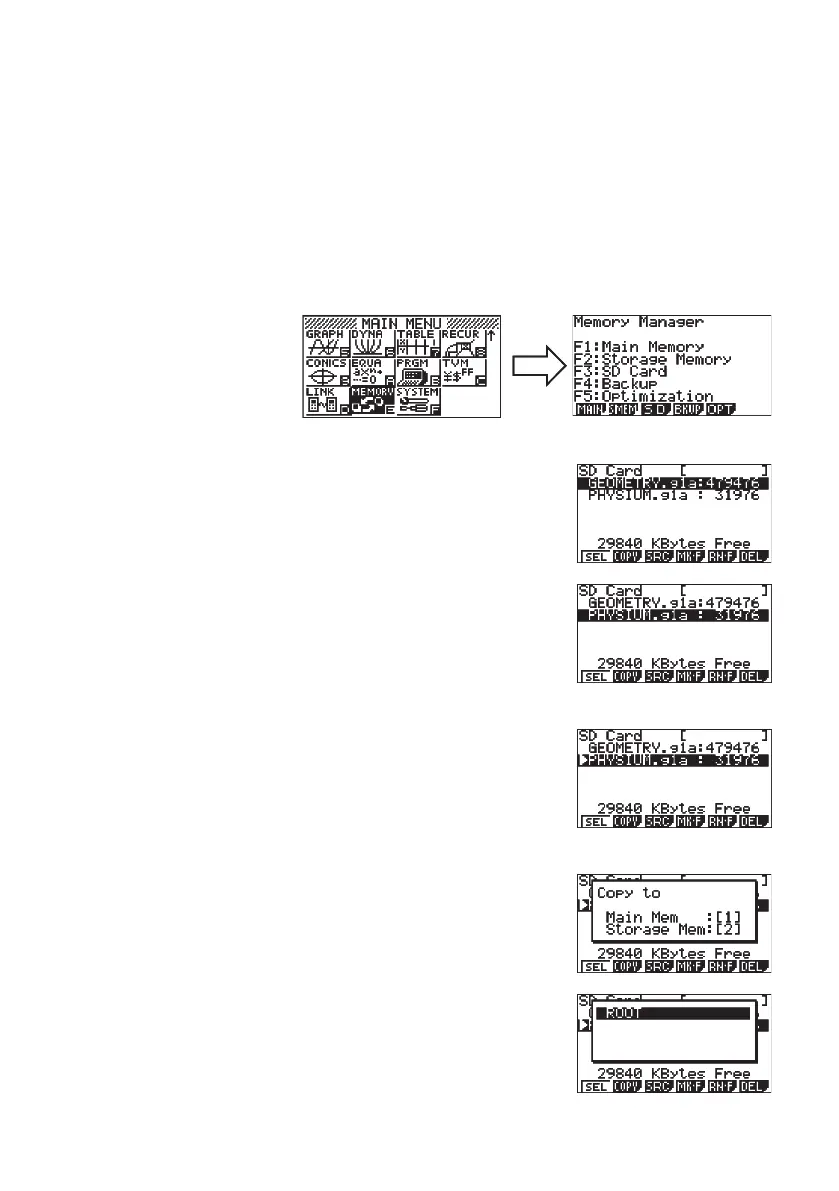
1 . Insert the SD card into an SD card drive connected to your computer.
2 . Copy the add-in fi le (*g1a) you want to install to the SD card.
3 . Insert the SD card that contains the add-in fi le into the calculator.
4 . Enter the MEMORY Mode.
5 . Press #(SD).
• This will display the data stored on the SD card.
6 . Use the f and c cursor keys to move the highlighting to the
add-in application you want to install.
7 . Press !(SEL).
• This will cause
'
to appear to the left of the fi le.
8 . Press "(COPY).
• This will display the “Copy to” dialog box.
9 . Press 2(Storage Mem).
E-6














 To Next Page