RUN-MATRIX
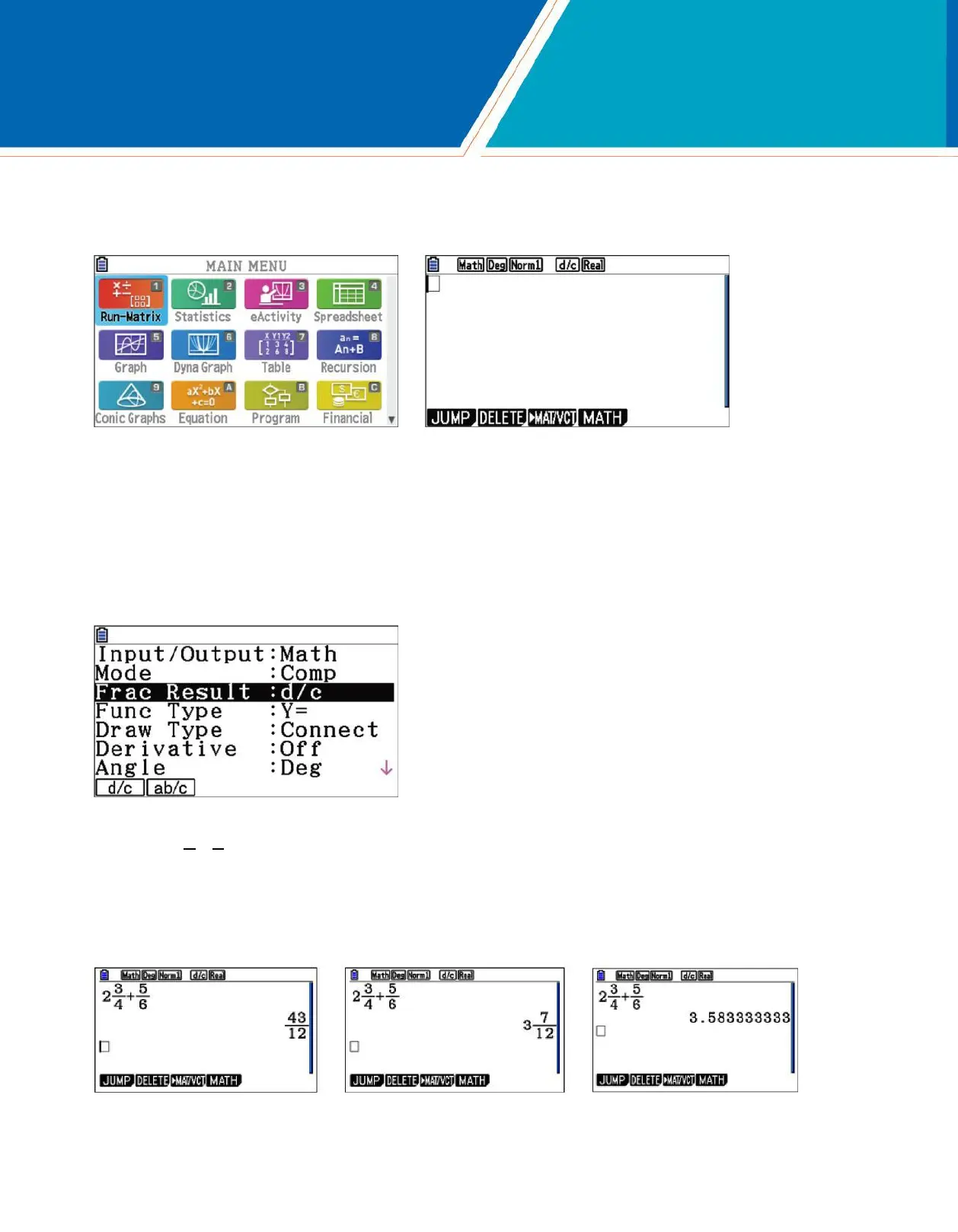
For basic calculations, like those that can be done on a scientific calculator, use the Run-Matrix menu. From the Main Menu, press LJJ.
To select how certain commands and results will be interpreted or displayed, press Lp(SET UP). For Input/ Output, select Math for natural display of fractions,
radicals and other expressions. For Frac Result, select d/c for a fraction result as the default or ab/c for a mixed number as the default. For Angle, select Deg or
Rad for degrees or radians.
Note: the status bar at the top of the screen displays the selection for some of these options.
1. Evaluate 2 3
4
Press Lb(...) jc c4c+b5cEl. To see the result as a mixed number, press Lv(a--4). To see the result as a decimal,
press v.
5
+
.
6
4 fx-CG50 Quick Start Guide

















 To Next Page