1
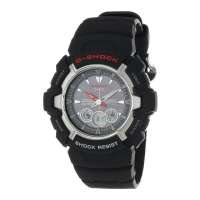
Operation Guide 5121
MA1002-EA
Congratulations upon your selection of this CASIO watch.
This watch does not have a city code that corresponds to the UTC offset of –3.5
hours. Because of this, the radio-controlled atomic timekeeping function will not
display the correct time for Newfoundland, Canada.
Note that CASIO COMPUTER CO., LTD. assumes no responsibility for any
damage or loss suffered by you or any third party arising through the use of this
product or its malfunction.
About This Manual
Button operations are indicated using the letters A
through D shown in the illustration.
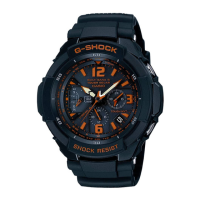
Hand Functions
z Hour Hand
x Second Hand
c Minute Hand
v Left Dial Hand:
Indicates the current day of the week and current
mode.
b 24-hour Hand:
Indicates the current 24-hour timekeeping hour.
n Right Dial Hands: Indicate a time, in 24-hour format, depending on the current
mode.
m Day
This User’s Guide uses numbers shown above to identify watch hands and indicators.
Things to check before using the watch
1. Hold down C at least two seconds to enter the Timekeeping Mode, and
then observe the movement of the
Second Hand.
Is the
Second Hand moving smoothly at one-second intervals?
Is the
Second Hand moving at
two-second intervals or is it stopped
completely?
Go to step 2.
The watch is charged suffi ciently.
For details about charging, see
“Charging the Watch”.
Power is low. Charge the watch by placing it
in a location where it is exposed to light. For
details, see “Charging the Watch”.
NO
YES
YES
NEXT
2. Check the Home City and the daylight saving time (DST) setting.
Use the procedure under “To confi gure Home City settings” to confi gure your Home
City and daylight saving time settings.
Important!
Proper time calibration signal reception and World Time settings depend on correct
Home City, time, and date settings in the Timekeeping Mode. Make sure you
confi gure these settings correctly.
3. Set the current time.
• To set the time using a time calibration signal
See “To get ready for a receive operation”.
• To set the time manually
See “Confi guring Current Time and Date Settings Manually”.
The watch is now ready for use.
For details about the watch’s radio contr olled timekeeping feature, see “Radio •
Controlled Atomic Timekeeping”.
Charging the Watch
The face of the watch is a solar cell that generates power from light. The generated
power charges a built-in rechargeable battery, which powers watch operations. The
watch charges whenever it is exposed to light.
Charging Guide
Whenever you are not
wearing the watch, leave
it in a location where it is
exposed to light.
Best charging •
performance is achieved
by exposing the watch to
light that is as strong as
possible.
When wearing the watch,
make sure that its face is
not blocked from light by the
sleeve of your clothing.
The watch may enter a •
sleep state if its face is
blocked by your sleeve
even only partially.
Warning!
Leaving the watch in bright light for charging can cause it to become quite hot.
Take care when handling the watch to avoid burn injury. The watch can become
particularly hot when exposed to the following conditions for long periods.
On the dashboard of a car parked in direct sunlight •
Too close to an incandescent lamp •
Under direct sunlight •
Important!
Keep the watch in an area normally exposed to bright light when storing it for long •
periods. This helps to ensure that power does not run down.
Storing the watch for long periods in an area where there is no light or wearing it in •
such a way that it is blocked from exposure to light can cause power to run down.
Make sure that the watch is exposed to bright light whenever possible.
B +
* 6> 5
@
Power Levels
You can get an idea of the watch’s power level by
observing the movement of the
Second Hand in the
Timekeeping Mode.
If the •
Second Hand is moving normally at one-second
intervals, power is at Level 1.
If the •
Second Hand is moving at two-second intervals,
power is at Level 2, which is quite low. Expose the watch
to light as soon as possible so it can charge.
Level Hand Movement Function Status
1 Normal. All functions enabled
2
Second Hand moves at two-second
intervals.
Day changes to 1 (home position).
Beeper, time calibration signal
reception disabled
3
Second Hand stopped.
z Hour Hand and
Minute Hand
stopped at 12 o’clock.
All functions disabled
When power drops to Level 3, all functions will be disabled but the watch will •
continue to keep time internally for about one week. If you recharge the battery
suffi ciently during this period, the analog hands will move automatically to the
correct setting and regular timekeeping will resume. After one week, all settings
(including timekeeping) will be cleared. Recharging the battery will reset all settings
to their initial factory defaults.
Power Recovery Mode
The watch is designed to go into a power recovery mode that stops hand operation
temporarily whenever power suddenly drops below a certain level due to overuse
of the alarm tone over a short period. Note that all operations are disabled while the
watch is in the power recovery mode.
The hands will move to the correct positions and the watch will resume normal
operation after power recovers (in about 15 minutes). Putting the watch in a location
where it is exposed to light will help power to recover sooner.
Charging Times
Exposure Level (Brightness)
Daily
Operation
*1
Level Change *2
Level 3 Level 2 Level 1
Outdoor sunlight (50,000 lux) 8 minutes 2 hours 24 hours
Window sunlight (10,000 lux) 30 minutes 6 hours 90 hours
Window sunlight on cloudy day
(5,000 lux)
48 minutes 8 hours – – –
Indoor fl uorescent lighting (500 lux) 8 hours 92 hours – – –
1 Approximate exposure each day to generate power for normal daily operation. *
2 Approximate exposure to take power up one level. *
The above times are for reference only. Actual times depend on lighting conditions. •
For details about the operating time and daily operating conditions, see the “Power •
Supply” section of the Specifi cations.
Power Saving
Power Saving enters a sleep state automatically whenever the watch is left for a
certain period in an area where it is dark. The table below shows how watch functions
are affected by Power Saving.
There actually are two sleep state levels: “second hand sleep” and “function sleep”. •
Elapsed Time in Dark Operation
60 to 70 minutes (second hand sleep)
Second Hand only stopped at 12 o’clock, all
other functions enabled
6 or 7 days (function sleep)
All functions, including analog timekeeping, •
disabled
Internal timekeeping maintained •
The watch will not enter a sleep state between 6:00 AM and 9:59 PM. If the watch •
is already in a sleep state when 6:00 AM arrives, however, it will remain in the sleep
state.
The watch will not enter a sleep state while it is in the Stopwatch Mode. •
To recover from the sleep state
Move the watch to a well-lit area or press any button.
Radio Controlled Atomic Timekeeping
This watch receives a time calibration signal and updates its time setting accordingly.
However, when using the watch outside of areas covered by time calibration signals,
you will have to adjust the settings manually as required. See “Confi guring Current
Time and Date Settings Manually” for more information.
This section explains how the watch updates its time settings when the city code
selected as the Home City is in Japan, North America, Europe, or China, and is one
that supports time calibration signal reception.
If your Home City code setting is this:
The watch can receive the signal from the
transmitter located here:
LON, PAR, ATH Anthorn (England), Mainfl ingen (Germany)
HKG Shangqiu City (China)
TYO Fukushima (Japan), Fukuoka/Saga (Japan)
HNL, ANC, LAX, DEN, CHI, NYC Fort Collins, Colorado (United States)
Important!
The areas covered by • HNL and ANC are quite far from the calibration signal
transmitters, so certain conditions may cause reception problems.
When • HNL or HKG is selected as the Home City, only the time and date are
adjusted according to the time calibration signal. You need to switch manually
between standard time and daylight saving time (DST) if required. See “To toggle
the Home City time between standard time and daylight saving time” for information
about how to do this.
Moves at two-second
intervals.
B +
@
5


 To Next Page
 General